Infrastructure uptime
CCTV Camera Health Monitoring Software
Spot camera, NVR, storage, and network issues before they create operational blind spots.
Trusted by banks, retailers, public institutions and enterprises across India
























Overview
What is CCTV health monitoring?
CCTV health monitoring is the continuous checking of a surveillance system's cameras, recorders (NVRs), servers, storage and network links, so a failure is found and fixed quickly instead of being discovered when footage is needed. Good health monitoring checks recording itself, not just whether a device is online, because a camera can respond on the network and still record nothing.
Spot infrastructure issues before they go dark.
OrionAlerts Health Monitoring checks every camera, NVR, server, storage volume and network link around the clock from each site's Nebula OS node. When a device goes offline, recording stops or storage runs low, the responsible team is alerted so the fault can be fixed before the gap in coverage grows.
- Works with
- Existing IP cameras and recorders over ONVIF, RTSP and vendor SDKs
- Deploys as
- On-site Nebula OS node · multi-site with Orion Cloud · partner-managed
- Alerts via
- Dashboard, mobile app and email
Video stays on the on-site node. Only health, alert, configuration and operational metadata syncs to Orion Cloud. How Nebula OS works
Outcomes
What IT and security teams notice first with health monitoring
Outcome 01 / 04
Fewer blind spots across sites
Know as soon as a camera or NVR goes offline at any site
How it works
How CCTV health monitoring works
Health checks run on each site's Nebula OS node, next to the cameras and recorders they watch.
- 01
Connect cameras, NVRs, servers, storage and network devices
Every device the platform talks to is added to the health engine on the on-site Nebula OS node.
- 02
Monitor health and recording status continuously
Device, stream, recording and storage status is checked continuously, along with servers, services and network links.
- 03
Get alerts on failures and outages
Alerts reach the dashboard, mobile app or email and show whether the camera, NVR, storage or network failed.
- 04
Resolve issues and review health reports
Fix the fault, then review uptime and availability per site and device.
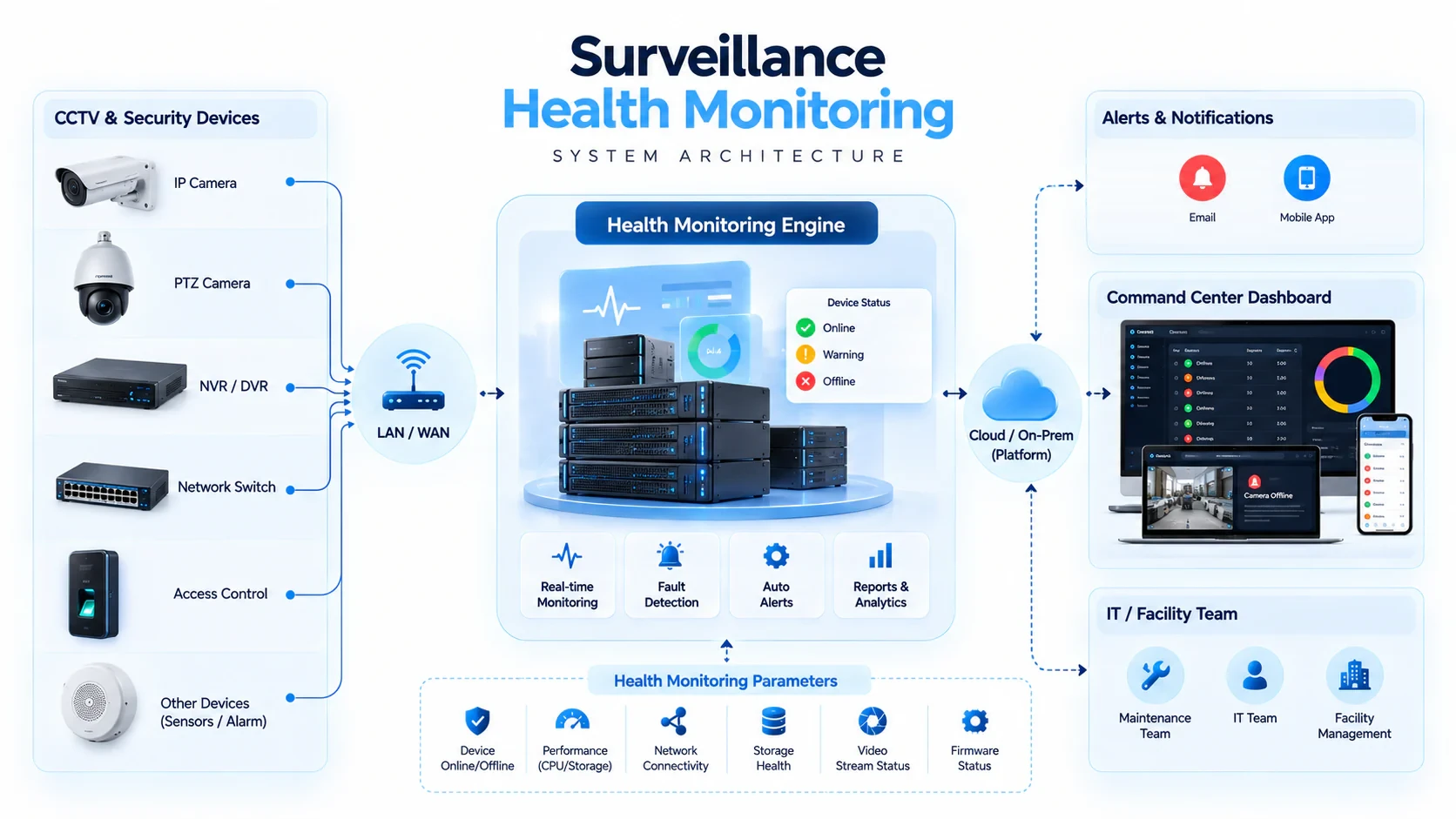
- 1. Device & infrastructure polling →
- 2. Health status engine →
- 3. Alert & notification layer →
- 4. Centralized dashboard & reports
Health monitoring capabilities
CCTV health monitoring features
Monitor cameras, NVRs, servers, storage, and network connectivity in real time—so security teams detect failures early, protect recording continuity, and keep multi-site surveillance operational.
01
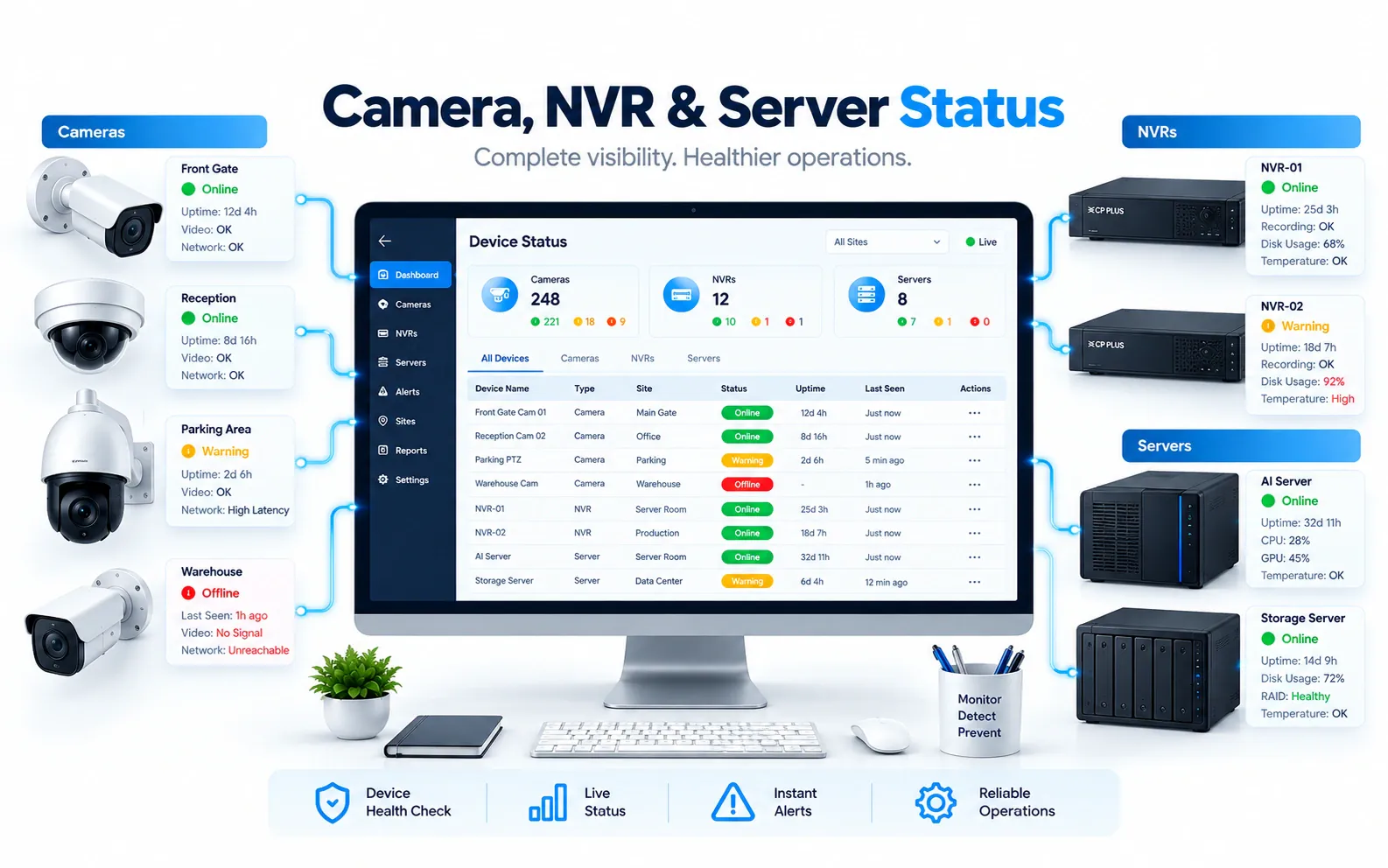
Real-Time Device Health Monitoring
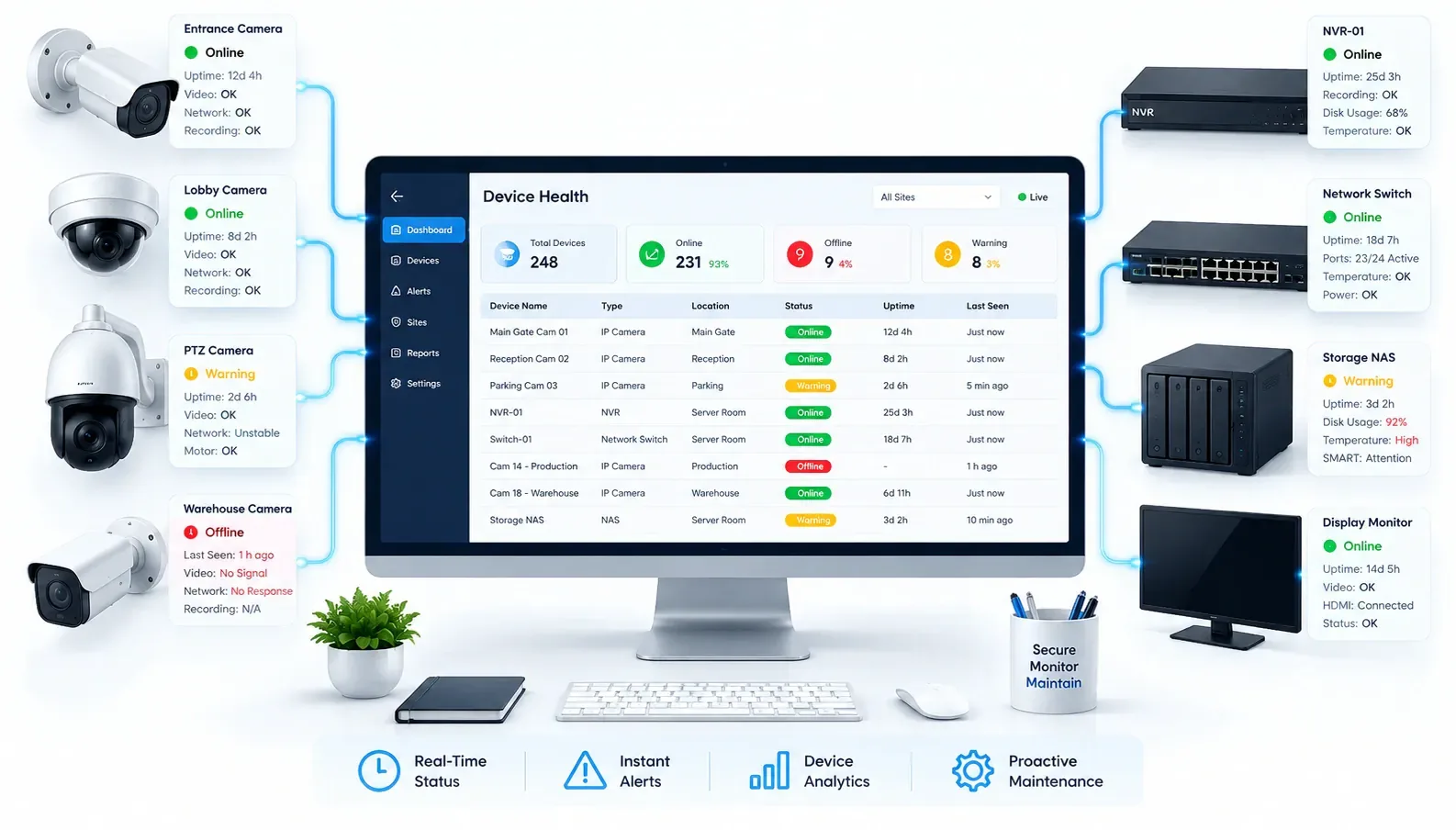
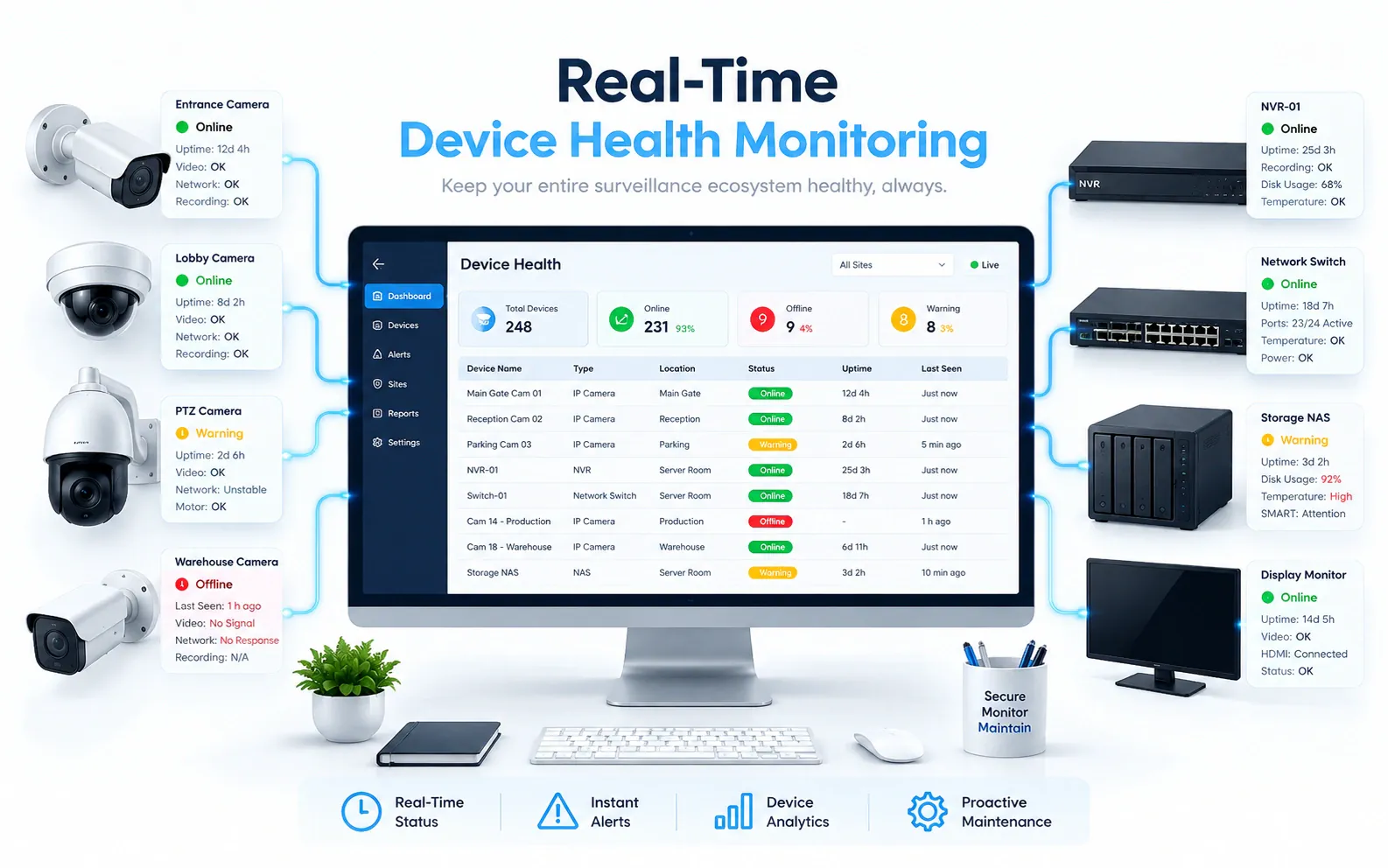
Track the live status of every camera, NVR and server across sites from one view—so control-room and IT teams see an offline or degraded device before it becomes a monitoring blind spot.
02
Recording Verification
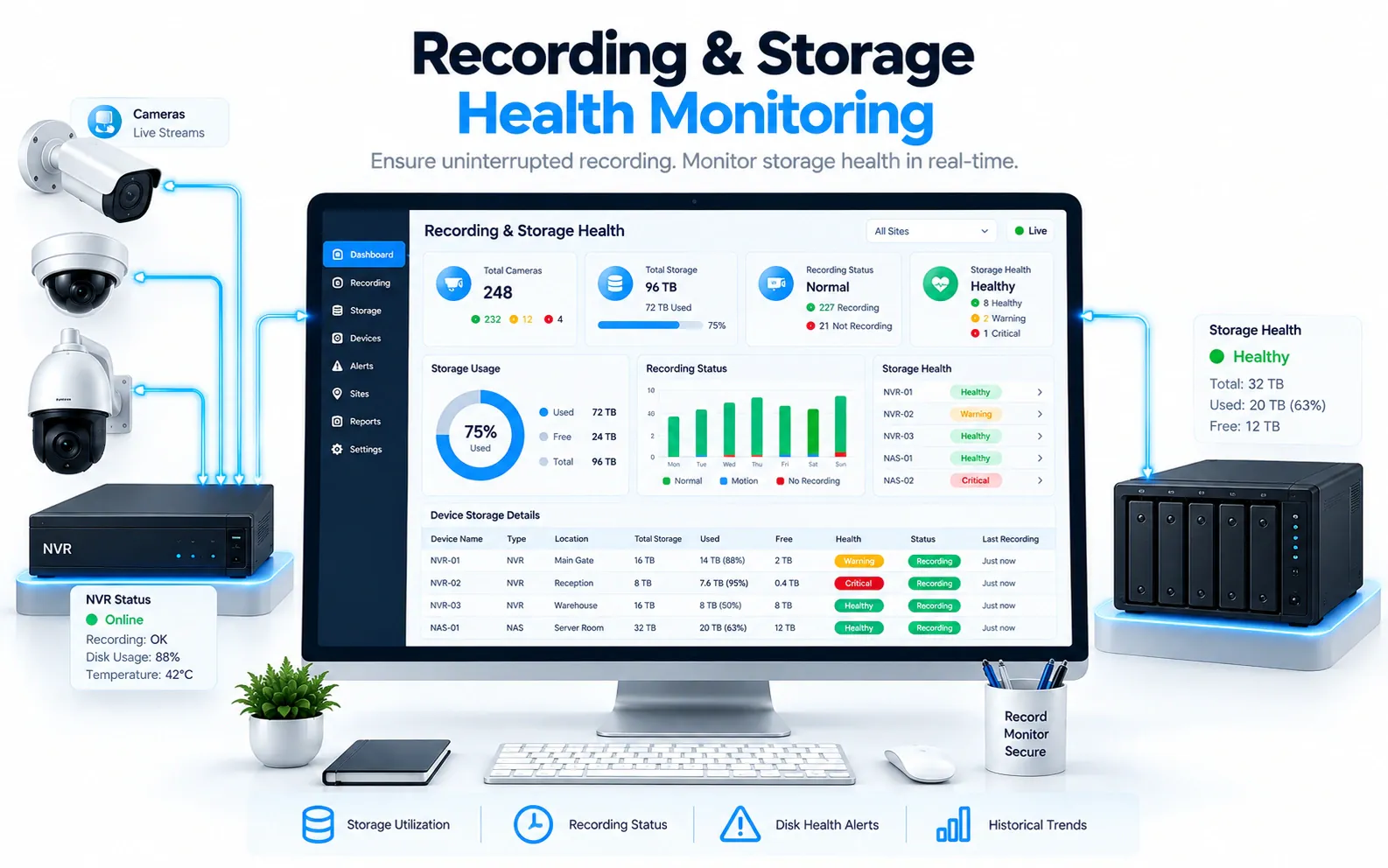
Check recording status per camera, not just whether a device answers on the network. Because the health engine runs inside the platform, it catches a camera that responds to a ping but has stopped recording.
Learn more: No-motion and black-screen alerts
03
Storage & Retention Monitoring
Watch storage capacity and retention risk on every recorder and storage volume, and flag a full disk or a broken retention policy early—so video evidence is still there when investigations and audits need it.
04
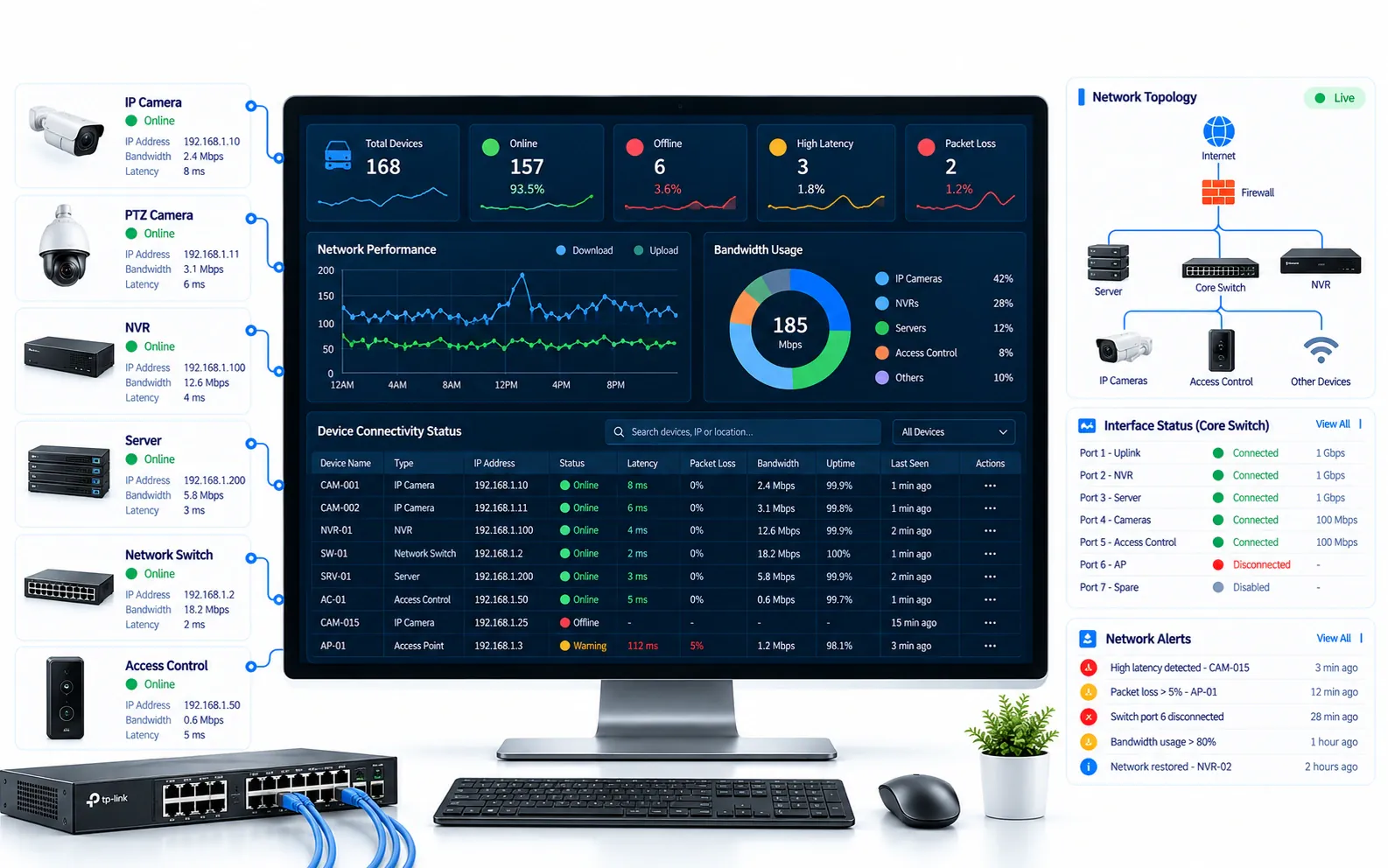
Network & Connectivity Monitoring
Identify network outages, link failures, and connectivity problems that take devices offline—helping teams restore surveillance uptime before operations are impacted.
05
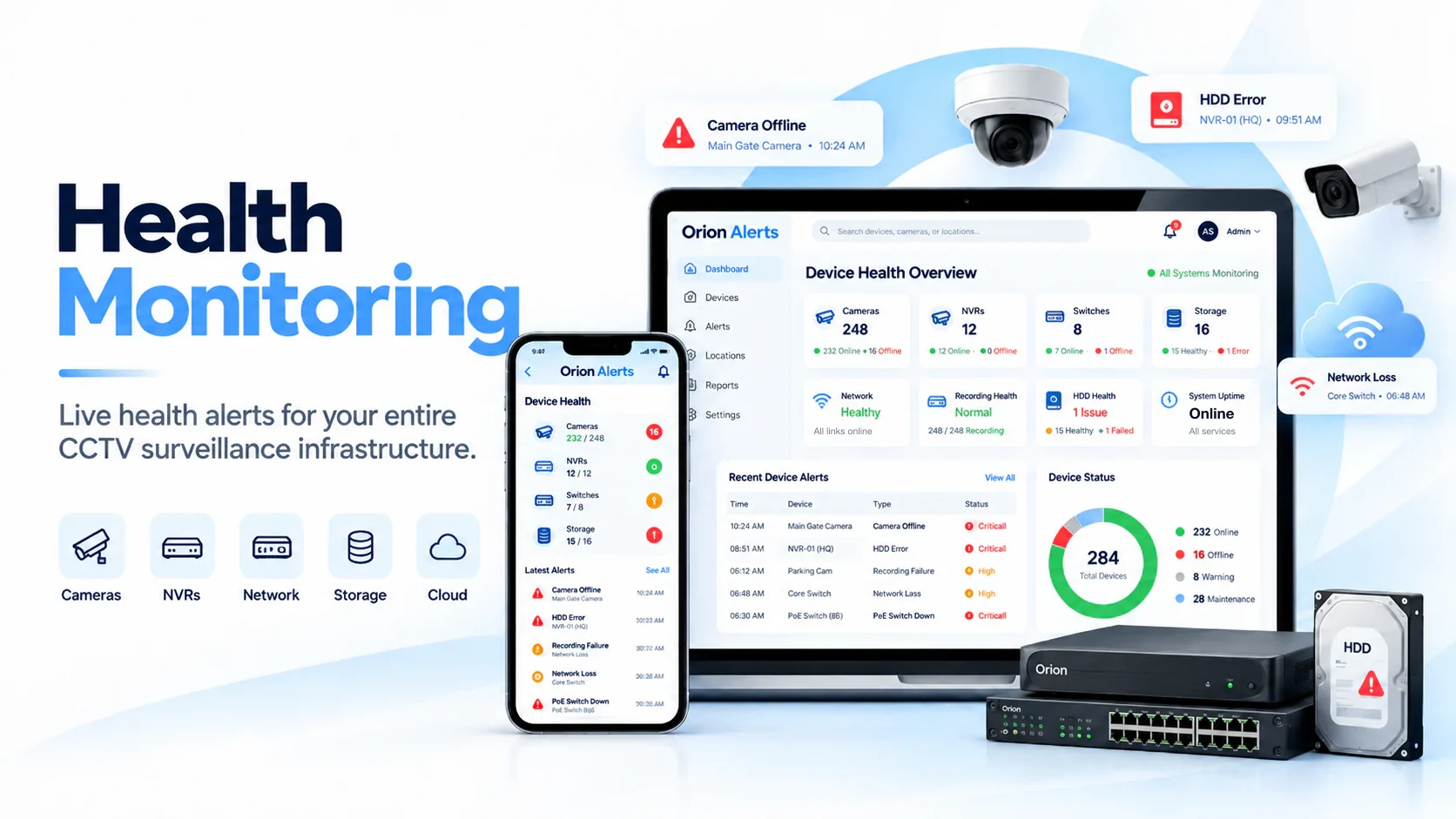
Device Failure Alerts
Alert the responsible team on the dashboard, mobile app or email when a camera, NVR, storage volume or network link fails—showing which device is affected and where the fault lies, so it is fixed before more footage is lost.
06
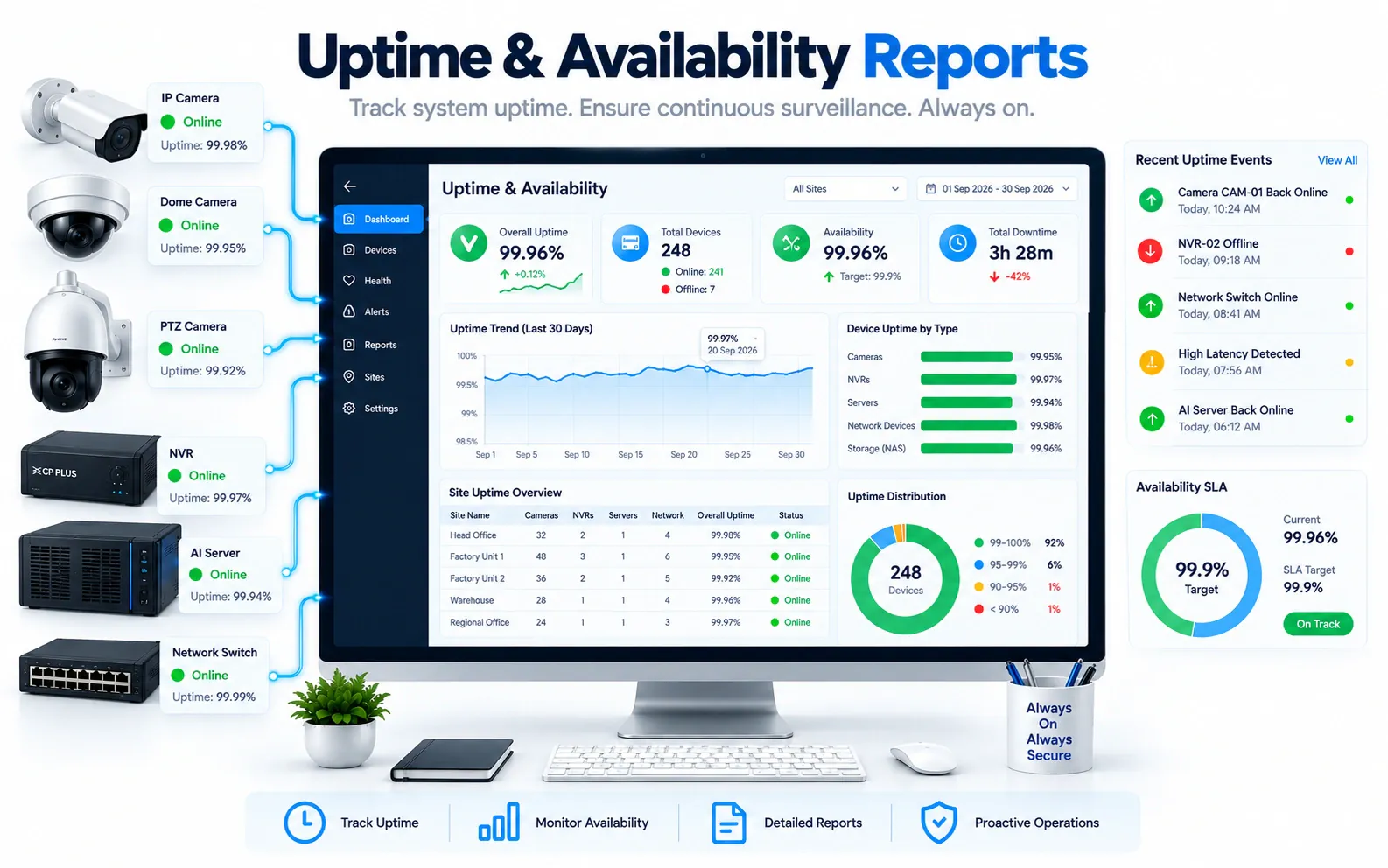
Uptime & Availability Reports
Review uptime and availability trends across cameras, NVRs, and network nodes to prove reliability, prioritize fixes, and brief leadership with clear infrastructure health evidence.
Compare
Ping or network monitoring vs CCTV health monitoring
What each approach can see when something goes wrong.
| Aspect | Ping / network monitoring | OrionAlerts CCTV health monitoring |
|---|---|---|
| Camera offline | Detected | Detected |
| Camera online but not recording | Not detected | Detected |
| Storage full or retention at risk | Not detected | Detected |
| Which part failed | Network path only | Camera, NVR, storage or network |
| Uptime reporting | Per network device | Per camera, NVR and site |
FAQs
CCTV health monitoring FAQs
What does CCTV health monitoring check?
Cameras, NVRs, servers, storage capacity and retention, recording status and network links. Each device's status is tracked continuously, and uptime and availability are reported per site and device.
How is this different from ping or network monitoring?
A ping or network monitor only tells you a device responds. OrionAlerts checks from inside the video platform, so it also flags a camera that is online but not recording, a full disk or a broken retention policy.
What happens when a camera stops recording?
The responsible team gets an alert on the dashboard, mobile app or email that names the affected camera and site and shows whether the camera, NVR, storage or network is the cause, so the right person can be sent to fix it.
Can health monitoring prove uptime for audits?
Yes. Uptime and availability reports show the history of every camera, NVR and network node by site and device, for audits, vendor reviews and leadership briefings.
Does it work across multiple sites?
Yes. Each site's Nebula OS node checks its own devices, and Orion Cloud brings health status from every location into one view without uploading raw video.
Industries that use CCTV health monitoring
Further reading
Key terms explained
Explore other solutions: Asset Tracking · AMC Management · VMS · AI Vision · Compare all solutions
See CCTV health monitoring in action
Book a demo for a guided walkthrough tailored to your sites and operators.