Telecom & Remote Sites
AI Video Analytics for Telecom & Remote Sites
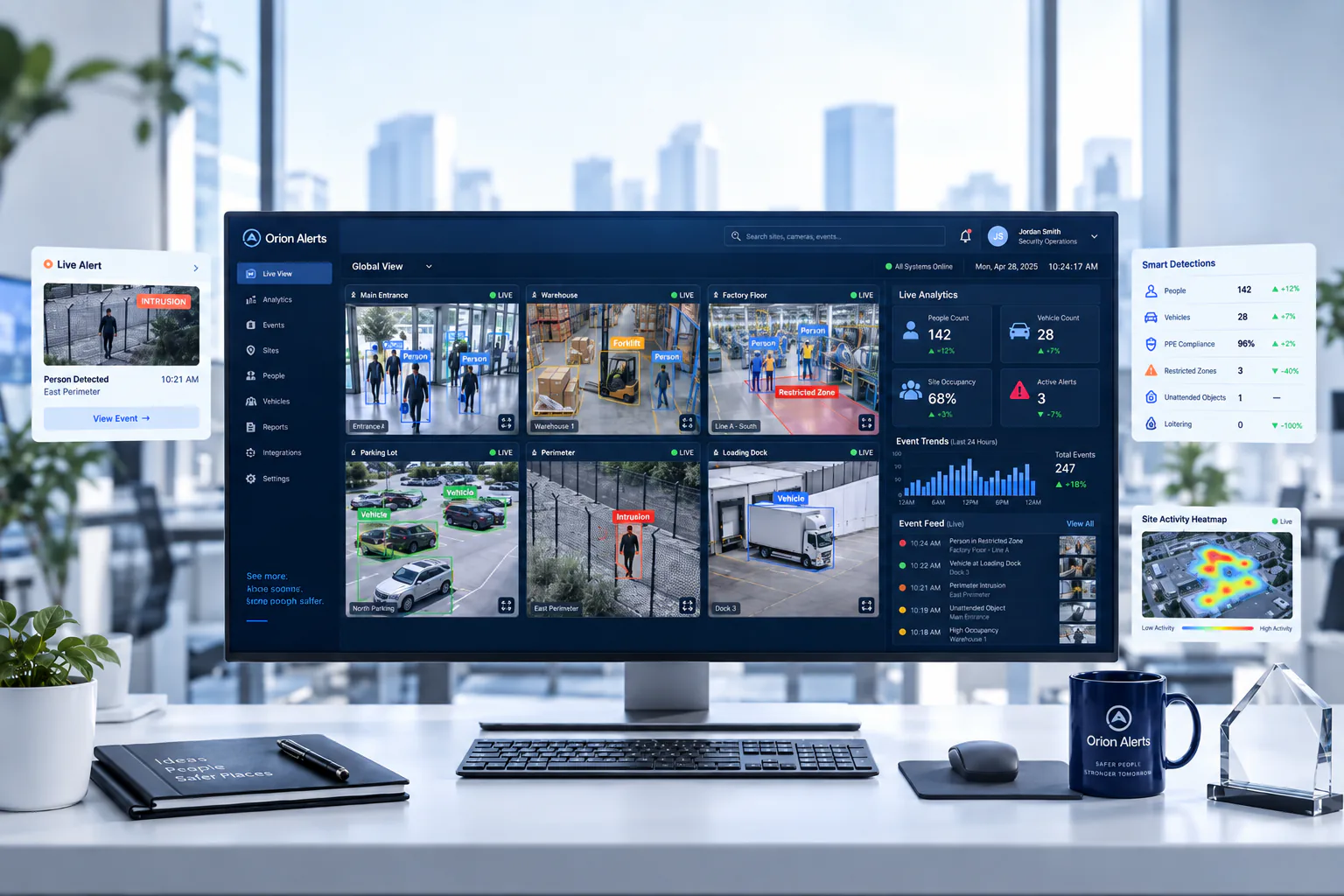
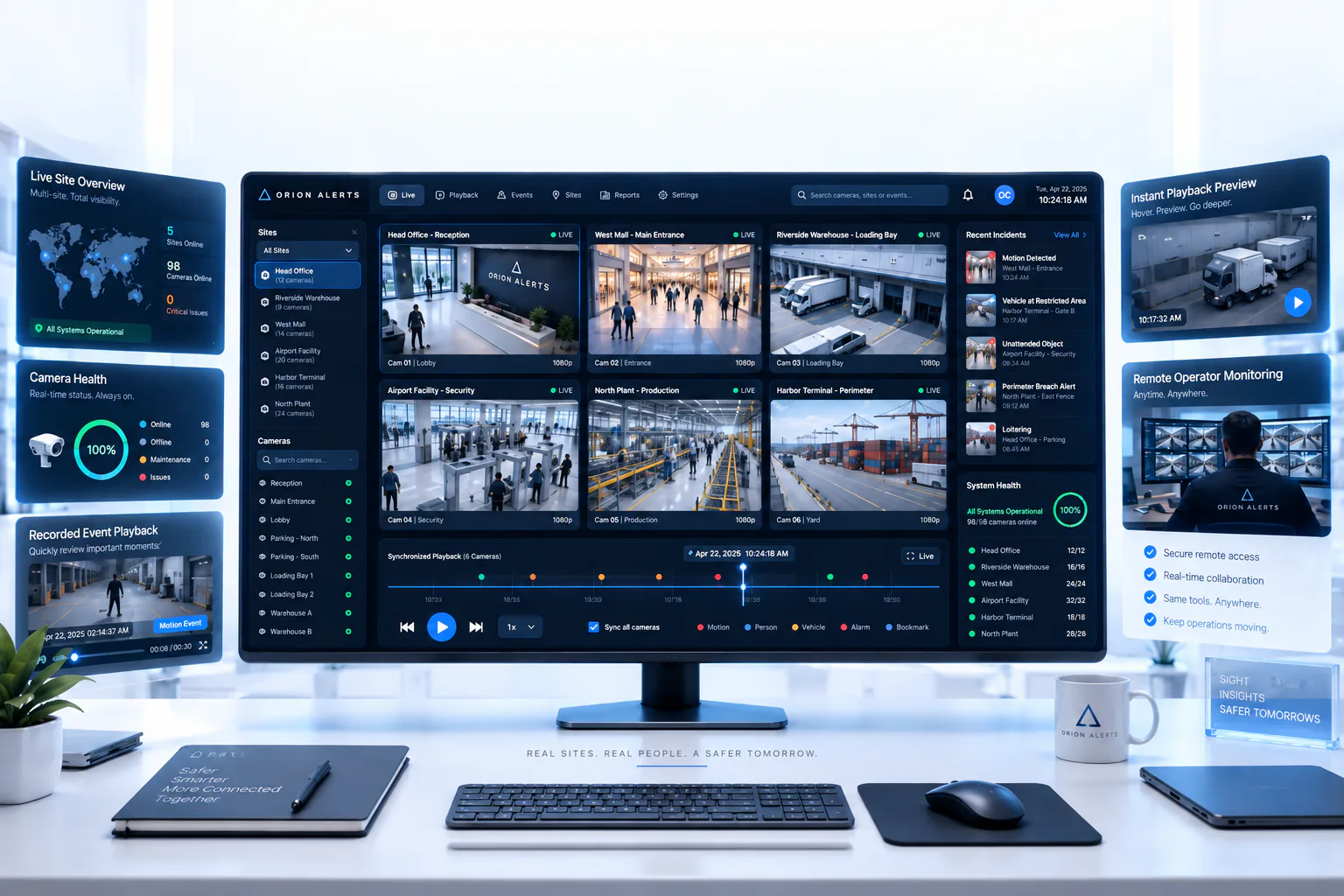
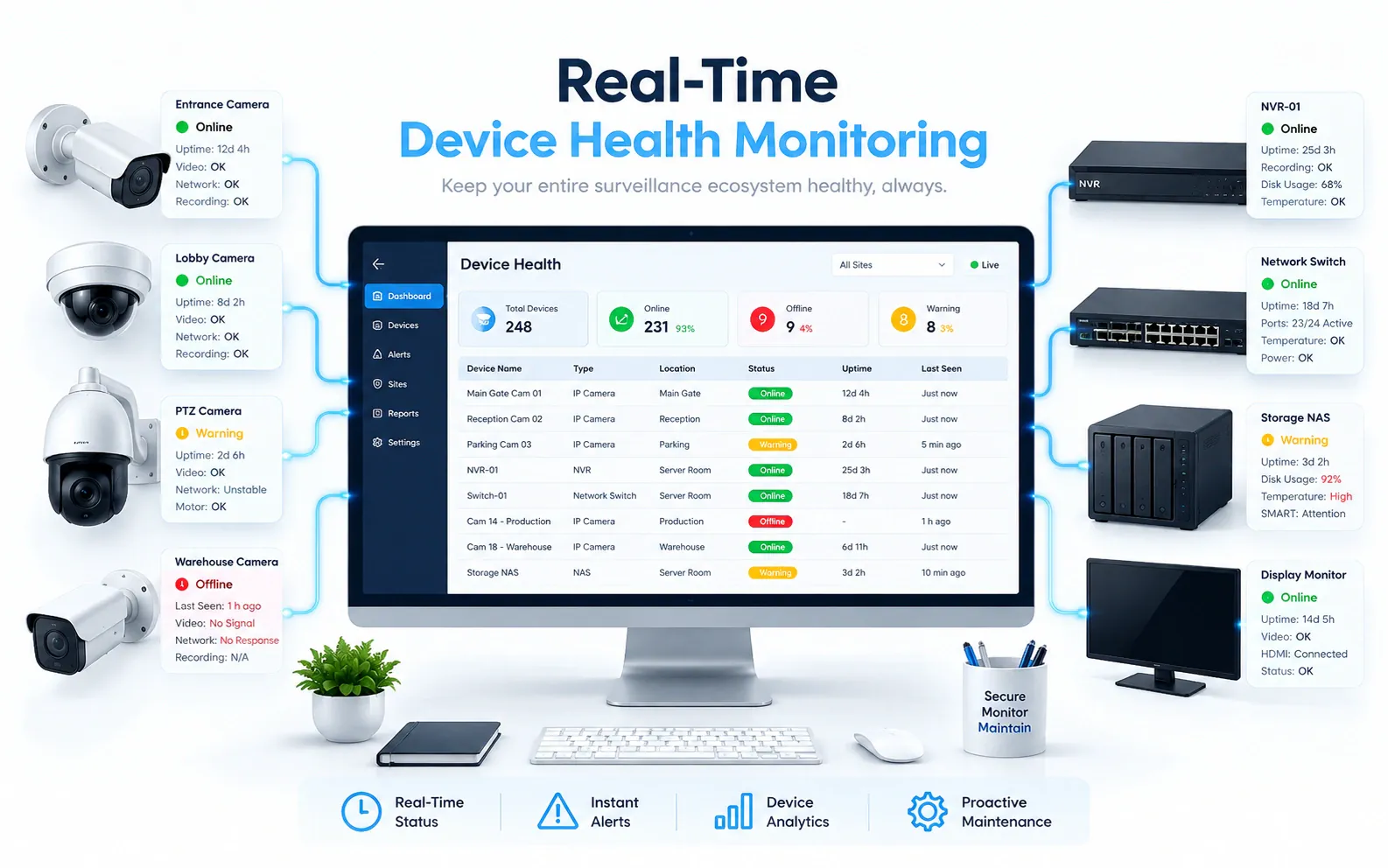
Check shelter and equipment-zone entry alerts against planned maintenance visits, with camera and link health shown beside each alert so the operations centre can tell a dropped feed from a quiet site.
Built for: Tower companies · Telecom operations · Field maintenance · Security teams
Distinguish an unexplained entry from planned field work.
Telecom sites have limited staffing and frequent maintenance visits. Remote operators need to know whether visible activity matches an authorised job before dispatching someone, and whether the camera was online to see it.
A reference deployment covers the shelter entry, equipment zone and site perimeter, typically backhauled over cellular or satellite links whose uptime varies by site. Camera and connectivity health appear alongside each alert. Entry alerts go to field maintenance and the security operations centre, and where a work-order or ticketing system is available, review timestamps align with dispatched visits.
Telecom · Use cases
Use cases for telecom and remote sites
Map shelters, compounds and equipment zones
Each camera sits under its telecom site, shelter building and equipment zone, so a question about Shelter Entry 1 goes straight to that entrance.
Check a shelter entry overnight
Ask Vision Copilot, “Find observations at Shelter Entry 1 overnight,” and review that entrance for the hours in question.
Compare equipment-area activity across sites
Ask, “Which covered sites show recurring equipment-area observations?” and read the pattern next to each camera's availability for the same period.
Build today's field-review list
Ask, “Summarise the access and coverage issues for today's field review.” Suggestions such as checking connectivity and planned visit records come with their observations for field operations to decide.
Prioritise sites by access and coverage
Scores out of 100 across covered access activity and usable observations show which sites need field attention first.
Telecom · Vision Copilot
Ask about your telecom site in plain language
Type a question in everyday language and Vision Copilot searches the observations from your mapped cameras for that place and time.
Questions to try
- Summarise the access and coverage issues for today's field review.Example answer shown
- Find observations at Shelter Entry 1 overnight.
- Which covered sites show recurring equipment-area observations?
Question
Summarise the access and coverage issues for today's field review.
Location
Telecom Site → Shelter Building → Ground Level → Equipment Zone → Shelter Entry
Answer
Recurring equipment-area observations are difficult to interpret alongside intermittent camera availability. Suggested next step: review camera connectivity and planned visit records before escalating access concerns or commissioning a hardware change.
Decision owner
Field operations / telecom security
Telecom · Location map
Your telecom site, mapped
Cameras are mapped to the selected shelter entry or equipment zone so questions about Shelter Entry 1 start from recognisable operational context.
Site
Telecom Site
Building
Shelter Building
Floor
Ground Level
Zone
Equipment Zone
Room
Shelter Entry
Telecom · How it works
How OrionAlerts works for telecom and remote sites
OrionAlerts maps each camera to a place, analyses its scenes over time, and sends alerts to the dashboard, mobile app and email for the team that owns that area.
- 01Map
- 02Observe
- 03Ask
- 04Prioritise
- 05Act
- 06Review
Telecom · Deployment
Preparing a telecom site for a pilot
Assess intermittent links, power conditions, enclosure ratings and mounting security, and confirm how cameras recover after an outage. Report surveillance-system health separately from the health of the telecom network itself.
- Mapped hierarchy for pilot shelters, compounds and equipment zones
- Agreed response owners for unexplained entry versus planned field work
- Connectivity and outage-recovery expectations for remote camera links
- Representative testing across maintenance visits, after-hours windows and intermittent links
- Camera and connectivity health status surfaced alongside alerts, so backhaul loss is never read as a secure site
Telecom · Standards
Standards context for telecom and remote sites
Equipment in a telecom deployment is checked against the Telecommunication Engineering Centre's Mandatory Testing and Certification of Telecom Equipment (TEC/MTCTE) scheme and phase that currently apply to it, with exact models confirmed during solution design.
TEC / MTCTE
TEC Mandatory Testing and Certification of Telecom Equipment (MTCTE) covers testing and certification for applicable notified telecom equipment.
Official source
Telecom · Pilot evaluation
What to measure in a telecom site pilot
Compare reviewed alerts with what actually happened, including missed events and nuisance alerts, before you set a rollout target.
Useful access events
Confirmed relevant shelter or compound access observations divided by reviewed alerts for the defined access points, using an agreed review rubric and visit schedule.
Source of truth: Work orders, controlled tests and supervisor review log
Unavailable camera/recording hours
Hours when an expected camera or recording source was unavailable or not usable for the agreed assessment task during the pilot window.
Source of truth: Infrastructure logs and surveillance health records
Time to verify a planned or unplanned visit
Time for an authorised reviewer to confirm whether visible activity matches a planned visit or requires escalation, from a defined starting input such as site and time window.
Source of truth: Work orders, timed verification exercises and infrastructure logs
Telecom · Solutions
OrionAlerts solutions for telecom and remote sites
Telecom · Questions
AI video analytics for telecom and remote sites: common questions
How do tower companies verify an intrusion without sending a technician?
An entry alert at the shelter or compound is checked against the day's planned maintenance visits. If no visit is scheduled, the operations centre reviews the clip before dispatching anyone. Camera and link health are shown with the alert, so a dropped connection is not mistaken for a quiet, secure site.
Which telecom site areas should cameras cover?
Start with the shelter entry, the equipment zone and the site perimeter. Map each camera to the telecom site, shelter and zone, route entry alerts to field maintenance and the security operations centre, and align review timestamps with work orders where a ticketing system is available.
Can CCTV measure diesel theft?
No. Fuel quantity and loss come from appropriate fuel measurements and records, such as tank sensors and refuelling logs. Video adds context around a reported event at the site, such as an entry to the equipment zone outside a planned visit, which field operations can review alongside those records.
Does camera health show telecom network health?
No. Camera health covers the surveillance infrastructure: cameras, recording and the links they use. Telecom service health is monitored by your network systems, and the two are reported separately, so a dropped camera feed shows up as a coverage gap rather than a network fault or a quiet site.
Will alerts work without connectivity?
A pilot outage test settles that. How local processing, recording and alert delivery behave when a site's cellular or satellite link drops depends on the proposed architecture. The test also checks how cameras recover afterwards, and camera and link health stay visible so the operations centre knows which periods had coverage.
Can we use our existing CCTV cameras?
Yes, in most cases: OrionAlerts connects to compatible IP cameras and recorders through ONVIF, RTSP and vendor SDKs, so working hardware can usually stay in place. A short assessment checks camera position, image quality and network access for each use case, and confirms compatibility model by model before the pilot starts.
Where is the video stored, and who can see it?
On site: video and AI inference stay on the on-site node, while Orion Cloud syncs alerts, health status and configuration metadata for central management. Role-based access means each user sees only the sites, cameras and functions in their scope, and retention is set per camera, zone or site to follow your own policy.
Telecom · Further reading
Further reading for telecom site teams
Telecom · Related
Industries related to telecom and remote sites

Ask Vision Copilot about your remote sites.
Check every shelter alert against planned visits and live camera health from one operations centre.