Construction Sites
AI Video Analytics for Construction Sites
Review PPE at site entries and entry into equipment and lifting zones, with zone rules that follow each layout change. Ask Vision Copilot what the supervisor should review after this week's changes.
Built for: Project managers · Contractors · EHS · Site security
Update the monitoring plan as the work changes.
Temporary routes, equipment movement and changing work areas make construction monitoring different from a fixed factory. A rule that was useful last month may now cover a different activity. Keep cameras, zone definitions and response responsibilities aligned with the current site plan.
Construction · Use cases
Use cases for construction sites
Keep zones in step with the site plan
Equipment-access and work zones are mapped to the current site plan, so a question about today's equipment-access zone opens the cameras that cover it.
Check today's equipment-access zone
Ask Vision Copilot, “Show observations from the current equipment-access zone today,” to review entries and activity there.
Spot repeat entries in work zones
Ask, “Which covered work zones have recurring entry observations?” Patterns across the week show whether entries started after an access route changed.
Review the route after a layout change
Ask, “What should the supervisor review after this week's layout change?” A suggested step, such as checking the current route, boundary definition and camera mapping, goes to the site supervisor and EHS.
Score zones under one layout version
Scores out of 100 compare zones under the same layout version, with each site change recorded so comparisons stay fair.
Construction · Vision Copilot
Ask about your construction site in plain language
Type a question in everyday language and Vision Copilot searches the observations from your mapped cameras for that place and time.
Questions to try
- What should the supervisor review after this week's layout change?Example answer shown
- Show observations from the current equipment-access zone today.
- Which covered work zones have recurring entry observations?
Question
What should the supervisor review after this week's layout change?
Location
Project Site → Building → Working Level → Work Zone → Access Area
Answer
Repeated zone-entry observations appear after an access route changes. Suggested next step: review the current route, boundary definition and camera mapping with the supervisor before treating the pattern as a new behavioural issue.
Decision owner
Site supervisor / EHS
Construction · Location map
Your construction site, mapped
Cameras are mapped to the selected equipment-access or work zone so questions about the current equipment-access zone start from recognisable operational context.
Site
Project Site
Building
Building
Floor
Working Level
Zone
Work Zone
Room
Access Area
Construction · How it works
How OrionAlerts works for construction sites
OrionAlerts maps each camera to a place, analyses its scenes over time, and sends alerts to the dashboard, mobile app and email for the team that owns that area.
- 01Map
- 02Observe
- 03Ask
- 04Prioritise
- 05Act
- 06Review
Construction · Deployment
Preparing a construction site for a pilot
Revalidate zones after each material layout change. Plan power, network access, mounting and temporary-camera maintenance. Test dust, weather, changing heights and occlusion.
- Mapped hierarchy aligned to the current site plan
- Zone revalidation after each material layout change
- Power, network, mounting and temporary-camera maintenance plan
- Representative testing across dust, weather, height changes and occlusion
Construction · Standards
Standards context for construction sites
Worker-safety, premises and fire requirements are reviewed project by project with the responsible contractor and local authority. Site video supports those reviews within an occupational health and safety programme and premises and fire planning.
ISO 45001
ISO 45001 is an occupational health and safety management-system standard for organisations.
Official sourceNational Building Code / premises and fire planning
Premises and fire-planning requirements apply at the building or site level under applicable codes and local rules.
Official source
Construction · Pilot evaluation
What to measure in a construction site pilot
Compare reviewed alerts with what actually happened, including missed events and nuisance alerts, before you set a rollout target.
Reviewed PPE observations per observable entry
Confirmed relevant PPE observations divided by sampled observable entries at stable entry points, using an agreed review rubric.
Source of truth: Labelled samples and supervisor review logs
Valid zone alerts after layout changes
Share of reviewed zone alerts that remain relevant after the current layout version is confirmed against the site plan.
Source of truth: Current site plan and supervisor logs
Time to acknowledge reviewed events
Acknowledgement timestamp minus delivered or available alert timestamp for reviewed construction events.
Source of truth: Supervisor acknowledgement records
Construction · Solutions
OrionAlerts solutions for construction sites
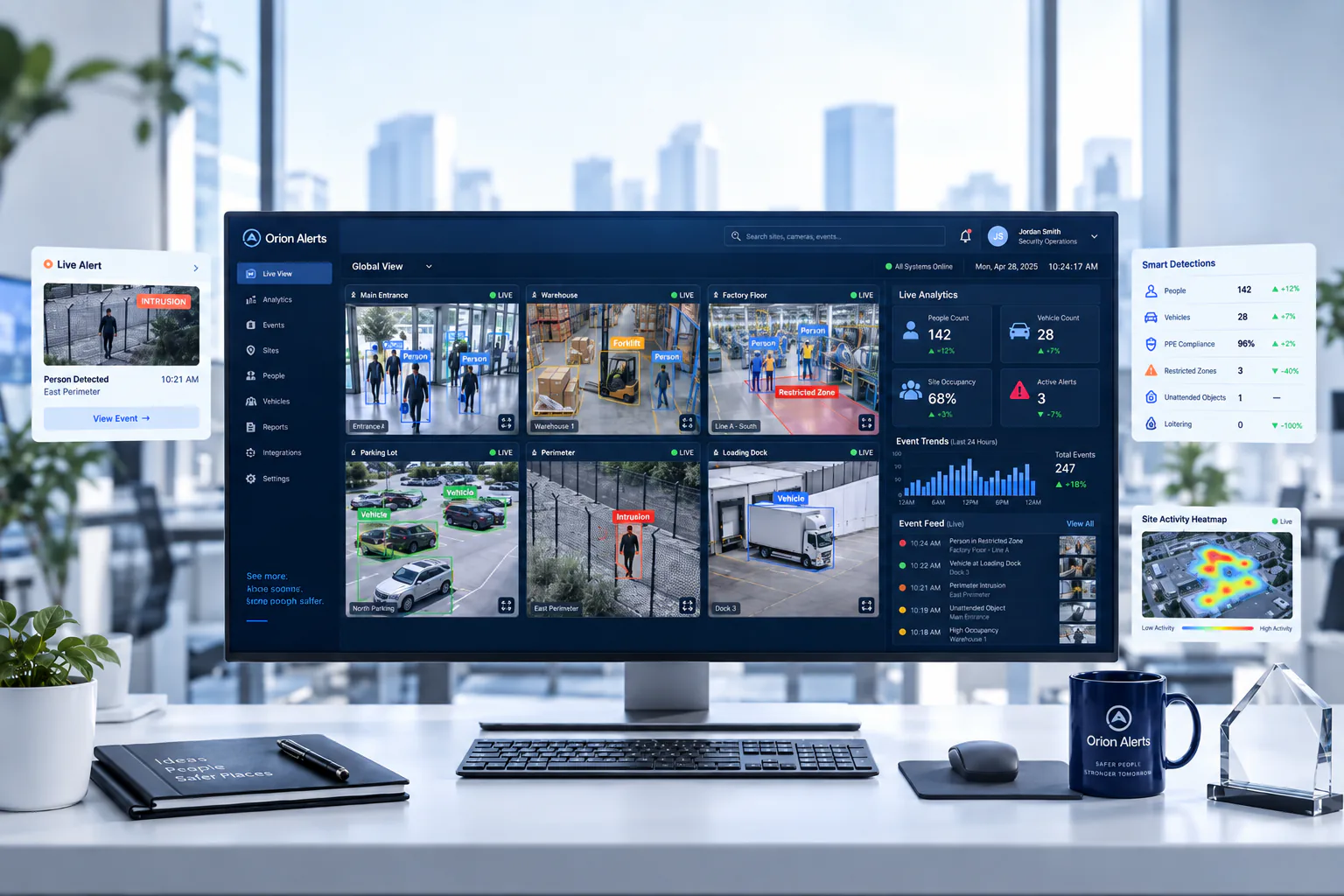

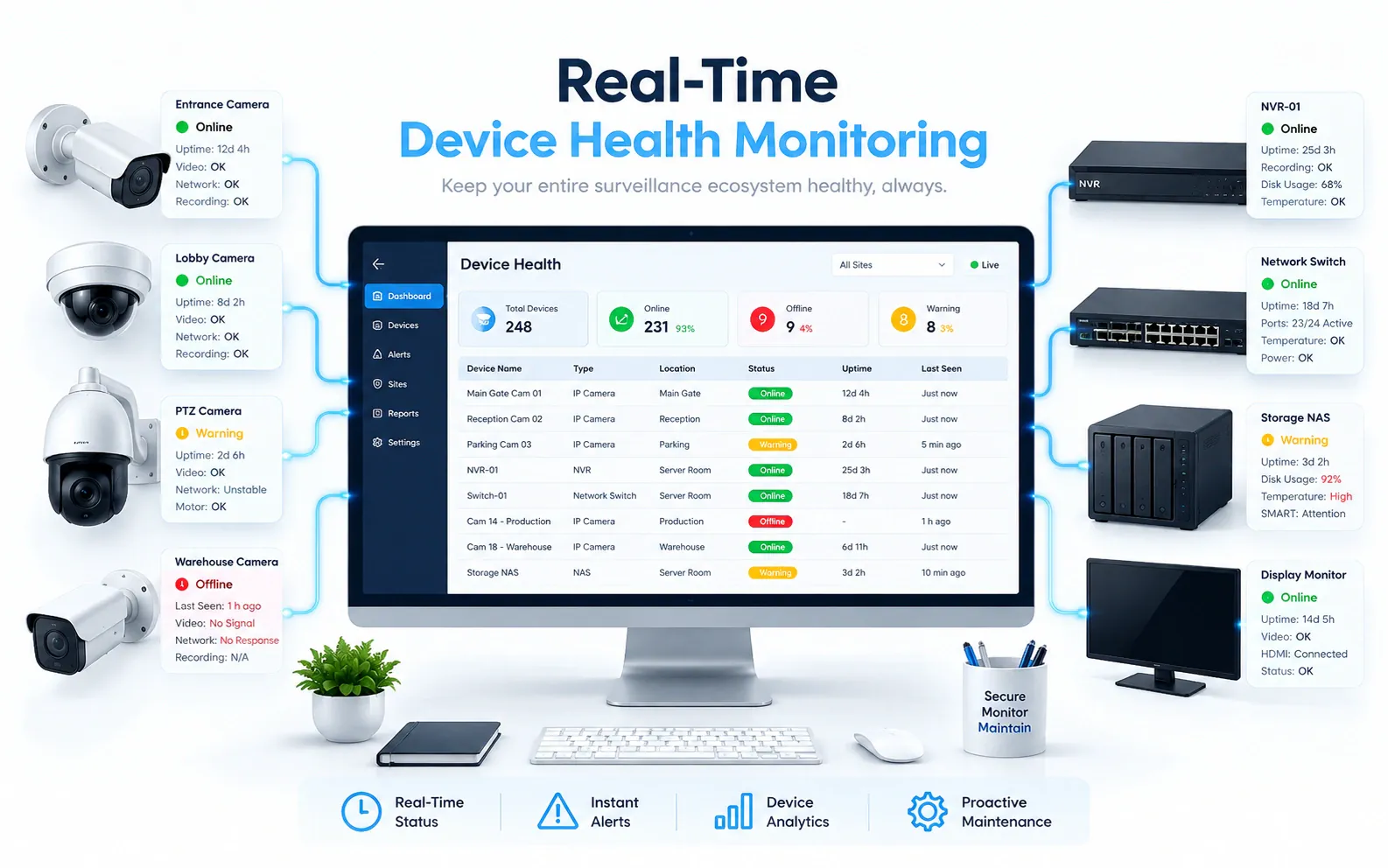
Construction · Questions
AI video analytics for construction sites: common questions
How can AI CCTV help on a construction site?
It reviews visible PPE at stable site entries, flags entry into configured ground-level equipment or lifting zones, and checks that shared crossings stay clear. Alerts go to the site supervisor and EHS with the clip and location, and zones are revalidated whenever the layout changes.
What does a construction site pilot need?
A mapped hierarchy aligned to the current site plan, a power, network, mounting and maintenance plan for temporary cameras, and owners for each alert. Zones are revalidated after each material layout change, and views are tested through dust, weather, height changes and occlusion.
Can a camera prove a harness is correctly attached?
No. Harness attachment and other safety conditions are confirmed by physical inspection and supervision. Video adds context on visible practices, such as PPE at stable site entries or entry into a configured lifting zone, so supervisors know where to look. It works alongside the site's inspection regime rather than replacing it.
How often should zones be updated?
Whenever the monitored layout or work activity changes materially. After each change, zones are redrawn against the current site plan and checked with a short validation run so alerts stay relevant. Scores are compared only within the same layout version, and every layout change is logged against its date.
Can footage prove structural safety?
No. Structural assessment uses the appropriate engineering methods and authorised professionals. Site video can show visible conditions around a work area, such as an obstructed route or entry into a lifting zone, but loads, deflection and material condition are measured and judged by engineers and the responsible contractor.
Can we use our existing CCTV cameras?
Yes, in most cases: OrionAlerts connects to compatible IP cameras and recorders through ONVIF, RTSP and vendor SDKs, so working hardware can usually stay in place. A short assessment checks camera position, image quality and network access for each use case, and confirms compatibility model by model before the pilot starts.
Where is the video stored, and who can see it?
On site: video and AI inference stay on the on-site node, while Orion Cloud syncs alerts, health status and configuration metadata for central management. Role-based access means each user sees only the sites, cameras and functions in their scope, and retention is set per camera, zone or site to follow your own policy.
Construction · Further reading
Further reading for construction site teams
Construction · Related
Industries related to construction sites



Ask Vision Copilot about your construction site.
Start with one stable site entry and one equipment-access zone.