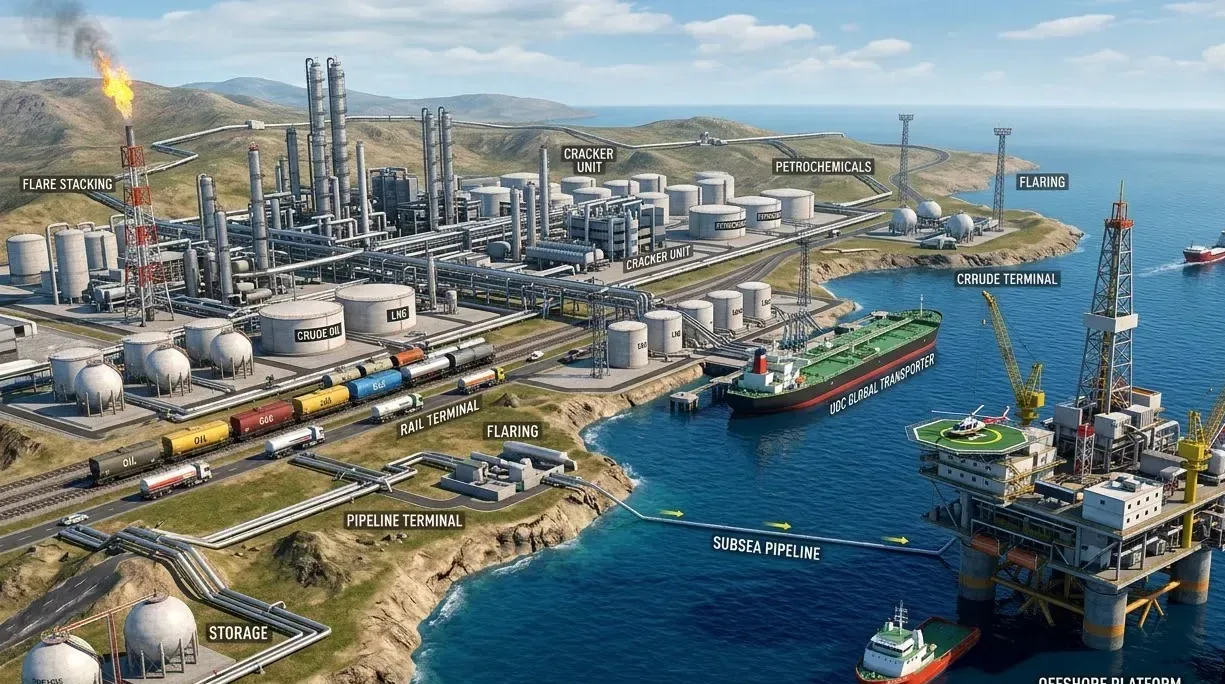
Oil, Gas & Petrochemicals
AI Video Analytics for Oil & Gas Terminals
Review tanker-bay activity, controlled-area entry and after-hours perimeter events, each verified by an operator before escalation. Ask Vision Copilot what happened at Tanker Bay 2 during the evening loading window.
Built for: Terminal/refinery operations · HSE · Security · Instrumentation and operational technology (OT) teams
Verify access, tanker-bay and perimeter events before you escalate.
Refineries, terminals and petrochemical sites manage controlled access alongside vehicle and contractor activity. An operator benefits from seeing the scene around an event, while gas concentration, process pressure and safe isolation stay with process instruments. Design the video workflow around verification and escalation, with a clear line between surveillance analytics and process safety.
A reference deployment covers tanker bays, controlled-access points and defined perimeter zones, with cabling and enclosures selected for the area's hazardous-area classification. Retention matches the window an HSE or security investigation typically needs, with access and tanker-area alerts routed to HSE and security. Where a permit-to-work or access-control system is in use, align review timestamps with its records so each clip sits next to the permit it relates to.
Oil & Gas · Use cases
Use cases for oil and gas terminals
Map Tanker Bay 2 and each controlled zone
Tanker bays, controlled-access points and perimeter zones are mapped with their cameras, so HSE asks about Tanker Bay 2 and gets the right views.
Pull the evening loading window
Ask Vision Copilot, “Show observations around Tanker Bay 2 during the evening loading window,” and review that bay for the selected window.
See which controlled areas draw repeat entries
Ask, “Which controlled areas had recurring entry observations this week?” A week of observations shows whether entries cluster around overlapping service activity at one tanker area.
Prepare today's human-review list
Ask, “Summarise the terminal issues that need human review today.” Vision Copilot suggests a step, such as reviewing scheduling and access arrangements with terminal operations, while permits are verified through their own process.
Rank terminal zones for the next review
Scores out of 100 compare selected terminal zones and periods, helping HSE and security decide where to look first.
Oil & Gas · Vision Copilot
Ask about your oil and gas terminal in plain language
Type a question in everyday language and Vision Copilot searches the observations from your mapped cameras for that place and time.
Questions to try
- Summarise the terminal issues that need human review today.Example answer shown
- Show observations around Tanker Bay 2 during the evening loading window.
- Which controlled areas had recurring entry observations this week?
Question
Summarise the terminal issues that need human review today.
Location
Terminal → Operations Building → Ground Level → Tanker Zone → Loading Bay
Answer
Entry observations recur near a tanker working area during overlapping service activity. Suggested next step: review scheduling and access arrangements with terminal operations; verify permits separately before deciding on an intervention.
Decision owner
Terminal operations / HSE
Oil & Gas · Location map
Your oil and gas terminal, mapped
Cameras are mapped to the selected tanker bay or controlled zone so questions about Tanker Bay 2 start from recognisable operational context.
Site
Terminal
Building
Operations Building
Floor
Ground Level
Zone
Tanker Zone
Room
Loading Bay
Oil & Gas · How it works
How OrionAlerts works for oil and gas terminals
OrionAlerts maps each camera to a place, analyses its scenes over time, and sends alerts to the dashboard, mobile app and email for the team that owns that area.
- 01Map
- 02Observe
- 03Ask
- 04Prioritise
- 05Act
- 06Review
Oil & Gas · Deployment
Preparing an oil and gas terminal for a pilot
Review hazardous-area classification before selecting cameras, enclosures or edge devices. Confirm network separation with OT/IT and document the scope of any integration. Test glare, night lighting, steam and weather before agreeing alert performance.
- Mapped hierarchy for pilot tanker bays and controlled operational zones
- Agreed response owners for perimeter, access and verification events
- Representative testing across glare, night lighting, steam and weather
- Hazardous-area classification and hardware approvals confirmed for every proposed camera position and cable route before installation
Oil & Gas · Standards
Standards context for oil and gas terminals
Petroleum and Explosives Safety Organisation (PESO) approval applies to equipment installed in hazardous areas within its jurisdiction, while IECEx and ATEX have their own scopes. Each proposed camera model and installation is checked against the approvals its zone requires.
PESO / IECEx / ATEX hazardous-area schemes
PESO, IECEx and ATEX are distinct hazardous-area equipment and installation schemes with different jurisdictional scopes.
Official source
Oil & Gas · Pilot evaluation
What to measure in an oil and gas terminal pilot
Compare reviewed alerts with what actually happened, including missed events and nuisance alerts, before you set a rollout target.
Actionable perimeter alerts
Confirmed relevant perimeter or boundary observations divided by reviewed alerts for the defined site boundaries, using an agreed review rubric.
Source of truth: Security review log and labelled alert samples
Time to review a known alarm scene
Time for an authorised reviewer to locate the correct camera clip from a defined starting input such as time window and zone after a known event.
Source of truth: Timed drills and recording logs
Recording continuity at selected critical views
Share of expected assessment windows at selected critical cameras that remained usable during the pilot period.
Source of truth: Recording logs and surveillance health records
Oil & Gas · Solutions
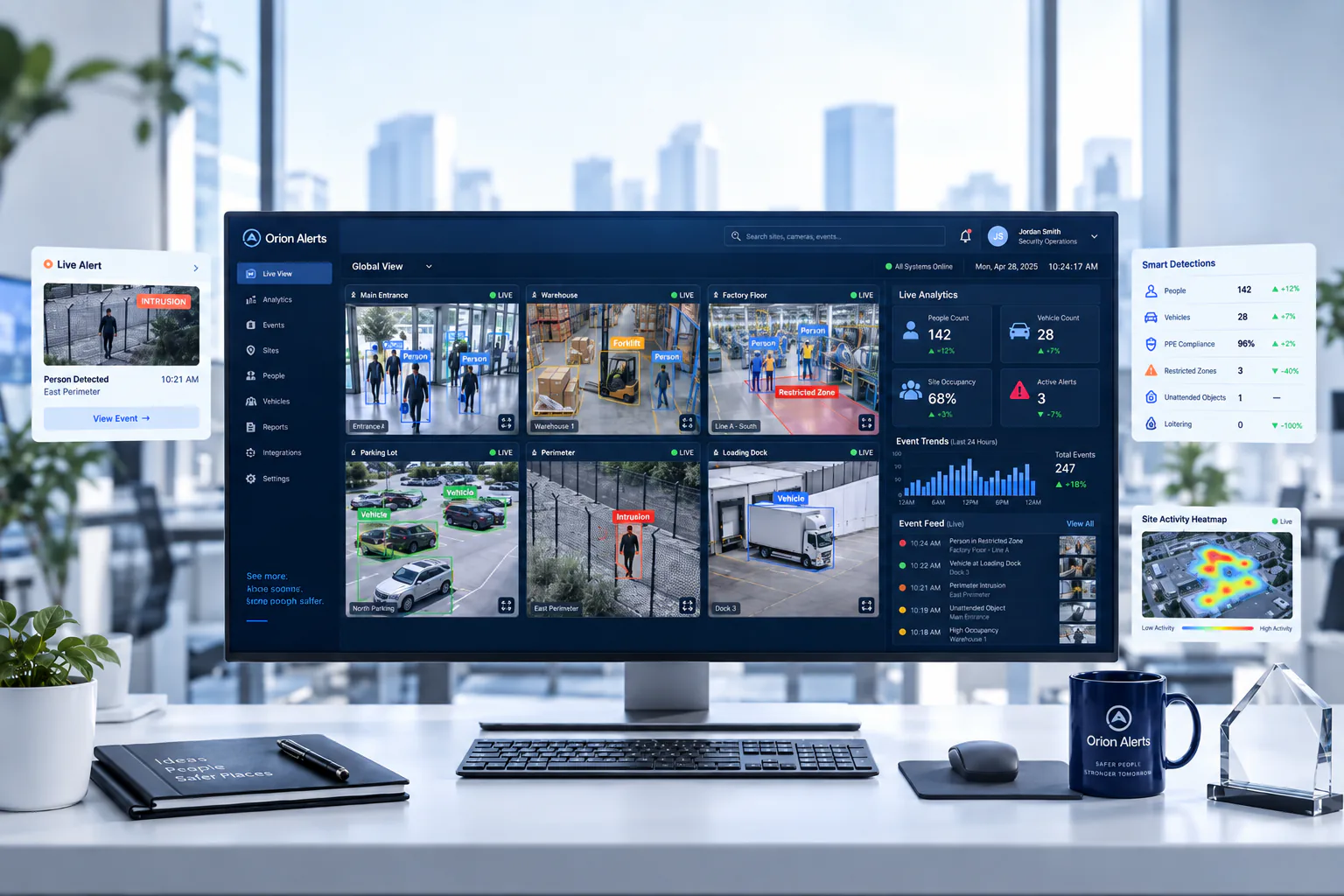
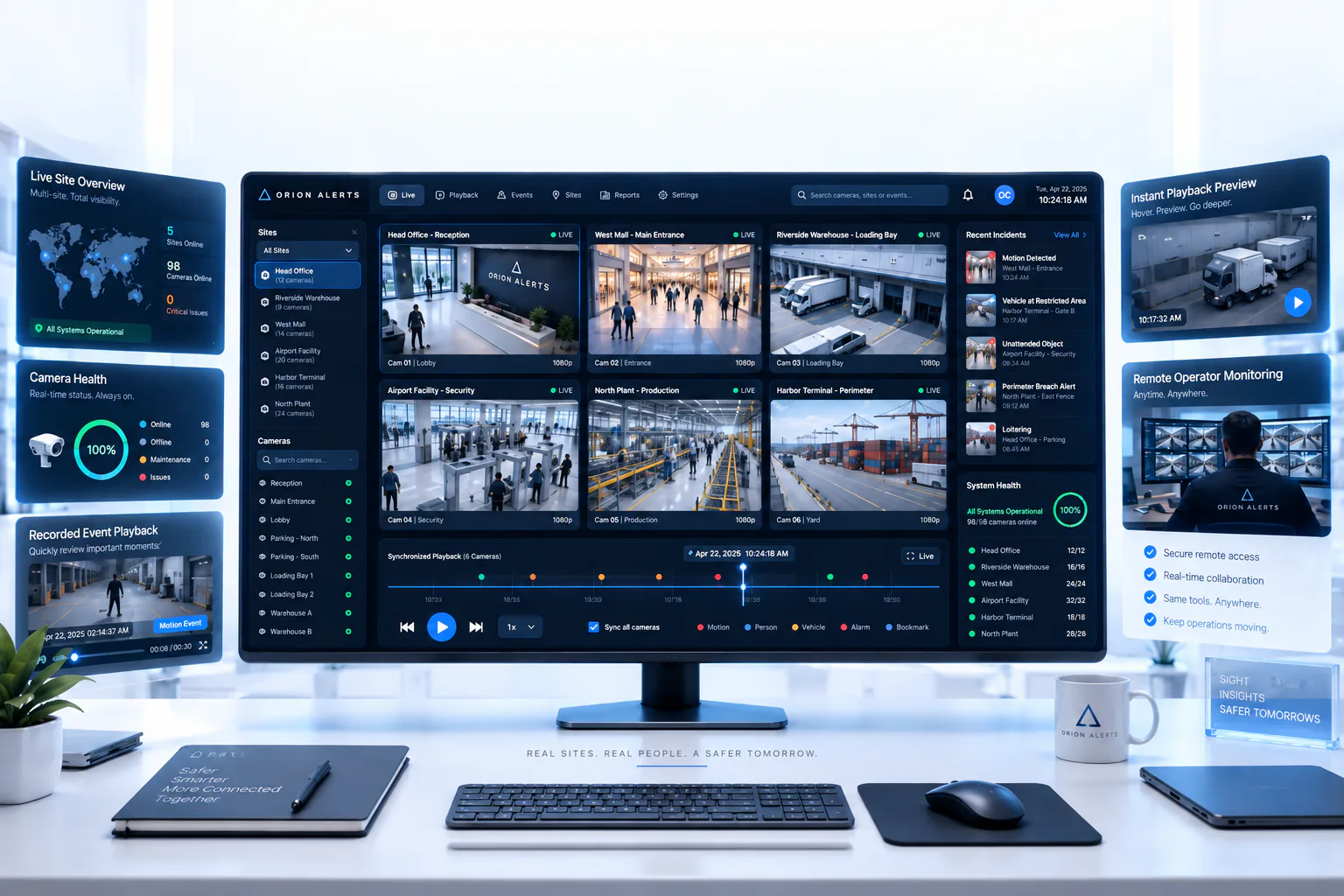
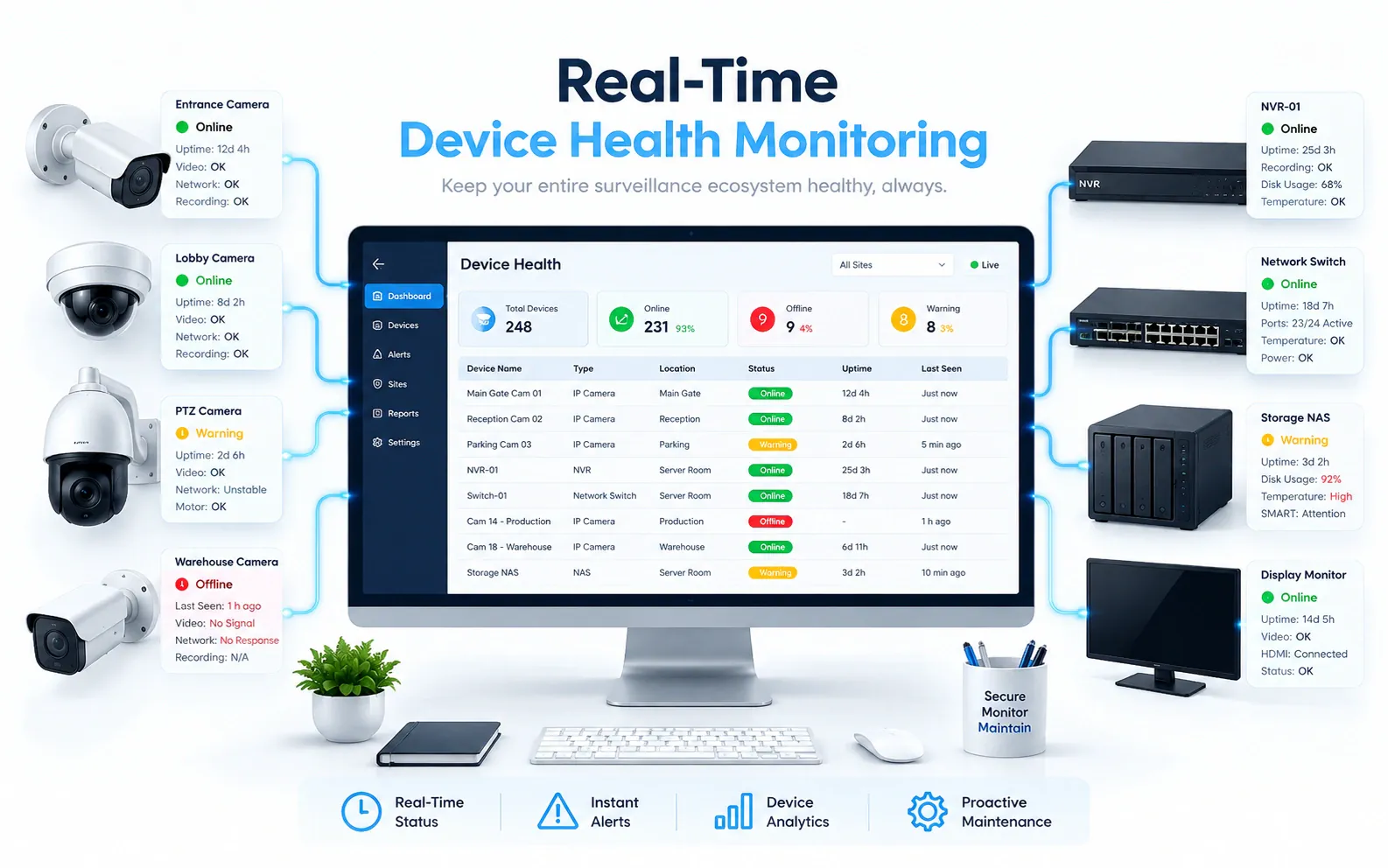
OrionAlerts solutions for oil and gas terminals
Oil & Gas · Questions
AI video analytics for oil and gas terminals: common questions
How is AI CCTV used at petroleum terminals?
Typical uses are controlled-zone entry, visible PPE exceptions, tanker approach lanes and after-hours perimeter events. An operator verifies each alert from the clip before escalating it to HSE or security. Cameras in classified hazardous areas need hardware approved for that zone, which is checked before installation.
How do operators verify an alert before escalating?
Each alert opens with the camera, mapped location and clip, so the operator sees the scene around the event before deciding to escalate. Where a permit-to-work or access-control system is in use, review timestamps are aligned with its records, keeping the permit process as the authority.
Can AI video analytics detect a gas leak?
Not with ordinary cameras. Gas leaks are detected by suitable gas instrumentation or separately validated specialist imaging, and ordinary CCTV video cannot measure gas concentration. What video adds is visual context for the operator reviewing the area, such as activity around a tanker bay when an instrument alarm is raised.
Is OrionAlerts automatically ATEX or PESO approved?
No. Hazardous-area approvals such as PESO, IECEx and ATEX apply to specific equipment and installations, so no blanket approval follows from using the software. Any camera or enclosure in a classified hazardous area must carry the approval its zone requires, and the classification is checked before hardware is chosen for each position.
Can video analytics replace fire alarms?
No. Any supported visual fire or smoke alert is a supplement to your required fire detection and safety systems, giving the operator a view of the area around an alarm. Whether a fire and smoke detector suits a particular view is assessed in the pilot, and the site's certified fire protection remains the primary system.
Can we use our existing CCTV cameras?
Yes, in most cases: OrionAlerts connects to compatible IP cameras and recorders through ONVIF, RTSP and vendor SDKs, so working hardware can usually stay in place. A short assessment checks camera position, image quality and network access for each use case, and confirms compatibility model by model before the pilot starts.
Where is the video stored, and who can see it?
On site: video and AI inference stay on the on-site node, while Orion Cloud syncs alerts, health status and configuration metadata for central management. Role-based access means each user sees only the sites, cameras and functions in their scope, and retention is set per camera, zone or site to follow your own policy.
Oil & Gas · Further reading
Further reading for oil and gas terminal teams
Oil & Gas · Related
Industries related to oil and gas terminals

Ask Vision Copilot about your terminal or plant.
Start with one tanker bay and one controlled-access point, with hardware matched to the zone classification.