Banking & Financial Institutions
Bank Branch CCTV Monitoring & AI Alerts
Watch every branch from one place: get after-hours entry alerts at branch entrances, see which cameras and recorders have stopped recording, and pull the right lobby clip fast for regional security.
Built for: Physical security · Branch operations · Risk and compliance · IT
See every branch camera, alert and recording from one place.
Branch networks need two things from CCTV: every camera recording, and a clear way to investigate a physical event across many locations. OrionAlerts reports what cameras show at the branch, such as entry, movement and visible conditions, using neutral event definitions and controlled access to footage. Regulatory scope differs between financial institutions, so each bank applies its own controls.
Banking · Use cases
Use cases for bank branches
Name the branch, zone and lobby first
Each camera is mapped to its branch, service zone and entrance lobby, so regional security reviews an event by place instead of by camera number.
Search a branch lobby in plain words
Ask Vision Copilot, “Show observations from the selected branch lobby this week,” and get the matching observations for that lobby and period.
Spot after-hours patterns across branches
Ask, “Which covered branches had recurring after-hours observations?” to see where entry outside opening hours keeps repeating across the network.
Turn today's events into a review list
Ask, “Summarise the physical events regional security should review today.” Each suggestion, such as checking a service schedule, comes with the observations behind it for branch security to decide on.
Rank branch areas for the next review
Scores out of 100 for branch access practices and service-area readiness show regional teams which covered branch areas to review first in comparable periods.
Banking · Vision Copilot
Ask about your bank branch in plain language
Type a question in everyday language and Vision Copilot searches the observations from your mapped cameras for that place and time.
Questions to try
- Summarise the physical events regional security should review today.Example answer shown
- Show observations from the selected branch lobby this week.
- Which covered branches had recurring after-hours observations?
Question
Summarise the physical events regional security should review today.
Location
Branch Site → Branch Building → Floor → Service Zone → Entrance Lobby
Answer
After-hours observations recur at a branch entrance used for service visits. Suggested next step: review the service schedule and entry procedure with branch security; establish authorisation before further action.
Decision owner
Regional security / branch operations
Banking · Location map
Your bank branch, mapped
Cameras are mapped to the selected branch lobby or service zone so questions about the selected branch lobby start from recognisable operational context.
Site
Branch Site
Building
Branch Building
Floor
Floor
Zone
Service Zone
Room
Entrance Lobby
Banking · How it works
How OrionAlerts works for bank branches
OrionAlerts maps each camera to a place, analyses its scenes over time, and sends alerts to the dashboard, mobile app and email for the team that owns that area.
- 01Map
- 02Observe
- 03Ask
- 04Prioritise
- 05Act
- 06Review
Banking · Deployment
Preparing a bank branch for a pilot
Place cameras to cover entrances, lobbies and service areas while keeping PIN entry, customer documents and sensitive screens out of view. Confirm role controls, retention, export procedures and the bank's hosting and security requirements during solution design.
- Mapped hierarchy for pilot branch lobbies and service zones
- Neutral physical-event definitions without fraud or intent labelling
- Role controls, retention and export procedures aligned to bank policy
- Camera placement that avoids unnecessary PIN, document or screen capture
Banking · Standards
Standards context for bank branches
Banks apply Reserve Bank of India (RBI) IT governance directions to their own controls, alongside institution-specific information-security and privacy assessments. OrionAlerts supports that work with role-based access and retention settings managed per camera, zone or site.
RBI IT governance directions
RBI IT governance directions apply to specified regulated entities and controls under the official covered categories.
Official sourceISO/IEC 27001 / Uptime Institute Tier
ISO/IEC 27001 concerns an organisation's information-security management system. Uptime Institute Tier certification addresses defined data-centre infrastructure and operational scopes.
Official sourceDigital Personal Data Protection Act / Rules
India's digital personal data protection framework governs purpose, access and retention for personal data, including video where applicable.
Official source
Banking · Pilot evaluation
What to measure in a bank branch pilot
Compare reviewed alerts with what actually happened, including missed events and nuisance alerts, before you set a rollout target.
Useful after-hours events
Confirmed relevant after-hours branch events divided by reviewed alerts for the defined areas, using an agreed review rubric.
Source of truth: Branch schedules and review exercises
Critical recording availability by branch
Share of required recording minutes with usable footage for priority branch cameras during agreed monitoring windows.
Source of truth: Recorder logs by branch
Authorised incident retrieval time
Time for an authorised reviewer to locate the correct branch clip from a defined starting input such as time window and lobby.
Source of truth: Timed review exercises under authorised access
Banking · Solutions
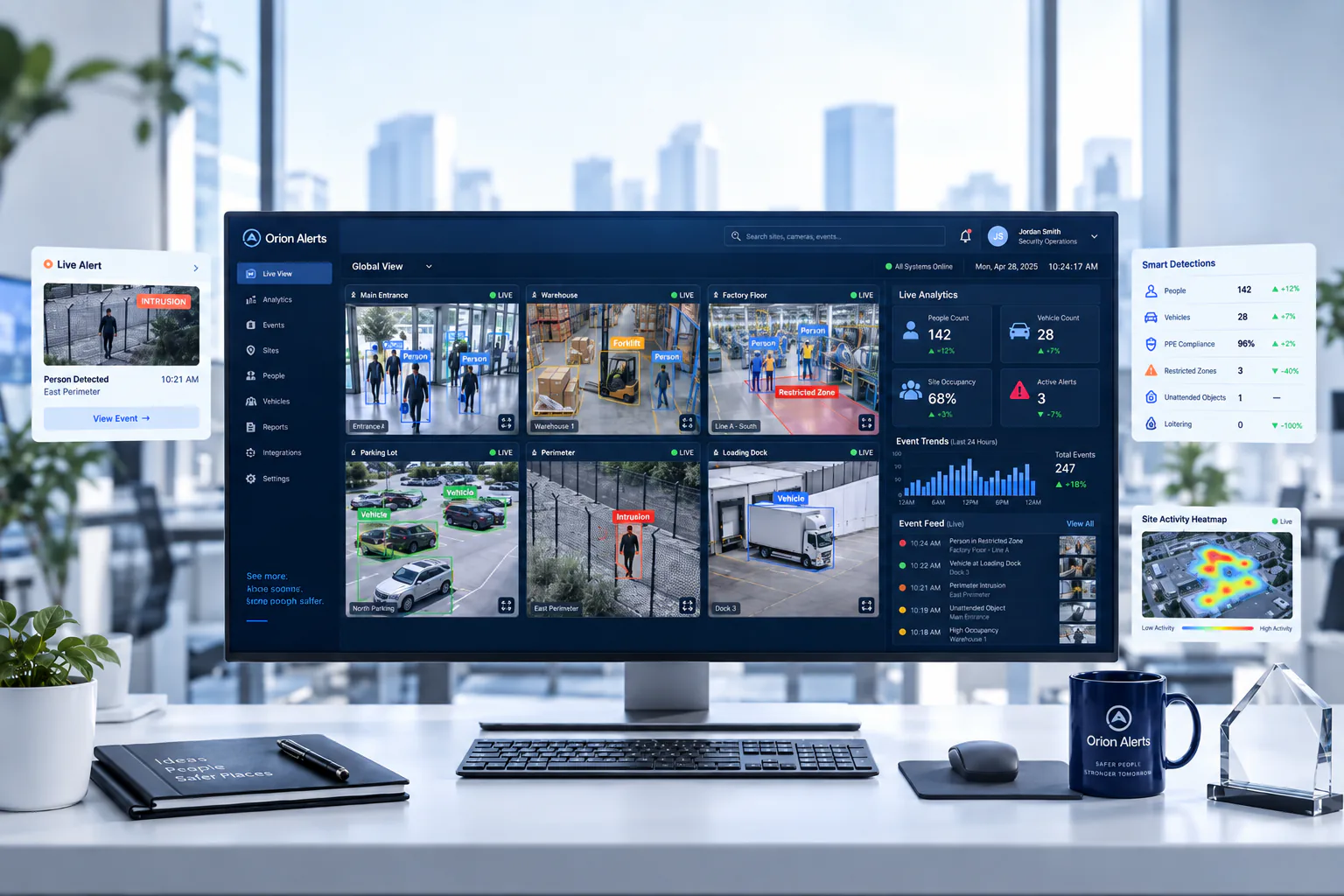
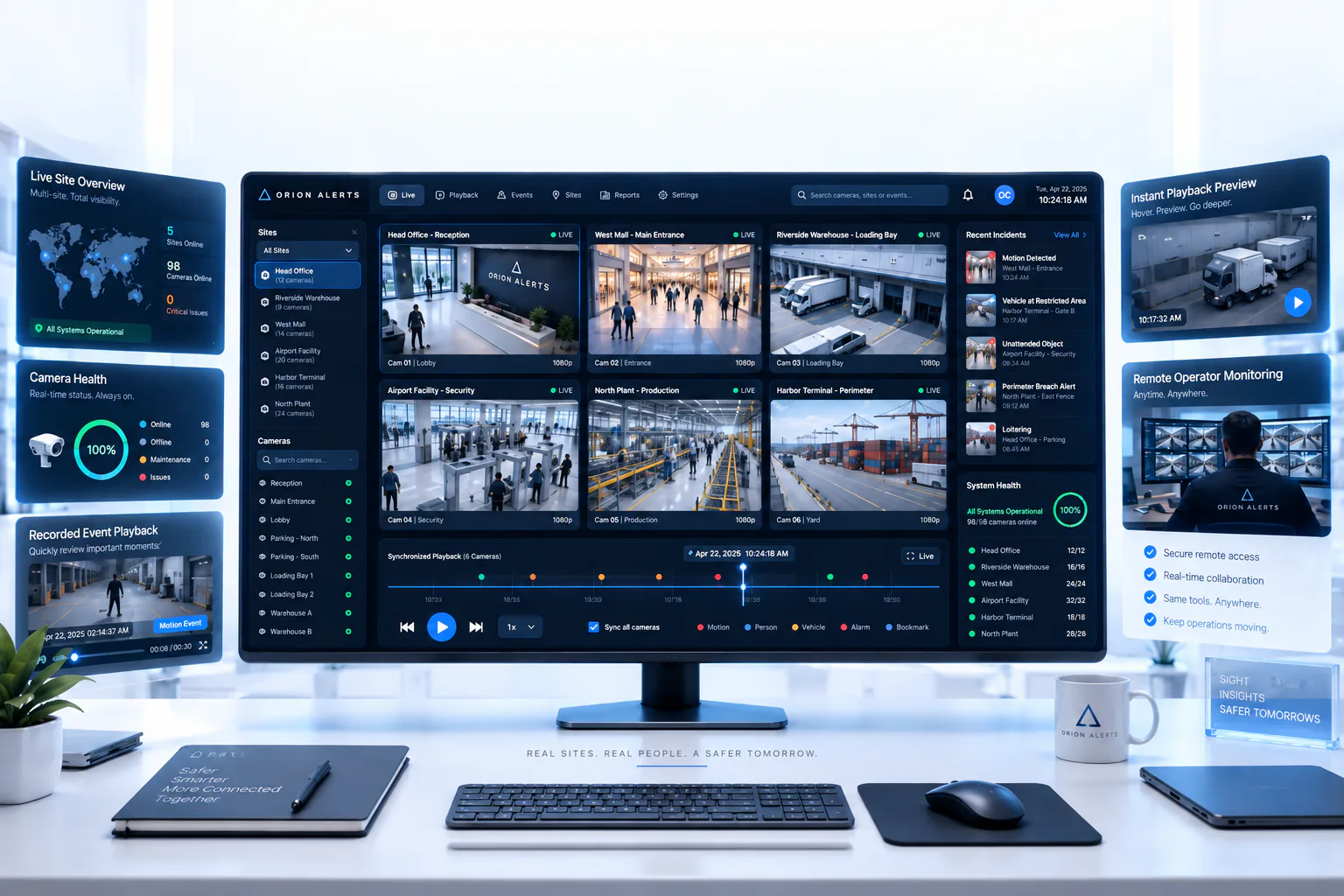
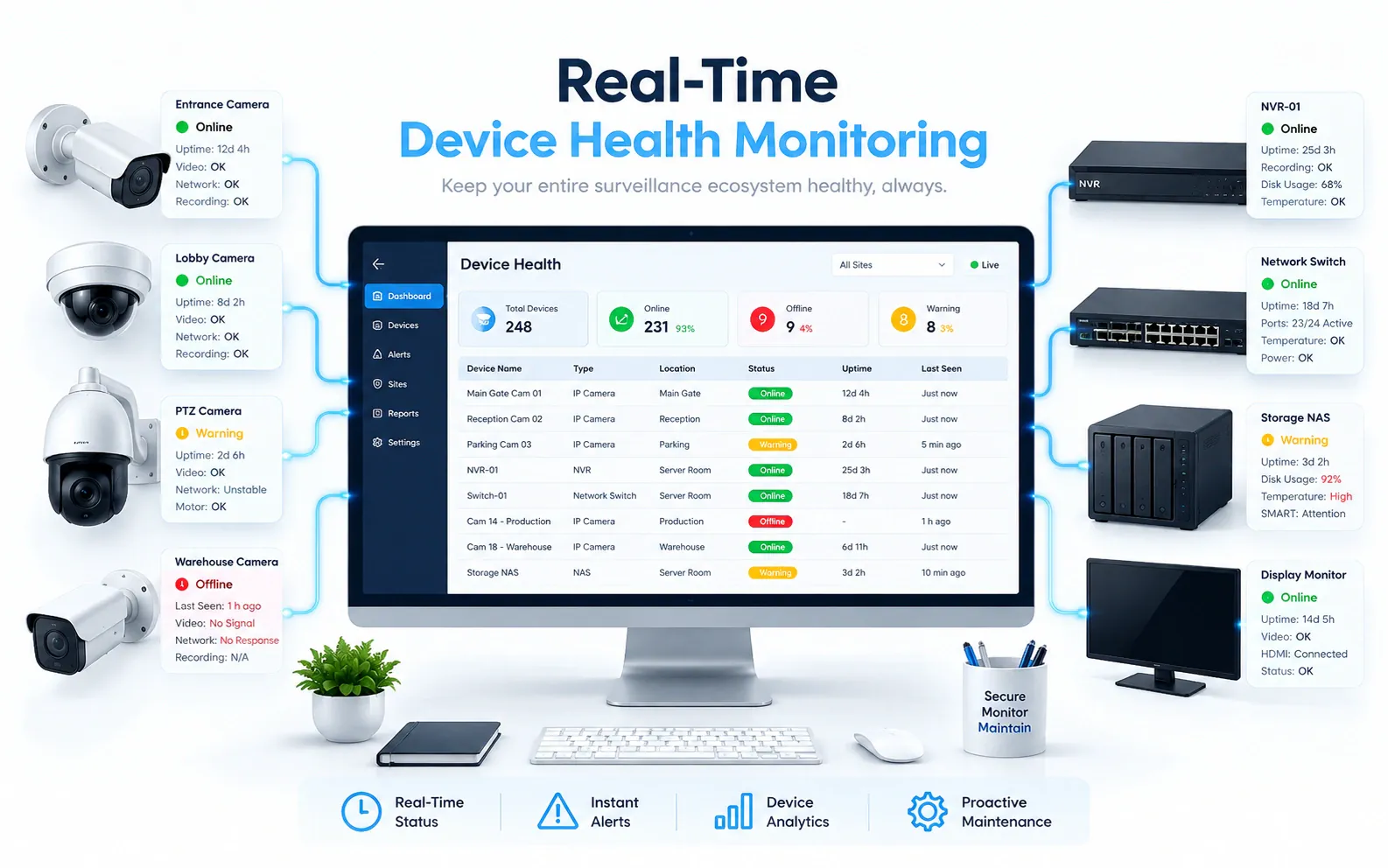
OrionAlerts solutions for bank branches
Banking · Questions
AI video analytics for bank branches: common questions
How can banks monitor CCTV across hundreds of branches?
A central team needs two things: alerts for after-hours activity at branch entrances, and confirmation that every branch camera and recorder is recording. OrionAlerts combines AI video alerts with camera health monitoring, so regional security sees offline cameras, recording gaps and flagged events by branch instead of checking each DVR.
Can OrionAlerts alert on after-hours entry at a branch?
Yes. Entry into a defined closed or restricted branch area outside the agreed schedule is flagged with the branch, camera and clip, and sent to the dashboard, mobile app and email for regional security. Reviewers check the clip against service visits and branch schedules before deciding on any action.
How do regional teams find the right branch clip?
Every question starts from the branch and the lobby rather than a camera number. An authorised reviewer selects the branch, area and time window, or asks Vision Copilot in plain language, and gets the matching observations with their clips. Pilots time this retrieval against the bank's current process.
Can video analytics detect banking fraud?
No. OrionAlerts reports physical events at the branch, such as entry, movement and visible conditions, using neutral event definitions without fraud or intent labels. Deciding whether fraud occurred needs financial evidence and an authorised investigation; the clip, with its branch, camera and time, can support that investigation under your access controls.
Is OrionAlerts RBI approved?
No. OrionAlerts does not claim RBI approval or certification. RBI IT governance directions apply to regulated entities and their own controls rather than serving as a product approval. Each bank decides how OrionAlerts' role-based access, audit trail and retention settings support those controls, and this is confirmed with your security and compliance teams during solution design.
Can all branches use one retention period?
Not necessarily. Retention follows your bank's own policy and the obligations that apply to it, so periods can differ by branch type or camera. OrionAlerts manages retention per camera, zone or site, and the settings for each branch category are confirmed with your security and compliance teams during solution design.
Can we use our existing CCTV cameras?
Yes, in most cases: OrionAlerts connects to compatible IP cameras and recorders through ONVIF, RTSP and vendor SDKs, so working hardware can usually stay in place. A short assessment checks camera position, image quality and network access for each use case, and confirms compatibility model by model before the pilot starts.
Where is the video stored, and who can see it?
On site: video and AI inference stay on the on-site node, while Orion Cloud syncs alerts, health status and configuration metadata for central management. Role-based access means each user sees only the sites, cameras and functions in their scope, and retention is set per camera, zone or site to follow your own policy.
Banking · Further reading
Further reading for bank branch teams
Banking · Related
Industries related to bank branches

Ask Vision Copilot about your branch network.
Bring after-hours alerts, camera health and clip retrieval for every branch into one regional view.