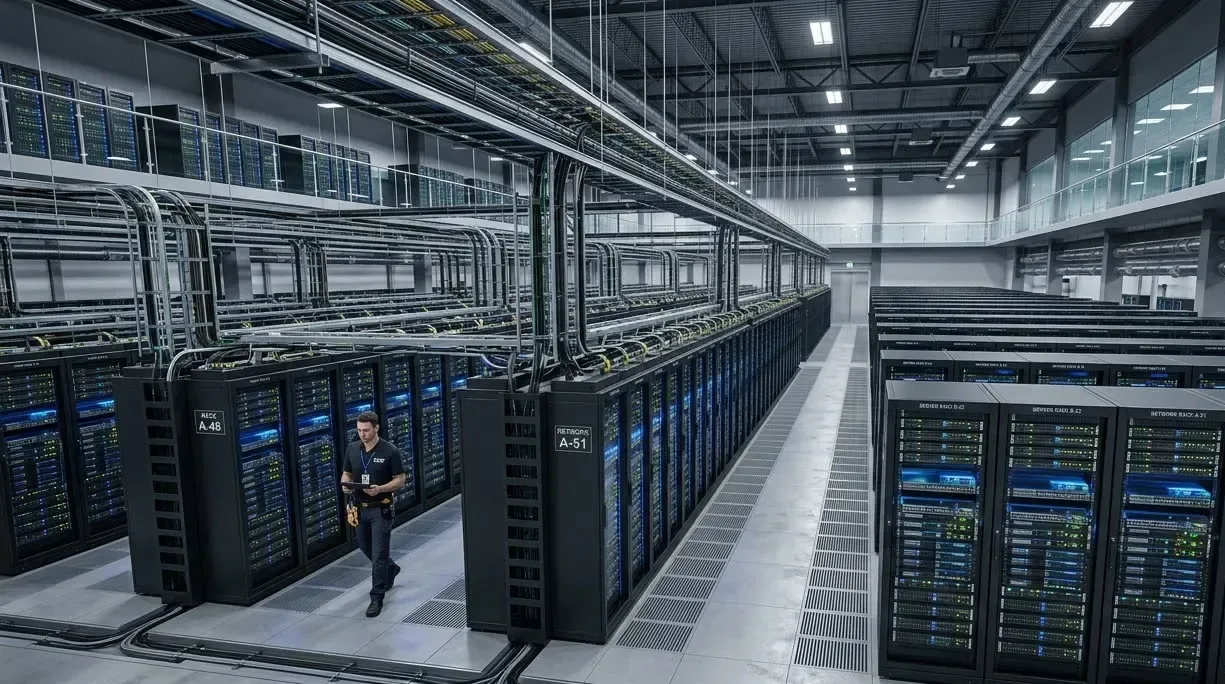
Data Centres
AI Video Analytics for Data Centres
Find the right access-lobby clip fast, check it against access-control logs once that integration is verified, and confirm every priority security camera is recording. Physical security sees controlled-entrance events in context before deciding what to investigate.
Built for: Physical security · Data-centre operations · Compliance · Infrastructure engineering
Verify the event before treating it as an access breach.
A data-centre entrance may involve escorts, authorised maintenance and multiple access checks. Video shows movement at each controlled entrance, while access permissions and escort records establish who was authorised. Keep the case for physical surveillance separate from server health and facility uptime certification.
Data Centres · Use cases
Use cases for data centres
Start from the controlled access lobby
Cameras map to controlled zones and access lobbies, so an investigation opens on the entrance it concerns.
Search the access lobby overnight
Ask Vision Copilot, “Show observations at the controlled access lobby overnight,” and review the entries in that window.
See which entrances show repeat entries
Ask which covered entrances had recurring entry observations this week, for example at an entrance used for planned maintenance.
Check escorts and logs before acting
Ask what physical security should investigate. A typical suggestion is to review escort arrangements and access logs before deciding on a security change.
Score physical observations and coverage
0–100 scores cover defined physical observations and camera coverage at controlled entrances, kept separate from cyber-security or Tier measures.
Data Centres · Vision Copilot
Ask about your data centre in plain language
Type a question in everyday language and Vision Copilot searches the observations from your mapped cameras for that place and time.
Questions to try
- Summarise what physical security should investigate, without assuming an access violation.Example answer shown
- Show observations at the controlled access lobby overnight.
- Which covered entrances had recurring entry observations this week?
Question
Summarise what physical security should investigate, without assuming an access violation.
Location
Site → Data Centre Building → Floor → Controlled Zone → Access Lobby
Answer
Repeated entry observations occur at an entrance used for planned maintenance. Suggested next step: review escort arrangements and access logs before deciding whether the pattern requires a security change.
Decision owner
Physical security / data-centre operations
Data Centres · Location map
Your data centre, mapped
Cameras are mapped to the selected access lobby or controlled entrance so questions about the controlled access lobby start from recognisable operational context.
Site
Site
Building
Data Centre Building
Floor
Floor
Zone
Controlled Zone
Room
Access Lobby
Data Centres · How it works
How OrionAlerts works for data centres
OrionAlerts maps each camera to a place, analyses its scenes over time, and sends alerts to the dashboard, mobile app and email for the team that owns that area.
- 01Map
- 02Observe
- 03Ask
- 04Prioritise
- 05Act
- 06Review
Data Centres · Deployment
Preparing a data centre for a pilot
Review deployment location, network separation, role controls and export procedures with the customer's security team. Validate the access-log integration and test camera and recording failure scenarios.
- Mapped hierarchy for pilot controlled entrances and service areas
- Agreed role controls, network separation and export procedures
- Verified access-log integration before authorisation claims
- Camera and recording failure tests for priority surveillance views
Data Centres · Standards
Standards context for data centres
ISO/IEC 27001 covers an organisation's information-security management system, and Uptime Institute Tier certification covers defined data-centre infrastructure and operational scopes. Camera observations at controlled entrances support the operator's own physical-security reviews; adding video analytics confers neither certification.
ISO/IEC 27001 / Uptime Institute Tier
ISO/IEC 27001 concerns an organisation's information-security management system. Uptime Institute Tier certification addresses defined data-centre infrastructure and operational scopes.
Official source
Data Centres · Pilot evaluation
What to measure in a data centre pilot
Compare reviewed alerts with what actually happened, including missed events and nuisance alerts, before you set a rollout target.
Reviewed doorway-event usefulness
Confirmed relevant doorway or entrance events divided by reviewed alerts for the defined areas, using an agreed review rubric.
Source of truth: Controlled entry tests and operator review logs
Time to correlate a known access event
Time for an authorised reviewer to locate matching footage for a defined access event from an agreed starting input such as time window and entrance.
Source of truth: Access logs and timed correlation exercises
Priority recording availability
Share of required recording minutes with usable footage for priority controlled-entrance cameras during agreed monitoring windows.
Source of truth: Recorder availability records
Data Centres · Solutions
OrionAlerts solutions for data centres
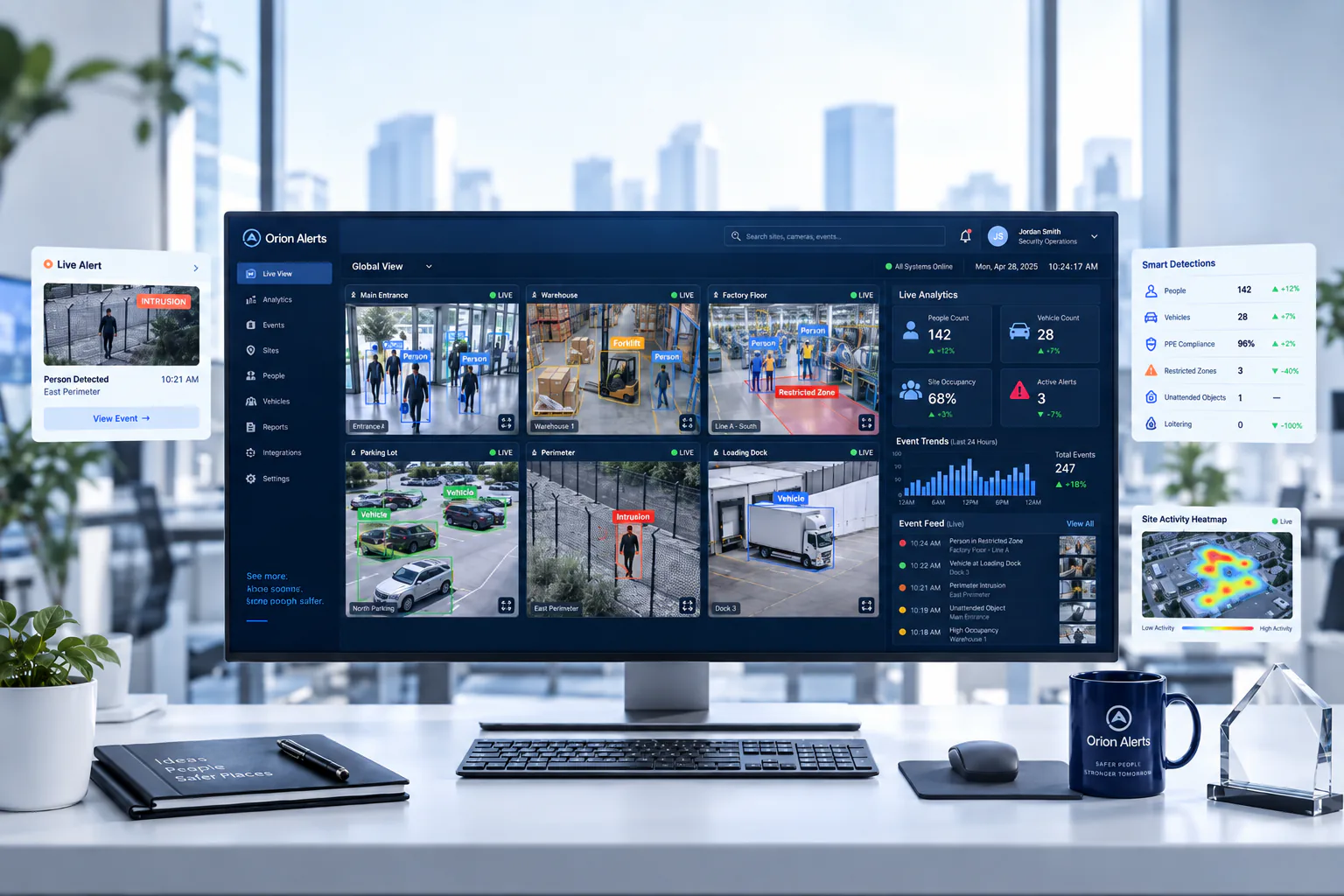
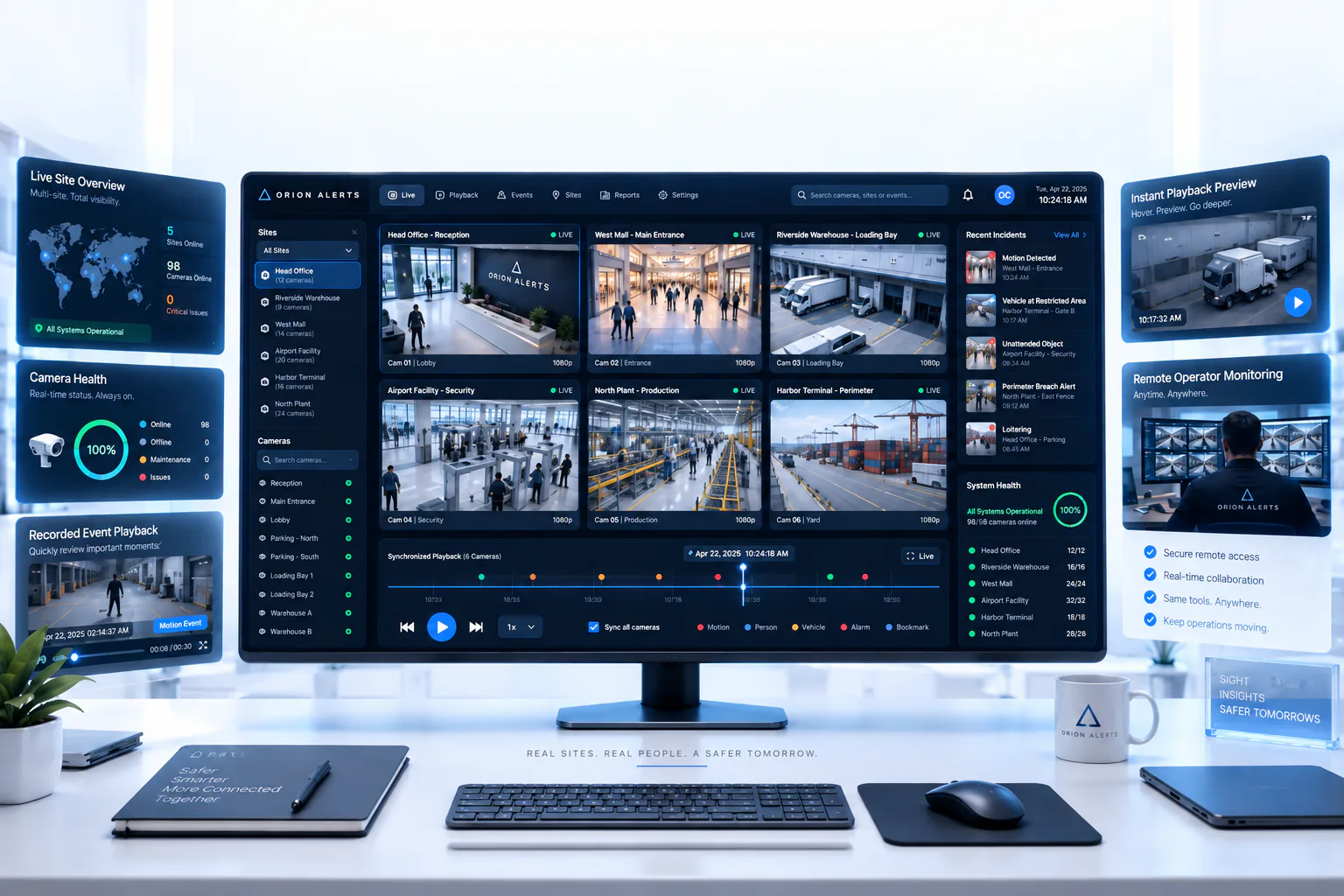
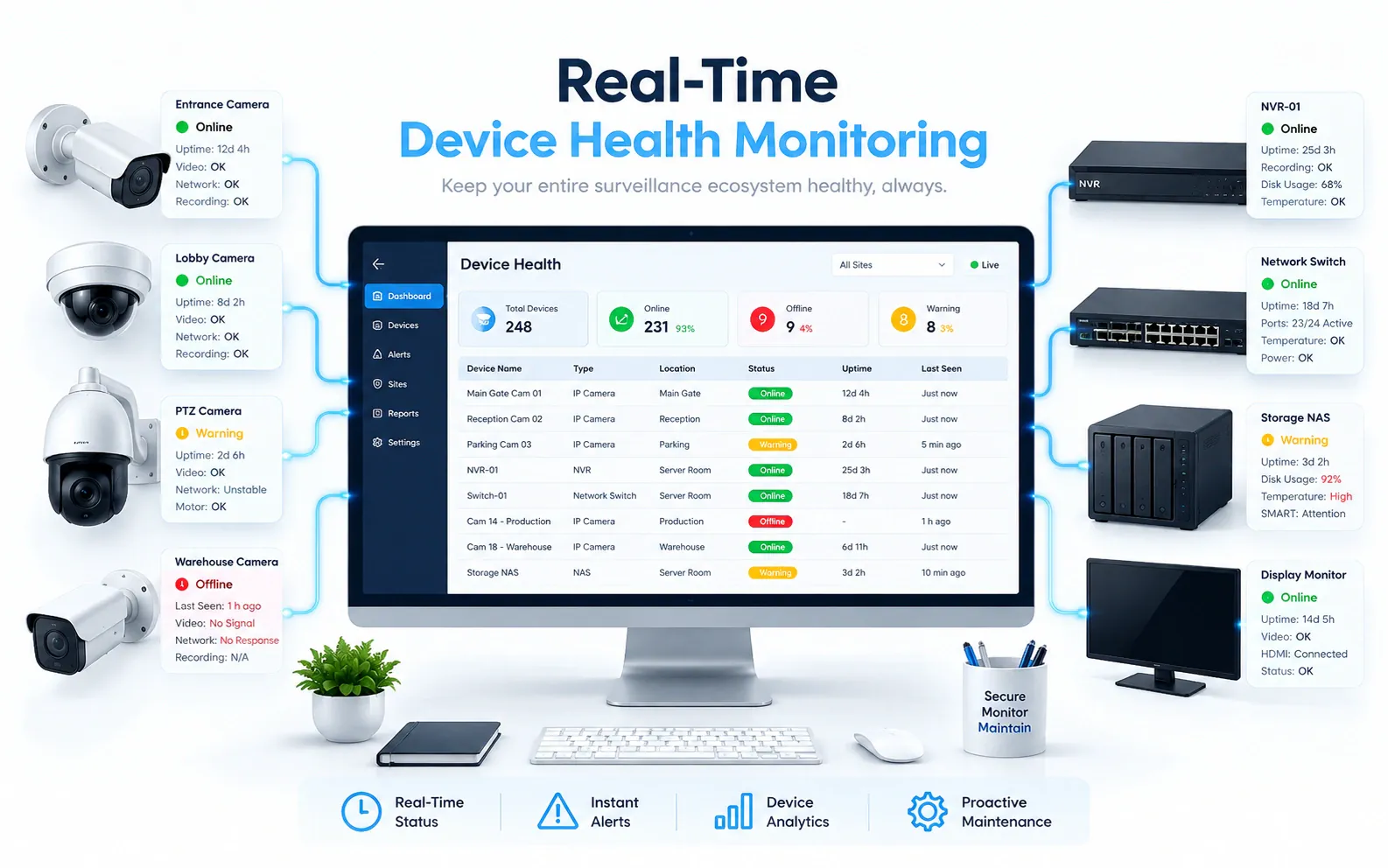
Data Centres · Questions
AI video analytics for data centres: common questions
Can CCTV clips be matched to access-control logs?
Yes, through an access-control integration that is scoped and verified during the pilot. Once it is in place, a door or badge event can be looked up against the mapped entrance camera for the same time, so physical security sees the entry and the access record together. Until then, reviewers search by entrance and time window.
How do we know every security camera is recording?
Camera health monitoring tracks priority security cameras and recorders, flagging offline feeds and recording interruptions so they are fixed before footage is needed. During the pilot, test camera and recording failure scenarios on purpose to confirm the alerts reach the right team.
Does this make a facility Tier III or Tier IV?
No. Tier certification is a separate assessment of the relevant data-centre infrastructure and operational scope by Uptime Institute. OrionAlerts covers physical surveillance and camera availability within the facility: controlled-entrance events, clip retrieval and recording health. These support the operator's own physical-security reviews and sit outside any Tier assessment.
Can video determine whether someone is authorised?
Not from presence alone. Authorisation comes from access permissions and escort records, and video shows the entry itself: how many people passed through the controlled entrance, when, and whether an escort was visible. Security reviews the clip alongside those records through a verified process before deciding whether an entry needs further investigation.
Can we use our existing CCTV cameras?
Yes, in most cases: OrionAlerts connects to compatible IP cameras and recorders through ONVIF, RTSP and vendor SDKs, so working hardware can usually stay in place. A short assessment checks camera position, image quality and network access for each use case, and confirms compatibility model by model before the pilot starts.
Where is the video stored, and who can see it?
On site: video and AI inference stay on the on-site node, while Orion Cloud syncs alerts, health status and configuration metadata for central management. Role-based access means each user sees only the sites, cameras and functions in their scope, and retention is set per camera, zone or site to follow your own policy.
Data Centres · Further reading
Further reading for data centre teams
Data Centres · Related
Industries related to data centres

Ask Vision Copilot about your data centre.
Map one controlled access lobby and its cameras, and see how an entry review would run against your access logs.