Intelligent video analytics
AI Video Analytics & Real-Time CCTV Alerts
Turn live video into real-time AI alerts for safety, intrusion, PPE, and operational events.
Trusted by banks, retailers, public institutions and enterprises across India
















Overview
How does AI video analytics work?
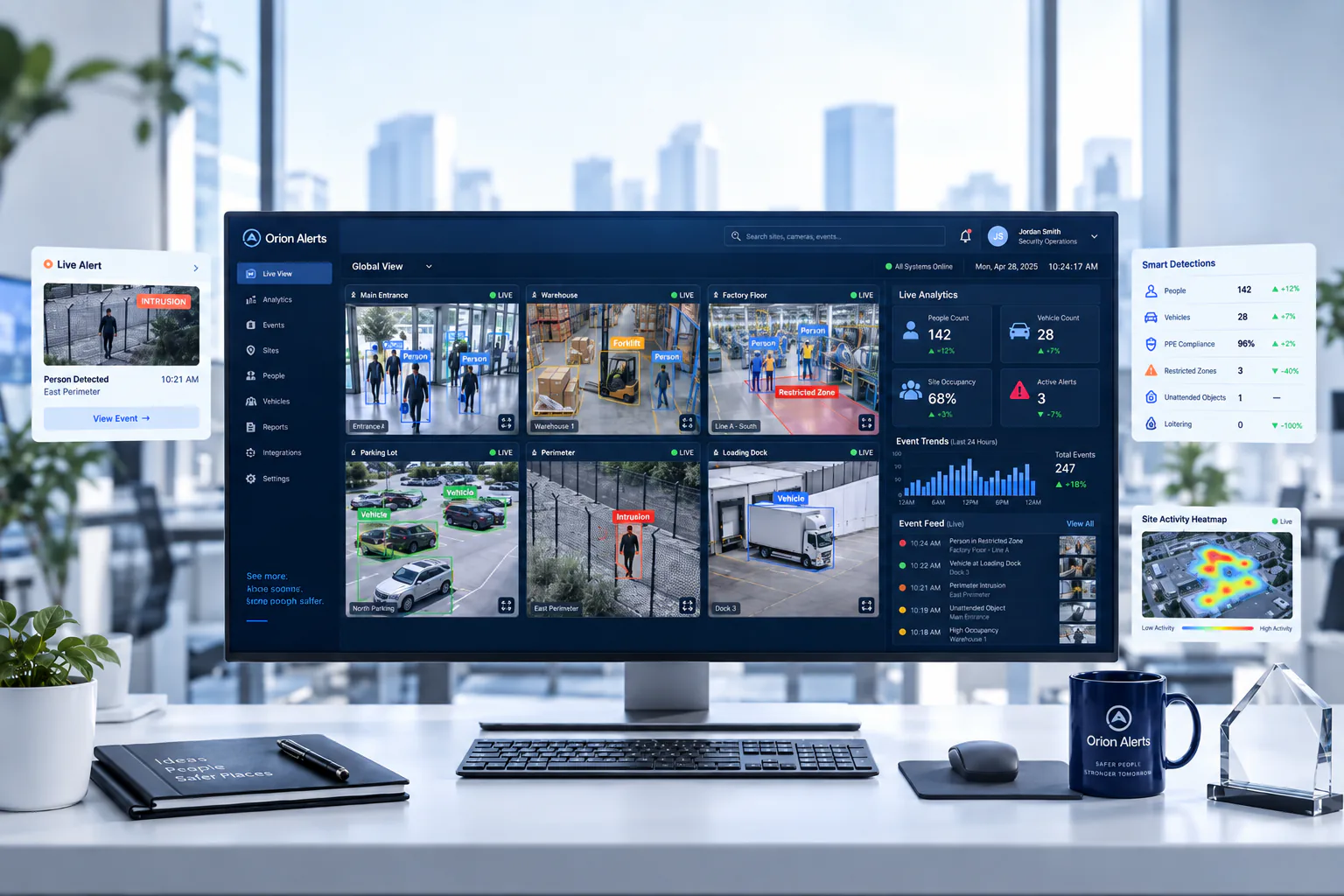
AI video analytics software runs computer-vision models on live camera streams to detect defined events, such as a person entering a restricted zone or a worker without a helmet. When a rule is met, the system raises an alert for a person to review. In OrionAlerts, the AI runtime reads frames from the same video engine that records the cameras.
Turn live video into real-time AI alerts.
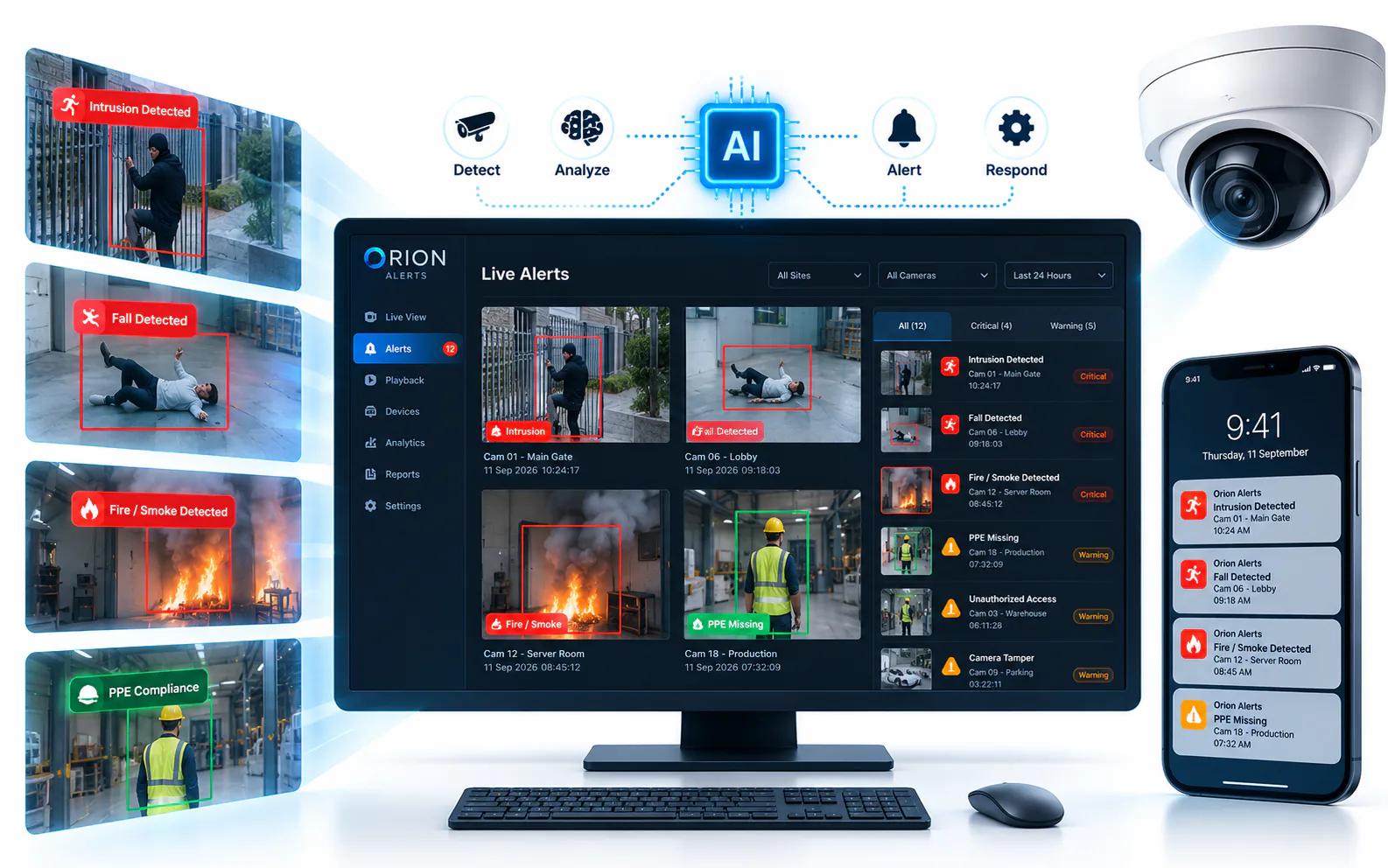
OrionAlerts AI video analytics watches live CCTV streams and raises an alert when a defined event happens, such as an intrusion, a missing helmet or vest, smoke, loitering or a vehicle in the wrong zone. Detections run on the on-site Nebula OS node, and zone and schedule rules keep alerts to the events each site cares about.
- Works with
- Existing IP cameras and recorders over ONVIF, RTSP and vendor SDKs
- Deploys as
- On-site Nebula OS node · multi-site with Orion Cloud · partner-managed
- Alerts via
- Dashboard, mobile app and email
Video stays on the on-site node. Only health, alert, configuration and operational metadata syncs to Orion Cloud. How Nebula OS works
Outcomes
What security and safety teams notice first with AI video analytics
Outcome 01 / 04
Fewer false alarms for security teams
Alerts tied to defined events, not raw motion
How it works
How OrionAlerts AI video analytics works
AI runs on the cameras you already record. Setting it up is a matter of choosing cameras, zones and rules.
- 01
Select cameras and detection zones
Choose which camera streams to analyze and mark the zones that matter, such as a perimeter, a hazardous area or a loading bay.
- 02
Turn on detections and rules
Pick event types such as intrusion, PPE, fire and smoke or loitering, and set zone and schedule rules that match how the site operates.
- 03
Review alerts during a pilot
Check each alert against the recorded footage before a wider rollout.
- 04
Apply the same rules across sites
Push the same safety and security rules to every site.
What changes for your teams
- Fewer false alarms for security teams
- Cameras watched around the clock, not just the ones on screen
- Faster investigation with searchable events
- The same safety rules at every site
AI Vision capabilities
AI video analytics built for real-time security and operations
Turn live camera streams into detections for intrusion, PPE, fire and smoke, loitering, and occupancy—so teams respond to real events with less manual monitoring.
01
Real-Time AI Video Analytics
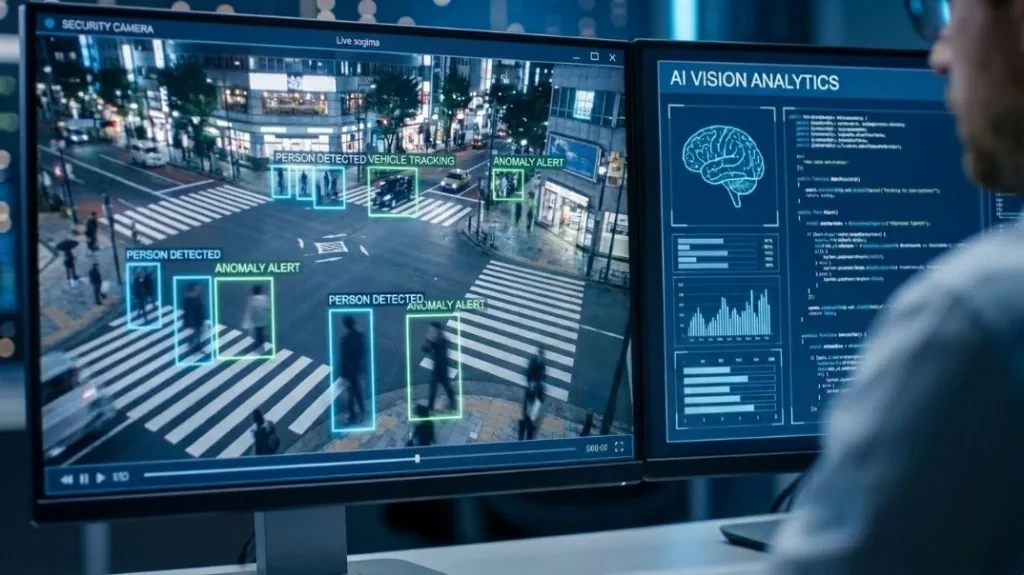
Continuously analyze live video streams for security, safety, and operational events—so surveillance moves from passive recording to proactive detection that operators can act on immediately.
02
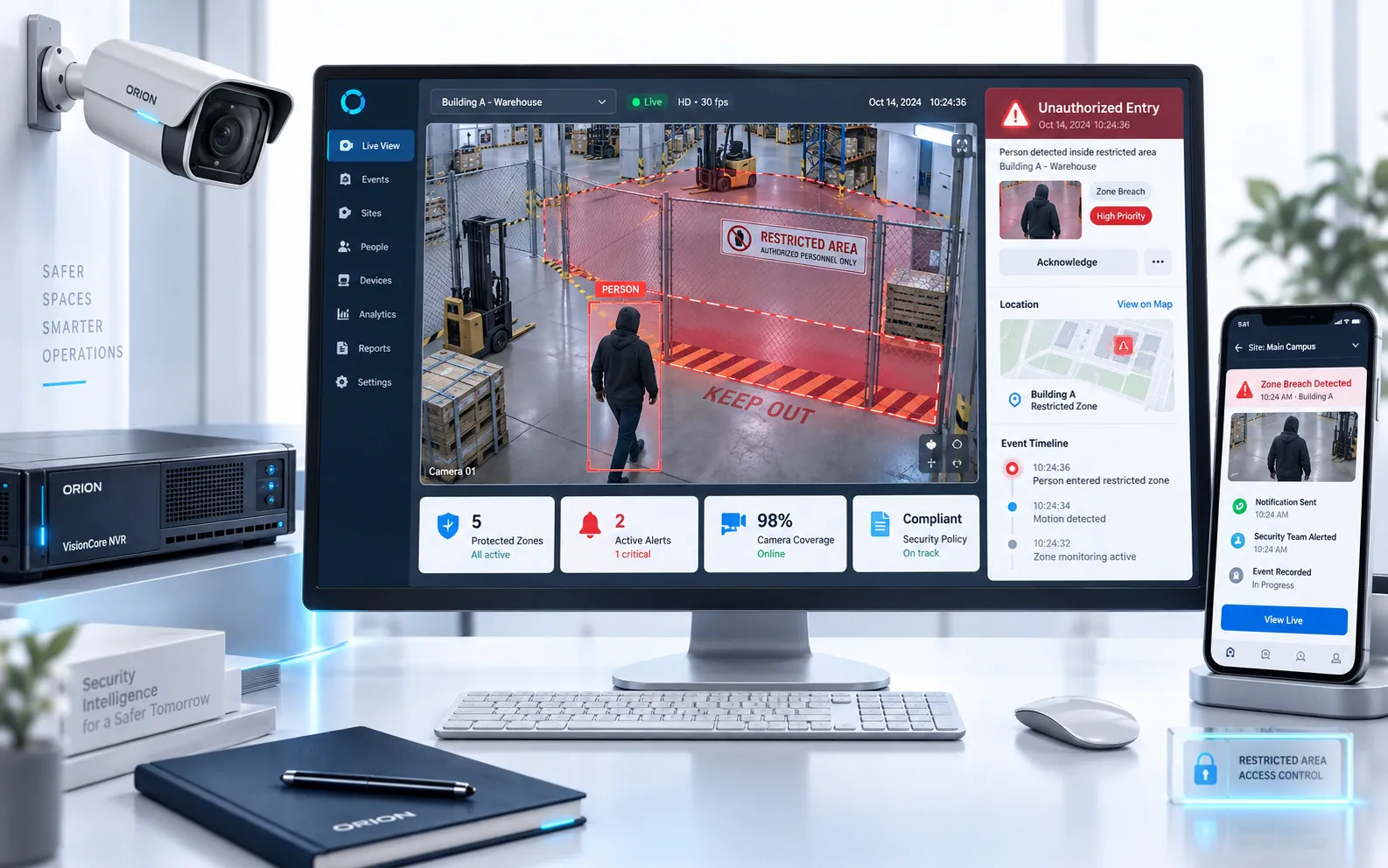
Instant Event Detection & Smart Alerts
Detect events as they happen and send the alert to the dashboard, mobile app and email with the event type, camera, site and zone, so the right team knows what happened and where. Zone and schedule rules decide which events raise an alert, cutting low-value noise.
03
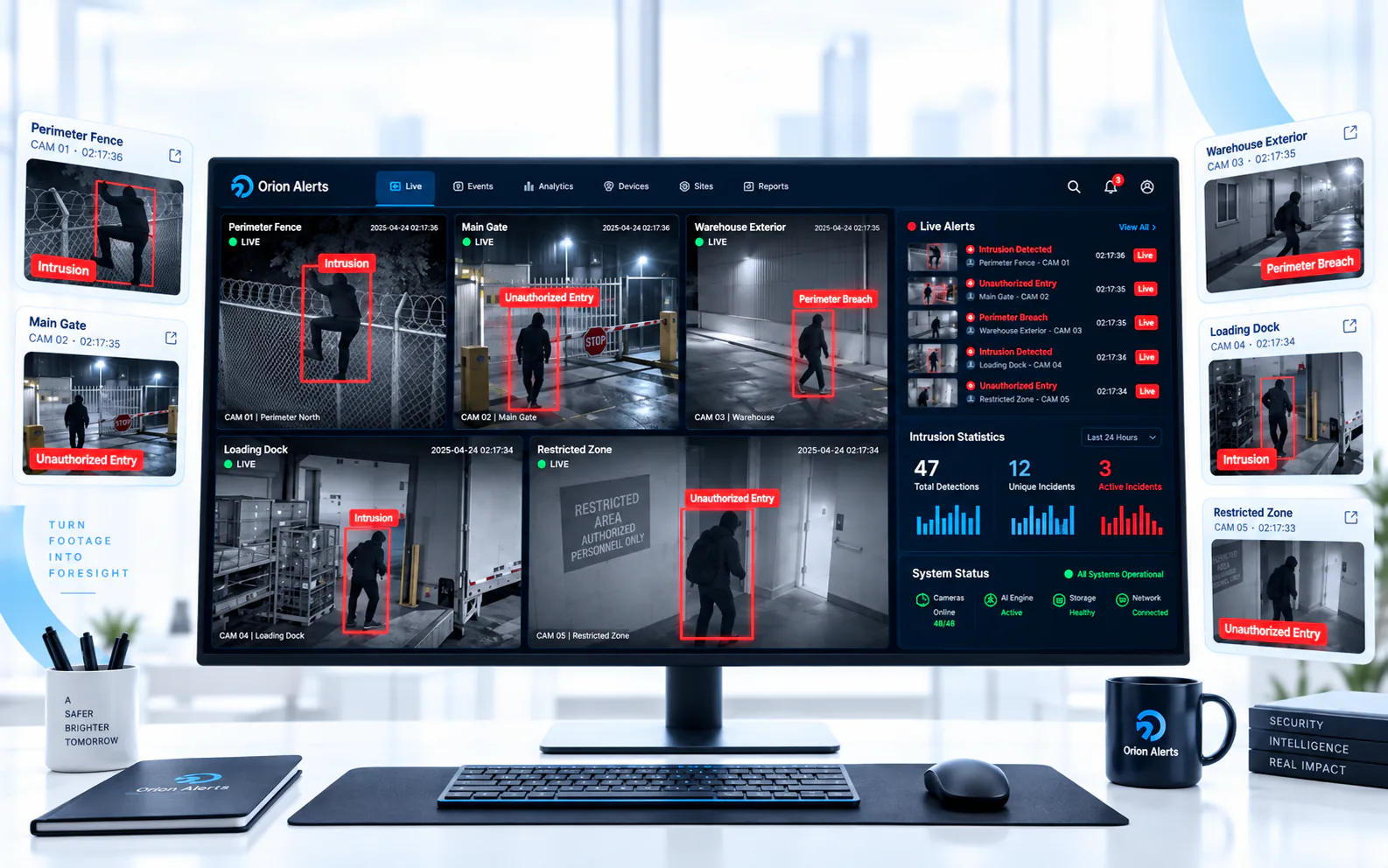
Intrusion & Restricted-Zone Detection
Alert when a person crosses a perimeter, enters a restricted or hazardous zone, or walks into an area they should not access during the hours that zone is active. Zones and lines are drawn on each camera view, so a breach is flagged as it happens rather than found later on the recording.
Learn more: Perimeter intrusion · Restricted zones · Unauthorized entry
04
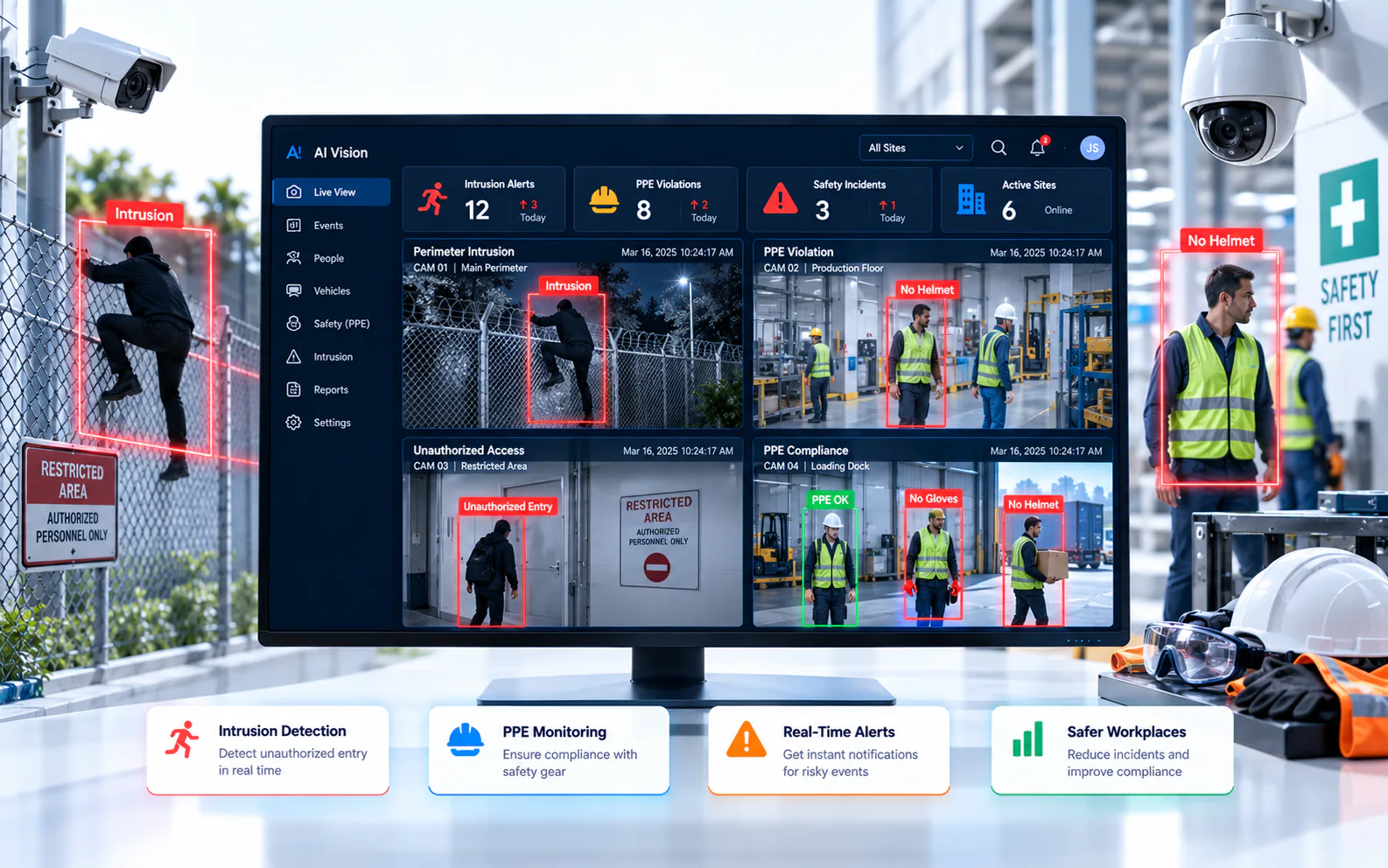
PPE & Safety Compliance Detection
Check that workers wear the required PPE, such as hard hats and high-visibility vests, in designated zones and shifts. Violations are flagged in real time so EHS supervisors can intervene, and each event is kept for safety reviews and audits.
Learn more: PPE and safety compliance
05
Fire & Smoke Detection
Spot visible smoke and flames in camera footage across monitored zones such as warehouses, yards and plant areas, and alert the responsible team. It adds a visual early-warning layer that supplements, and does not replace, certified fire detection and alarm systems.
Learn more: Fire and smoke detection
06
Loitering & Line-Crossing Detection
Flag a person who stays in a sensitive or idle zone longer than the time set for that zone, or who crosses a virtual line drawn at a fence, gate or doorway. An alert needs someone to stay past the set time, so people simply passing through do not raise one.
Learn more: Loitering detection · Line crossing at perimeters
07
People, Vehicle & Occupancy Analytics
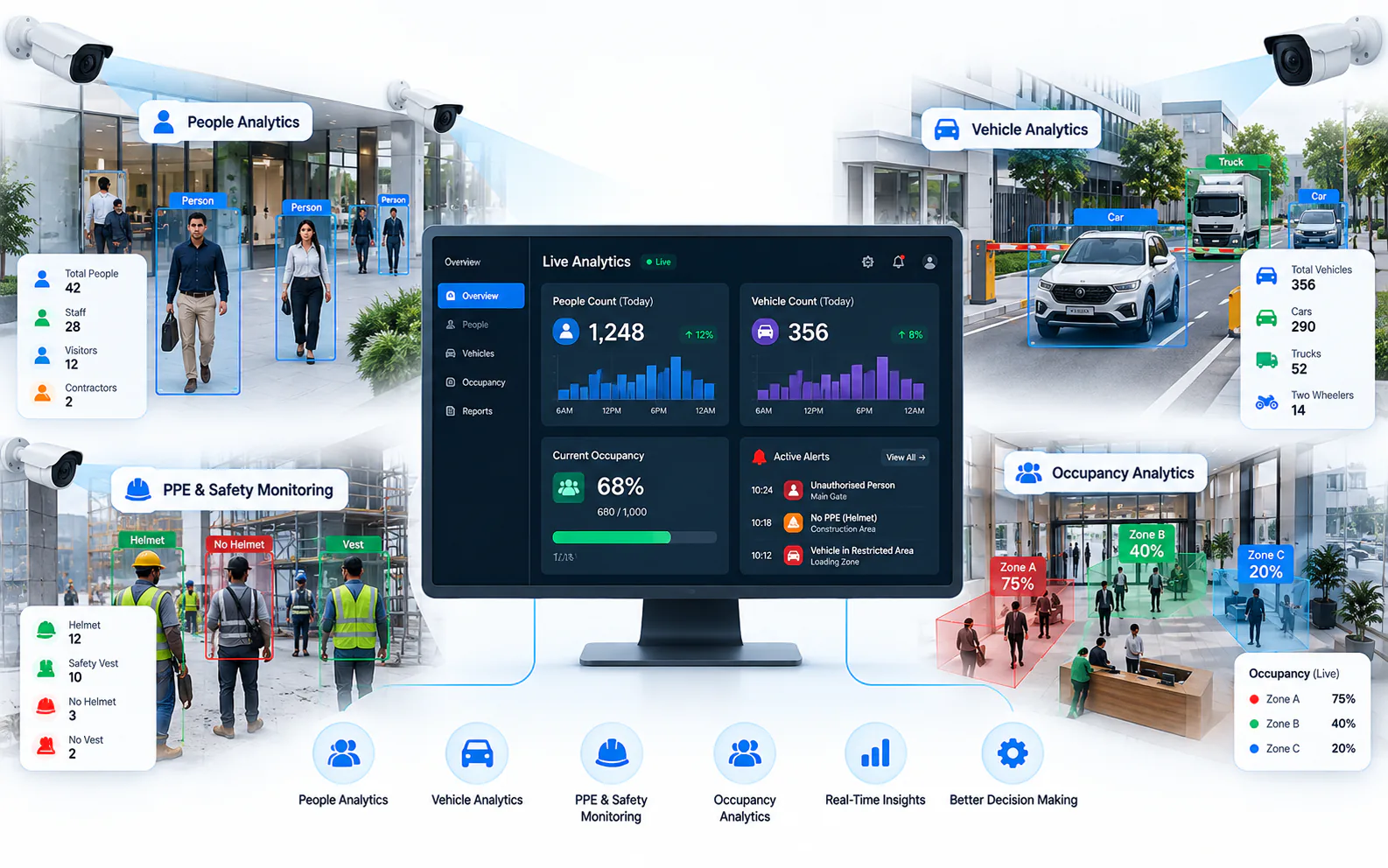
Track people, vehicles, and occupancy patterns for security and operations insight—supporting crowd awareness, traffic flow, and site utilization decisions in real time.
Learn more: Crowd detection · Vehicle detection
Compare
Motion detection vs AI video analytics
Both work on the same cameras. What differs is what makes them raise an alert, and what the alert tells you.
| Aspect | Motion detection | OrionAlerts AI video analytics |
|---|---|---|
| What triggers an alert | Any change in pixels | A defined event: a person in a zone, missing PPE, smoke, loitering |
| Common nuisance triggers | Shadows, headlights, rain, moving foliage | Rules are tied to objects and zones, not raw movement |
| Understands objects | No | Yes: people, vehicles, PPE, fire and smoke |
| Rules | Sensitivity and masked areas | Event types with zone and schedule rules per camera |
| Alert content | A motion flag | The event type, camera, site and zone, on the dashboard, mobile app or email |
| Finding it later | Scrub motion-flagged footage | Search events by type, or ask Vision Copilot in natural language |
FAQs
AI video analytics FAQs
What can OrionAlerts AI video analytics detect?
Depending on the site, detections include PPE and safety compliance, perimeter intrusion, line crossing, restricted-area entry, crowd and occupancy, vehicles, fire and smoke, loitering and process compliance. Custom AI use cases can also be scoped for specific operational requirements.
How are AI alerts delivered?
Alerts appear on the OrionAlerts dashboard, in the mobile app and by email. Each one names the event type, camera, site and zone, so the responder can check the recorded footage, and zone and schedule rules decide which events raise an alert.
Do I need new cameras for AI video analytics?
No. OrionAlerts runs AI on supported existing IP cameras connected over ONVIF, RTSP or vendor SDKs, so detections are added to the cameras you already record.
How is AI video analytics different from motion detection?
Motion detection triggers on any change in the picture, such as shadows, headlights, rain or moving foliage. AI video analytics recognizes what is in the scene, such as a person, a vehicle, a missing helmet or smoke, and raises an alert only when a defined rule is met.
What is Vision Copilot?
Vision Copilot is the OrionAlerts AI assistant for surveillance data. Teams ask questions in natural language to search events, retrieve evidence and generate operational insights, instead of scrubbing through footage.
Industries that use AI video analytics
Further reading
Key terms explained
Explore other solutions: Asset Tracking · AMC Management · Health Monitoring · VMS · Compare all solutions
See AI video analytics on your own cameras
Book a demo for a guided walkthrough tailored to your sites and operators.