CCTV Camera Health Monitoring: Detect Offline Cameras and Recording Gaps Before an Incident
How CCTV camera health monitoring finds offline cameras, blocked views and recording gaps before an incident, and what checks and metrics to use.
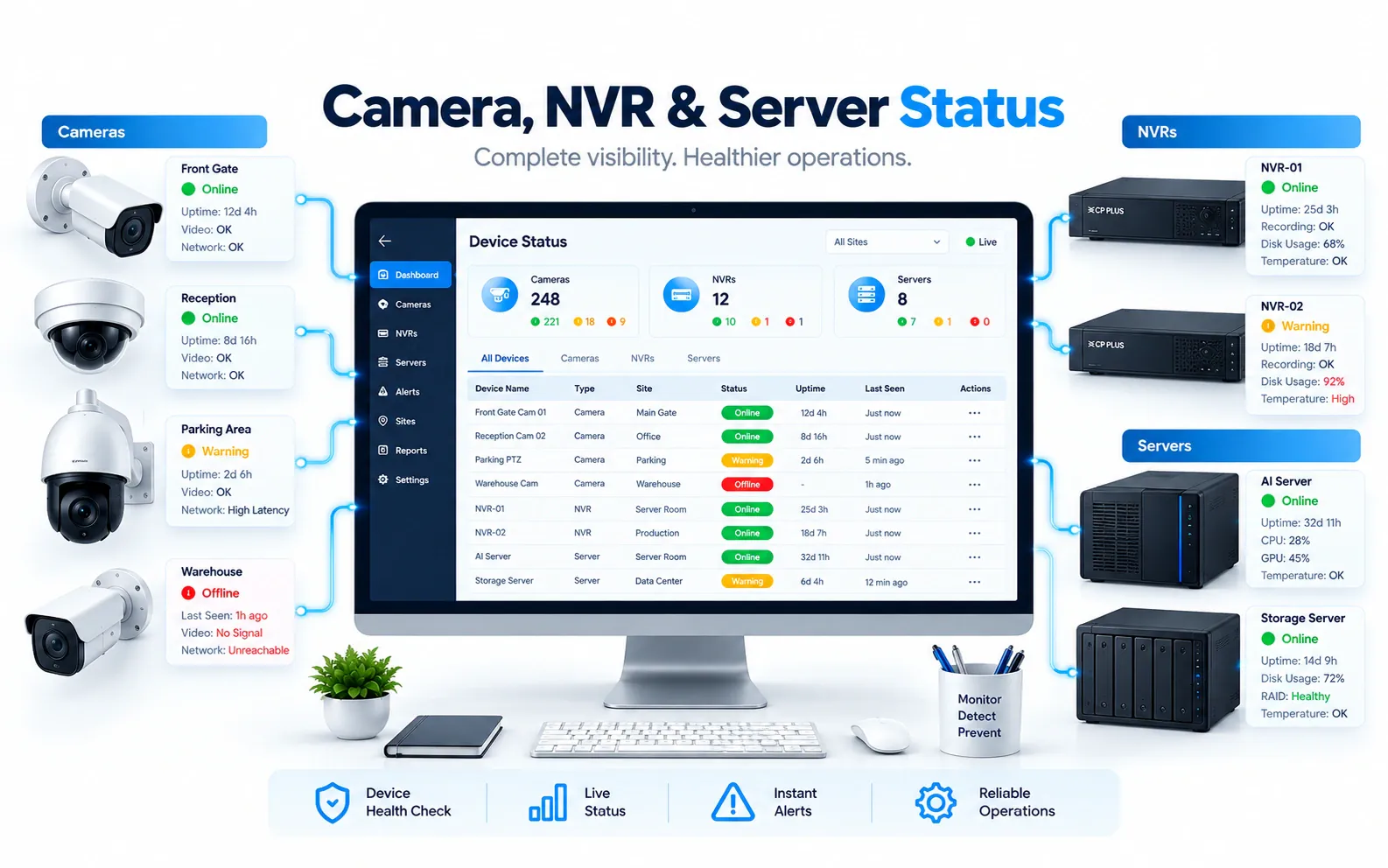
Key takeaways
- 01A camera that answers a ping is not necessarily streaming or recording; health monitoring must check video and recording, not only the network.
- 02Watch five layers: cameras, image quality, recording, storage and the network and servers behind them.
- 03Route each fault to an owner, and to the right AMC vendor, so it becomes a tracked ticket rather than a forgotten email.
- 04Measure camera availability, recording completeness and time to restore, site by site.
Short answer: CCTV camera health monitoring continuously checks that every camera is online, delivering a usable picture and actually being recorded, and alerts the right person when any of that stops. It catches offline cameras, blocked or blurred views, full disks and recording gaps while they can still be fixed, instead of when footage is needed after an incident.
Most surveillance failures are not dramatic. A camera loses power after maintenance work. A disk fills up and the recorder stops writing. A camera is knocked out of position and now films a wall. Nobody notices until someone needs the footage, and by then the gap cannot be recovered.
What is CCTV camera health monitoring?
It is the continuous, automated checking of cameras, recorders, storage and network links, with alerts when any of them leaves a healthy state.
Manual "camera rounds", where someone clicks through every feed once a day or once a week, cannot keep up with large or multi-site estates. They also miss problems that do not show on a live view, such as a camera that streams fine but is not being recorded. Camera health monitoring replaces those rounds with checks that run all the time and leave a record.
Why do camera failures go unnoticed?
Because most failures are silent: the video wall still shows a picture, the network still answers and nobody owns the question "is every camera recording right now?"
Common reasons:
- Network checks are not video checks. A camera can answer a ping while its video stream has frozen or stopped.
- Live view hides recording problems. An operator sees the live picture, not whether the recorder is writing it to disk.
- Image problems look like quiet scenes. A camera turned toward a wall or covered in dust raises no error at all.
- Faults spread across systems. Camera status is on one screen, recorder status on another and the disks somewhere else.
- No clear owner. Security assumes IT is watching, IT assumes the AMC vendor is, and the vendor waits for a complaint.
What should a health monitoring system check?
Check every layer between the lens and the stored file, because a failure at any one of them means lost evidence.
| Layer | What to check | What it catches |
|---|---|---|
| Camera | Online status, stream availability, frame rate | Power loss, crashed cameras, frozen streams |
| Image | Black screen, blur, obstruction, sudden scene change | Covered, moved, defocused or tampered cameras |
| Recording | Is each channel being written, and are there gaps? | Channels dropped from the schedule, recorder faults |
| Storage | Disk health, free capacity, retention days achieved | Failing disks, full volumes, retention below policy |
| Network and servers | Switch and link status, recorder and server services | Uplink failures, overloaded or offline recorders |
Image checks deserve special attention. Camera tampering detection and no-motion or black-screen alerts find cameras that are technically online but useless. Our glossary explains camera tampering detection in more detail.
Time synchronization is worth adding to the list. If recorders drift from the correct time, footage is harder to correlate across cameras and harder to rely on as evidence.
How do you catch recording gaps before an incident?
Compare what should be recorded with what actually was, every day, for every channel.
- 1Define the policy per camera: continuous or event-based recording, and how many days must be retained.
- 2Check that each channel is writing and flag any channel with no new footage within the expected window.
- 3Scan for gaps in the stored timeline, not only for errors raised by the recorder.
- 4Track achieved retention against the policy, so a site that keeps fewer days than required is flagged early.
- 5Alert on capacity trends, not only on full disks, so storage is expanded before recording stops.
Retention problems are especially easy to miss: everything appears to work, but the oldest footage is being overwritten sooner than the policy says.
How should health alerts be routed and fixed?
Every health alert needs an owner, a severity and a path to a fix; otherwise it becomes background noise like any other alarm.
- Severity by camera importance. A perimeter or cash-office camera going offline is more urgent than a corridor camera.
- Owner by fault type. Network faults go to IT, recorder and camera faults to the maintenance team or vendor.
- Tickets, not emails. Raise a service request automatically, so every fault is tracked to closure.
- Contract context. Show whether the device is under warranty or an annual maintenance contract, and which vendor is responsible.
This is where health monitoring meets AMC management. Our CCTV AMC management checklist covers SLAs, preventive maintenance and vendor scorecards.
Which metrics prove camera uptime?
Report a few metrics consistently, by site and by vendor, rather than a single estate-wide percentage.
- Camera availability: the share of time each camera was online and streaming
- Recording completeness: the share of required footage actually stored
- Retention compliance: sites and channels meeting the retention policy
- Time to restore: how long faults stay open, from detection to fix
- Repeat faults: cameras or sites that fail again after being fixed
These numbers turn uptime from an assumption into evidence, for internal audits, for leadership and for conversations with vendors.
How do you get started?
Start with an accurate register of devices, then add monitoring and routing in that order.
- 1Build or clean up the list of cameras, recorders, disks and switches per site, ideally in an asset register.
- 2Agree recording and retention policies per camera group.
- 3Turn on continuous checks for all layers, starting with your most critical sites.
- 4Define owners and severity, and connect alerts to service tickets.
- 5Review availability and repeat faults monthly with each vendor.
How does OrionAlerts monitor camera health?
In OrionAlerts, Health Monitoring is one of five modules on the same video intelligence platform.
It tracks the status of cameras, NVRs, servers, storage and network devices in real time, detects recording interruptions, storage capacity risk and retention issues, and provides uptime and availability reports. Health alerts reach the responsible team through the dashboard, the mobile app and email, and show whether the camera, NVR, storage or network is at fault. For multi-site estates, each site's node checks its own devices and Orion Cloud brings health status from every location into one view.
Because the health engine runs inside Nebula OS, it sees failures the network alone cannot, such as a camera that pings but has stopped recording. And because health, asset and AMC records share the same device, a camera fault can open a service request with the vendor whose contract covers that camera. The VMS and AI video analytics run on the same platform, so an alert from a camera and that camera's health status are never in separate systems.
FAQs
What is the difference between camera health monitoring and network monitoring?
Network monitoring checks whether a device is reachable. Camera health monitoring also checks whether the video stream works, whether the image is usable and whether the footage is being recorded and retained. The difference matters because a camera can answer a ping while its stream is frozen, its view is blocked or its recorder has stopped writing.
Can health monitoring detect a camera that has been moved or covered?
Yes, if it includes image checks as well as device checks. Tampering and scene-change detection flag cameras that are covered, defocused, moved or showing a black screen, and comparing each view with a saved reference image helps confirm what changed. Without image checks, a camera pointing at a wall still looks healthy.
How often should cameras be checked?
Continuously. Daily or weekly manual checks leave long windows in which a failure can go unnoticed, and they do not show whether footage is being recorded. Automated checks should run around the clock and alert on any change, while people review trends and repeat faults on a fixed schedule, such as monthly with each vendor.
Does camera health monitoring need new cameras?
No. It works with existing cameras and recorders by reading their status, streams and recordings, so it can be added to an estate that is already installed. The depth of checks can vary by device, so confirm which camera and recorder models report recording and storage status, not only whether they are online.
Keep reading
Related articles
Asset & AMC · 26 Oct 2026 · 8 min read
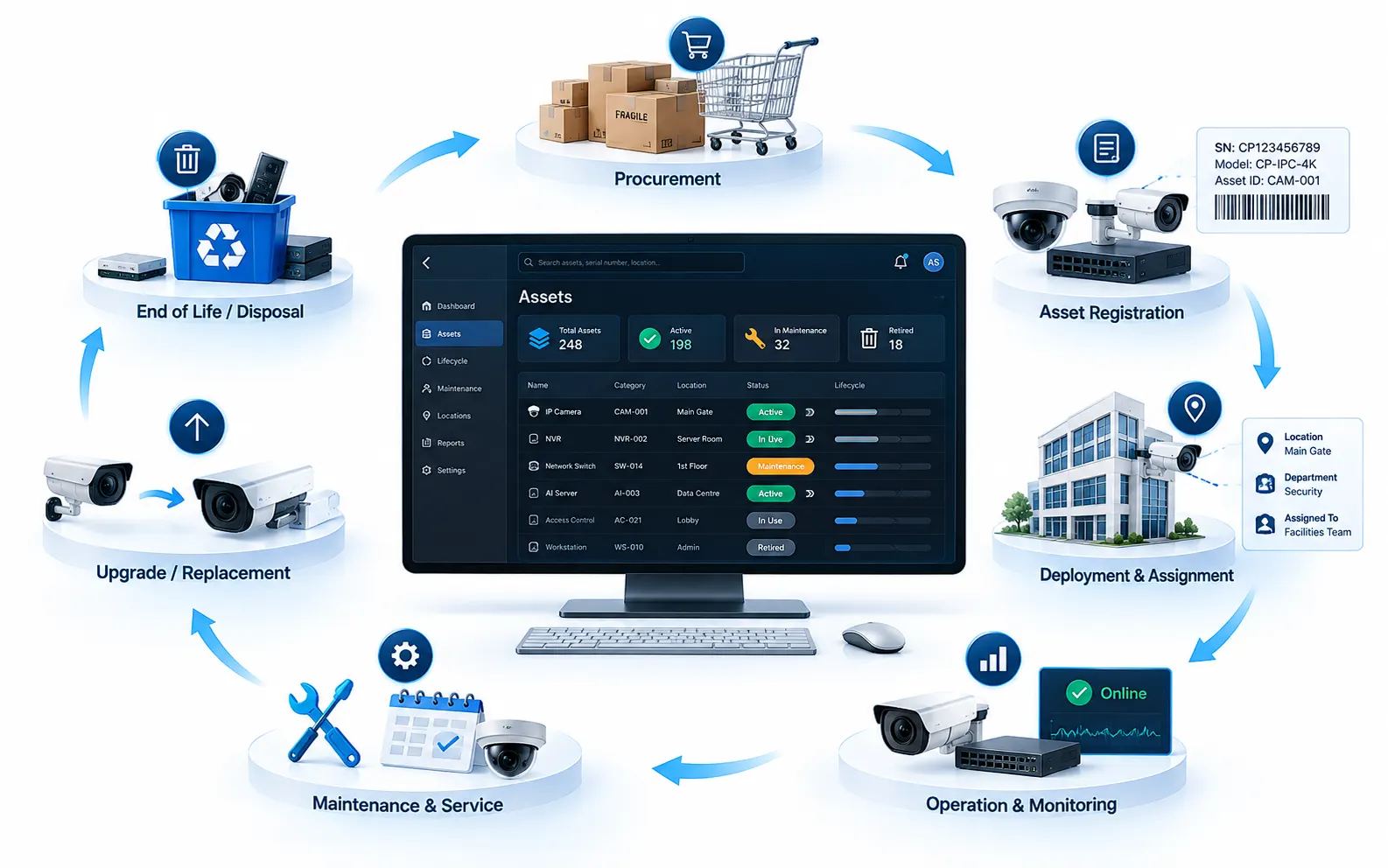
Surveillance Asset Management: Building a Live Camera and NVR Register Across Sites
Build a live register of cameras, NVRs and network devices across sites: what to record, custody, warranty, lifecycle and keeping it in sync.
Asset & AMC · 26 Oct 2026 · 7 min read
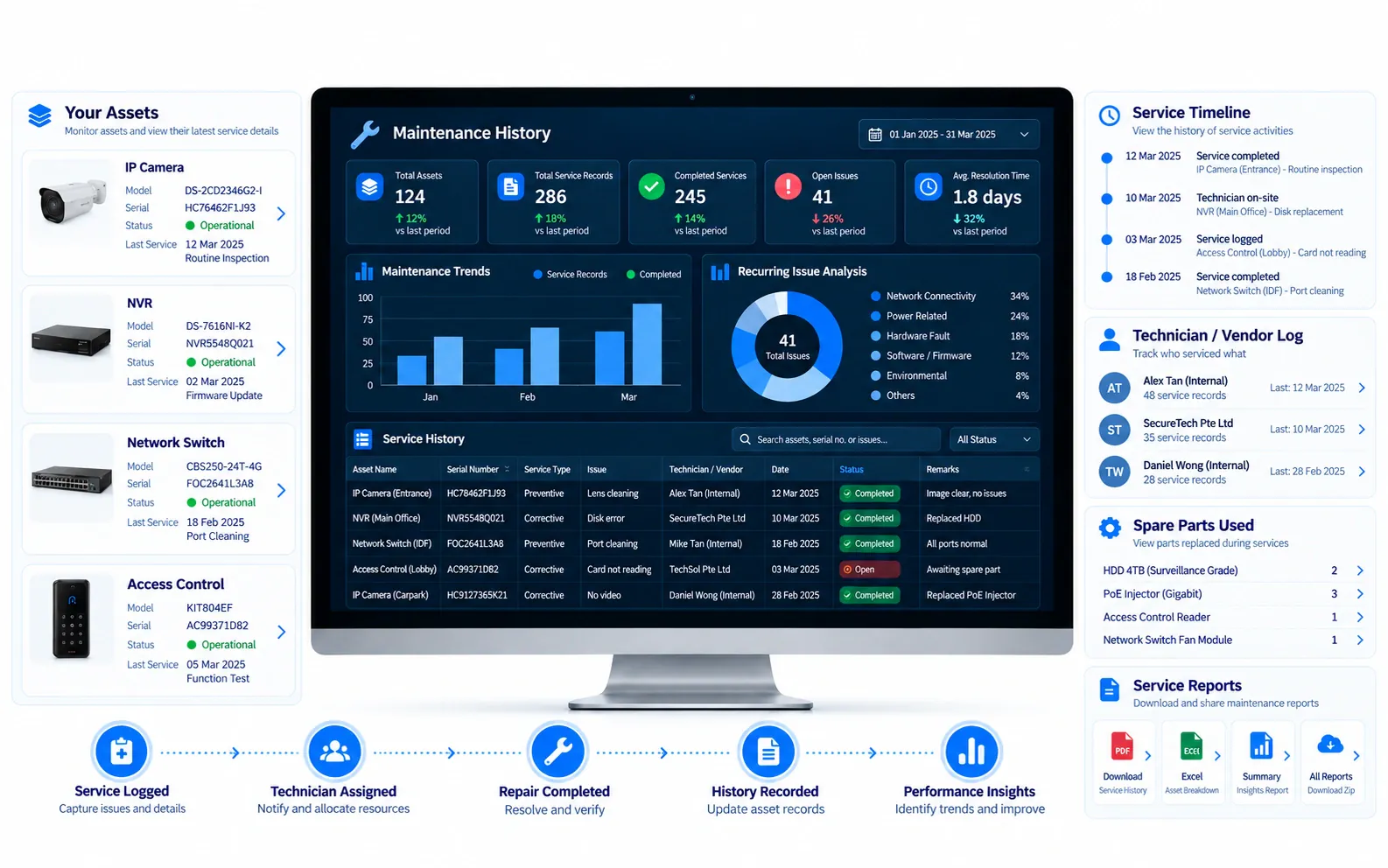
CCTV AMC Management Checklist: SLAs, Preventive Maintenance and Vendor Scorecards
A practical CCTV AMC checklist: what the contract should cover, how to set SLAs, what preventive maintenance includes and how to score vendors.