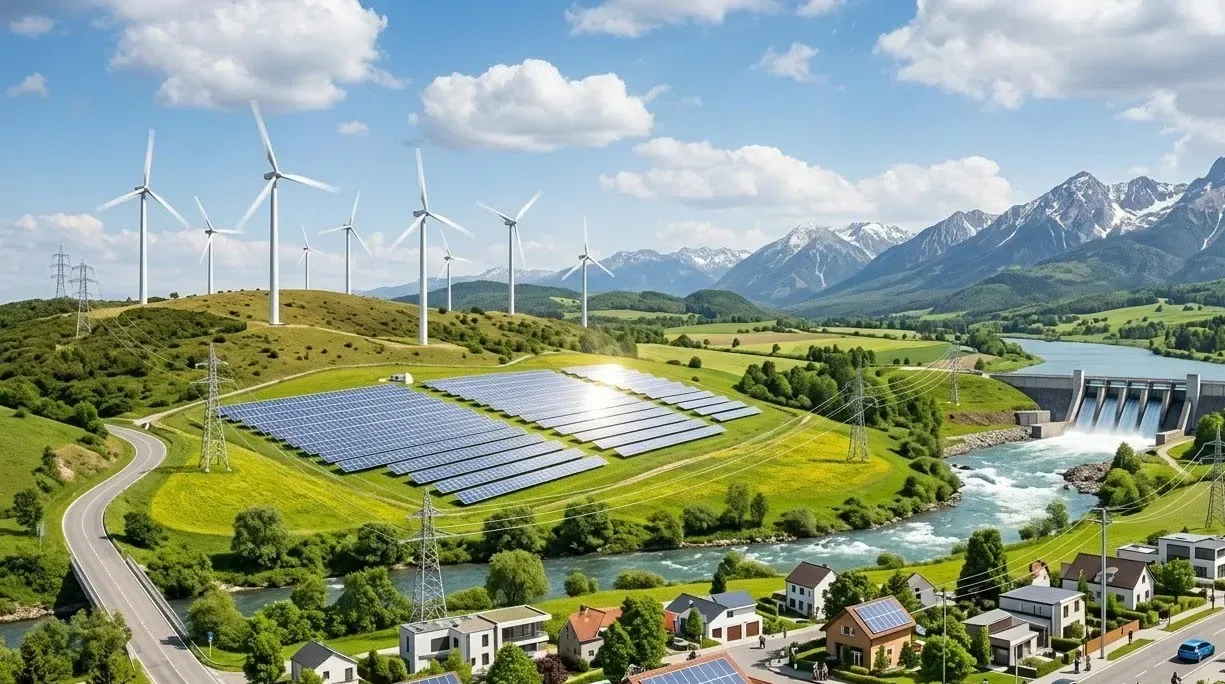
Solar & Renewable Energy Facilities
AI Video Analytics for Solar & Renewable Sites
Verify gate, boundary and equipment-compound alerts at remote solar and renewable sites, and track which cameras have dropped offline before deciding whether to send the operations and maintenance (O&M) team.
Built for: Renewable asset owners · O&M providers · Site security · Operations centres
Separate site security from energy-performance diagnosis.
Renewable facilities cover large areas with few people on site. The strongest starting point is verifying events at gates, boundaries and equipment compounds, so an operator can decide whether a site visit is needed. Panel output, electrical faults and turbine condition stay with measurement and specialist inspection.
Renewables · Use cases
Use cases for solar and renewable sites
Map compounds and gates across each site
Cameras are grouped by energy site, control building and equipment compound, so an alert at a compound entry points to a place the O&M team knows.
Search the equipment compound by week
Ask Vision Copilot, “Show observations from the equipment compound during the last week,” to review compound activity without opening each remote feed.
See entry patterns around service visits
Ask, “Which covered access points have recurring observations around service periods?” to separate routine service-visit entry from activity that needs a closer look.
Check before changing the site layout
Ask, “What should the O&M team inspect before changing the site arrangement?” Suggestions such as reviewing the gate arrangement or camera coverage come with their observations, and O&M makes the call.
Prioritise compounds for the next visit
Scores out of 100 across covered site observations show which access points and compounds the operations centre should review first.
Renewables · Vision Copilot
Ask about your renewable site in plain language
Type a question in everyday language and Vision Copilot searches the observations from your mapped cameras for that place and time.
Questions to try
- What should the O&M team inspect before changing the site arrangement?Example answer shown
- Show observations from the equipment compound during the last week.
- Which covered access points have recurring observations around service periods?
Question
What should the O&M team inspect before changing the site arrangement?
Location
Energy Site → Control Building → Ground Level → Equipment Zone → Compound Entry
Answer
Entry observations recur at an equipment compound during repeated service visits. Suggested next step: review visit coordination, gate arrangement and camera coverage with O&M before requesting a site change.
Decision owner
O&M / operations centre
Renewables · Location map
Your renewable site, mapped
Cameras are mapped to the selected equipment compound or access point so questions about the equipment compound start from recognisable operational context.
Site
Energy Site
Building
Control Building
Floor
Ground Level
Zone
Equipment Zone
Room
Compound Entry
Renewables · How it works
How OrionAlerts works for solar and renewable sites
OrionAlerts maps each camera to a place, analyses its scenes over time, and sends alerts to the dashboard, mobile app and email for the team that owns that area.
- 01Map
- 02Observe
- 03Ask
- 04Prioritise
- 05Act
- 06Review
Renewables · Deployment
Preparing a renewable site for a pilot
Test dawn and dusk glare, rain, vegetation growth, dust and long-distance views. Assess power and network resilience, and confirm how local recording and processing behave during outages.
- Mapped hierarchy for pilot gates, boundaries and equipment compounds
- Power and network resilience plan for remote cameras
- Confirmed local recording or processing behaviour during outages
- Representative testing across glare, weather, vegetation and long-distance views
Renewables · Standards
Standards context for solar and renewable sites
Central Electricity Authority (CEA) electrical-safety regulations give context for covered renewable installations. Camera monitoring adds a security and access record alongside module certification, electrical inspection and energy-performance data from the right instruments.
CEA electrical safety regulations
CEA safety regulations provide electrical-safety context for covered installations and activities in India.
Official source
Renewables · Pilot evaluation
What to measure in a renewable site pilot
Compare reviewed alerts with what actually happened, including missed events and nuisance alerts, before you set a rollout target.
Useful perimeter alerts across weather conditions
Confirmed relevant perimeter or boundary alerts divided by reviewed alerts for the defined sites across representative weather conditions, using an agreed review rubric.
Source of truth: Authorised tests, maintenance schedules and review logs
Remote camera unavailable hours
Hours of required remote camera or recording unavailability for priority sites during agreed monitoring windows.
Source of truth: Device and connectivity logs
Reviewed-event acknowledgement time
Acknowledgement timestamp minus delivered or available alert timestamp for reviewed remote-site events.
Source of truth: Operations-centre acknowledgement records
Renewables · Solutions
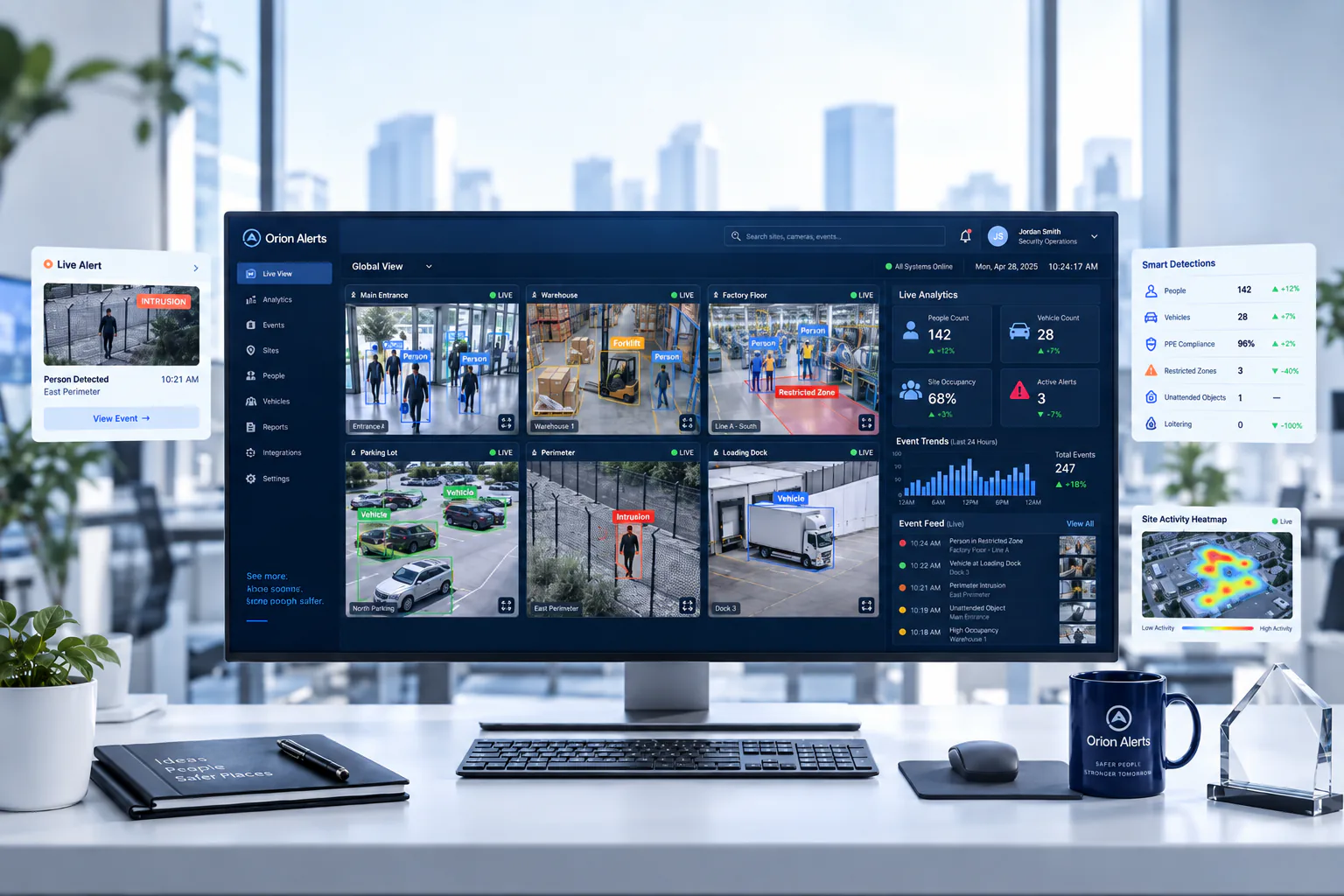
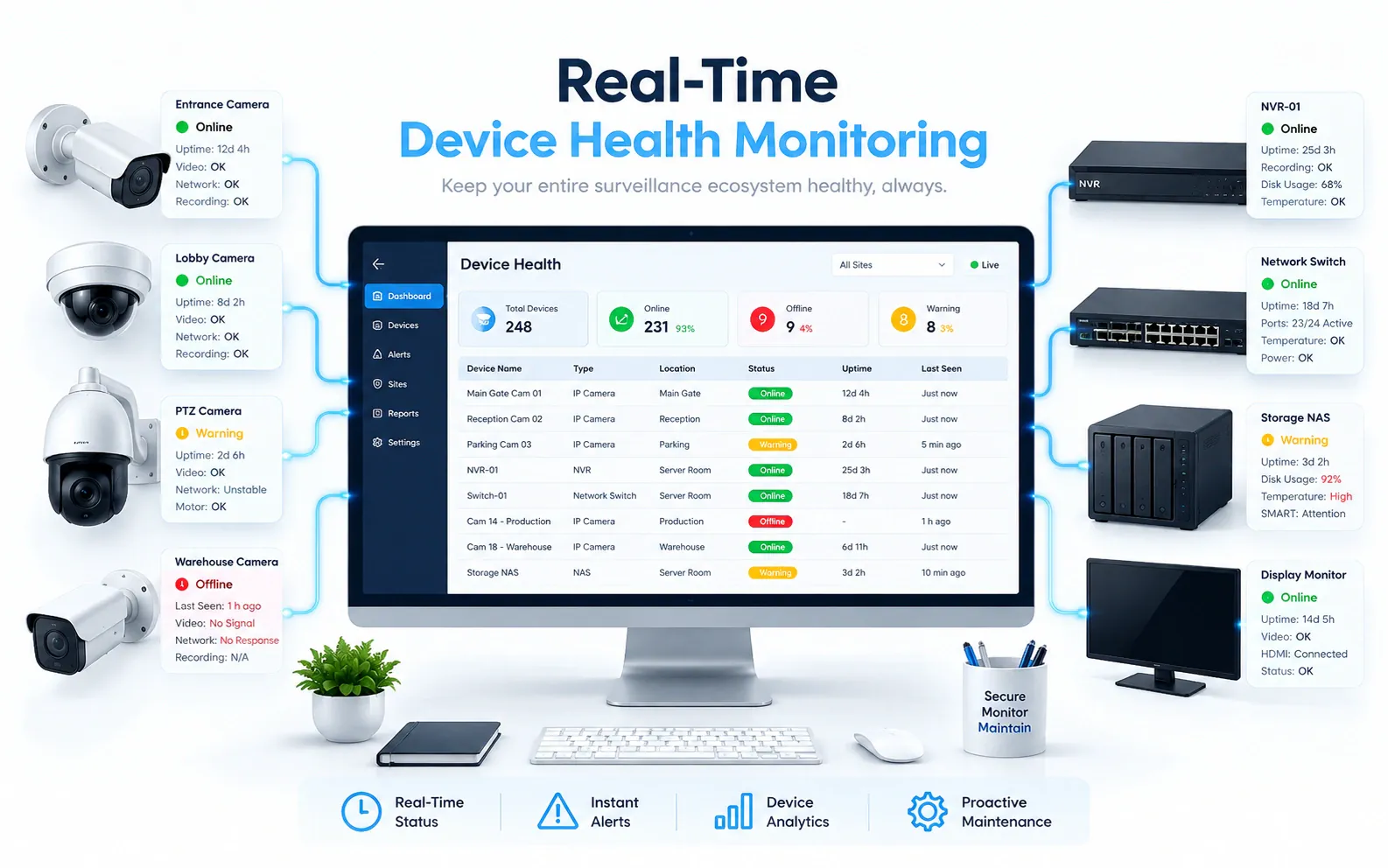
OrionAlerts solutions for solar and renewable sites

Renewables · Questions
AI video analytics for solar and renewable sites: common questions
How can solar operators verify a remote intrusion without a site visit?
A perimeter or compound-entry alert arrives with the camera, location and clip. The operations centre checks it against planned O&M visits and decides whether to dispatch anyone. Camera and connectivity outages are tracked as unavailable hours, so a lost feed is visible instead of looking like a quiet site.
Which areas of a solar or wind site should cameras cover first?
Start with gates, boundaries and equipment compounds, where verification helps decide whether a visit is needed. Map those cameras to the site, control building and compound, test them across glare, rain, vegetation and long-distance views, and measure useful perimeter alerts across weather conditions during the pilot.
Can these cameras identify faulty solar cells?
No. Cameras here cover site security and access, not panel condition. Faulty cells are found through validated thermography, electrical testing or specialist inspection, and generation data shows where output has dropped. Site video can add context about access to an equipment compound around the same period, which helps O&M plan a visit.
Can video prove equipment theft?
Not on its own: video can provide clips of a removal event at a covered compound, with the location and time, for the operations centre to review. Whether it was theft, and who owned or authorised the equipment's removal, is established through human investigation, maintenance records and other evidence.
Does this measure lost generation?
No. Generation and loss analysis use energy and equipment data from the site's monitoring systems. Video adds context about site access around the same period, such as a compound entry during an unplanned visit, which the operations centre can review alongside the generation record when output drops.
Can we use our existing CCTV cameras?
Yes, in most cases: OrionAlerts connects to compatible IP cameras and recorders through ONVIF, RTSP and vendor SDKs, so working hardware can usually stay in place. A short assessment checks camera position, image quality and network access for each use case, and confirms compatibility model by model before the pilot starts.
Where is the video stored, and who can see it?
On site: video and AI inference stay on the on-site node, while Orion Cloud syncs alerts, health status and configuration metadata for central management. Role-based access means each user sees only the sites, cameras and functions in their scope, and retention is set per camera, zone or site to follow your own policy.
Renewables · Further reading
Further reading for renewable site teams
Renewables · Related
Industries related to solar and renewable sites


Ask Vision Copilot about your renewable sites.
Verify compound and boundary events across every remote energy site before you dispatch O&M.