Inventory & lifecycle visibility
IT & Surveillance Asset Tracking Software
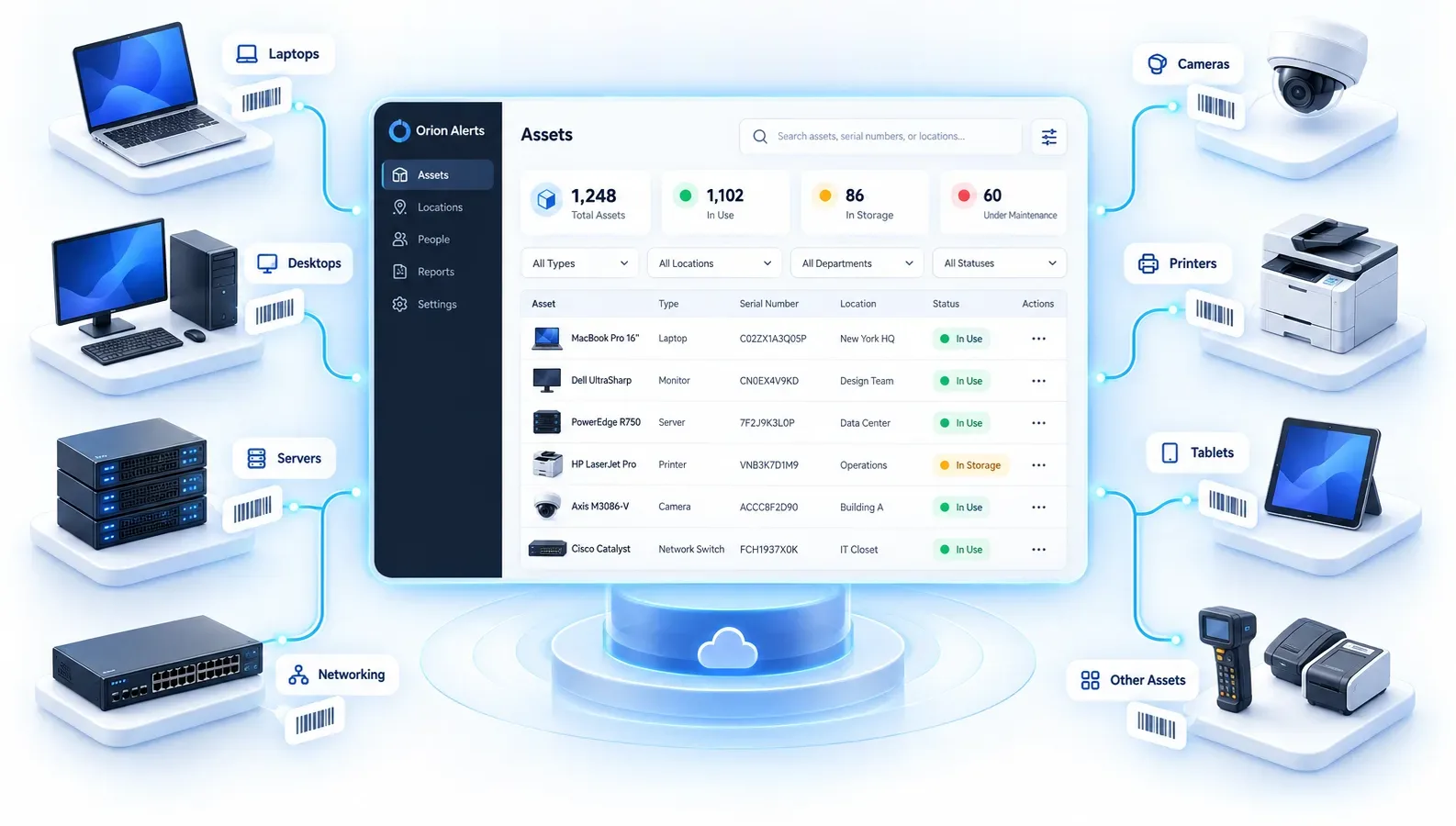
Track surveillance and IT assets across locations with clear ownership and lifecycle visibility.
Trusted by banks, retailers, public institutions and enterprises across India






















Overview
What is asset tracking software?
Asset tracking software keeps one register of the equipment an organization owns: what each item is, where it is installed, who is responsible for it, and which warranty and documents apply. It records every transfer from purchase to retirement, so audits, handovers and missing-equipment questions are answered from one record instead of spreadsheets.
Know what you own, where it is and who has it.
OrionAlerts Asset Tracking covers cameras, recorders, servers, network devices and other IT and operational equipment across all your sites. It shares its records with Health Monitoring and AMC Management, so an asset's location, custodian, warranty, health alerts and service history sit on one record instead of in separate tools.
- Works with
- Existing IP cameras and recorders over ONVIF, RTSP and vendor SDKs
- Deploys as
- On-site Nebula OS node · multi-site with Orion Cloud · partner-managed
- Alerts via
- Dashboard, mobile app and email
Video stays on the on-site node. Only health, alert, configuration and operational metadata syncs to Orion Cloud. How Nebula OS works
Outcomes
What IT and admin teams notice first with Asset Tracking
Outcome 01 / 04
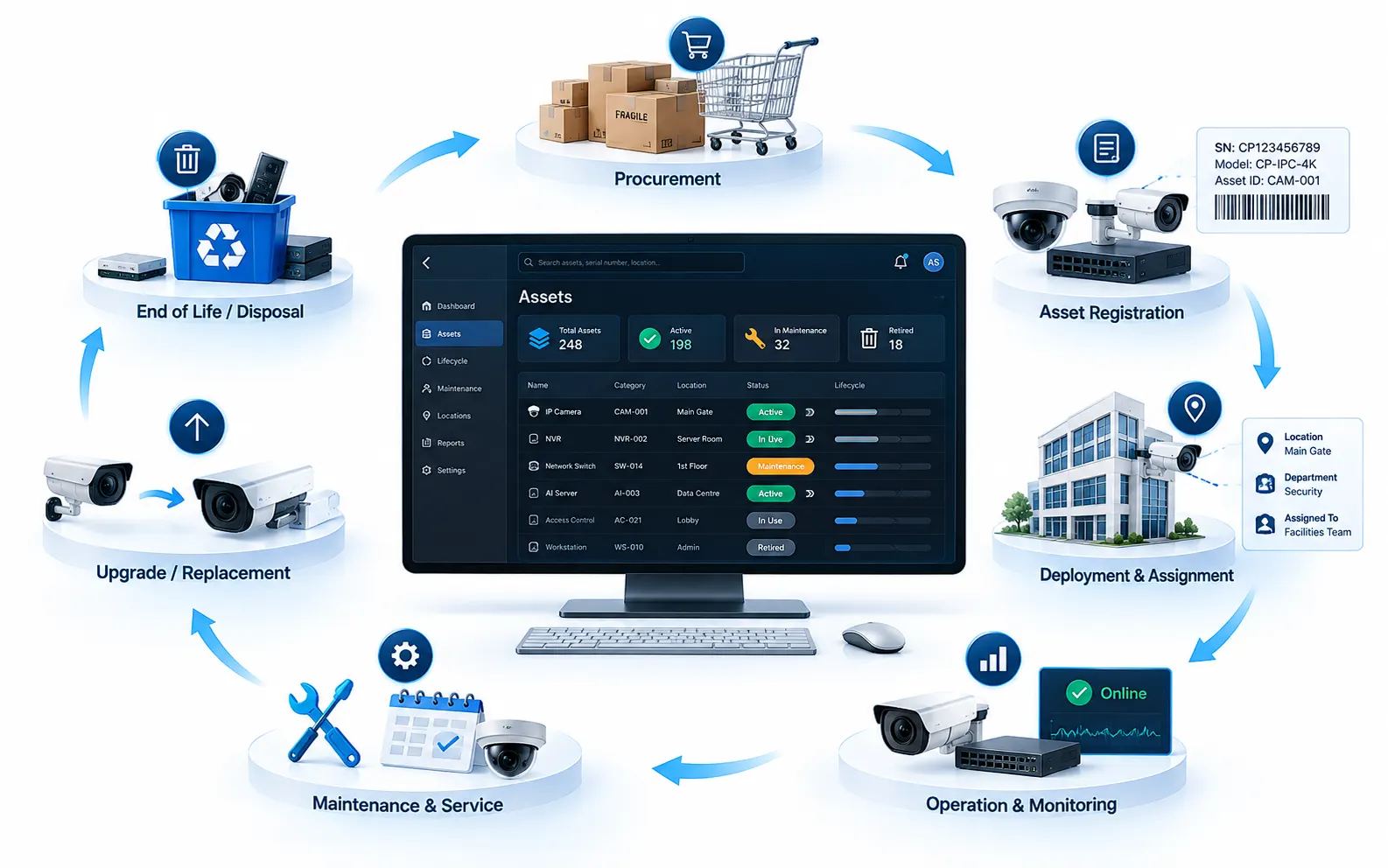
Complete asset lifecycle visibility
Track ownership, warranty, and location from one workspace
How it works
How Asset Tracking works
Every asset follows the same path from purchase to retirement, and every step is logged.
- 01
Purchase recorded
Add the asset with its type, serial number, invoice and warranty documents.
- 02
Asset registration
Register it in the central inventory, searchable by serial number, QR code or barcode.
- 03
Location & ownership mapping
Map it to a site, floor, zone and department, and assign a responsible custodian.
- 04
Transfer and handover tracking
Log every transfer and handover so custody history stays complete.
- 05
Lifecycle & warranty monitoring
Track status and warranty coverage through deployment, maintenance and retirement.
- 06
Report and audit
Export custody, change and document history for internal and regulatory audits.
What changes for your teams
- Less time searching for equipment
- Better use of shared equipment
- Clear audit trail for regulated environments
- Security, IT and operations work from one register
Asset tracking capabilities
Asset tracking features for multi-site organizations
Centralize inventory, ownership, location, warranty, and audit history so security and operations teams can manage every asset across sites—from registration to retirement—without spreadsheets.
01
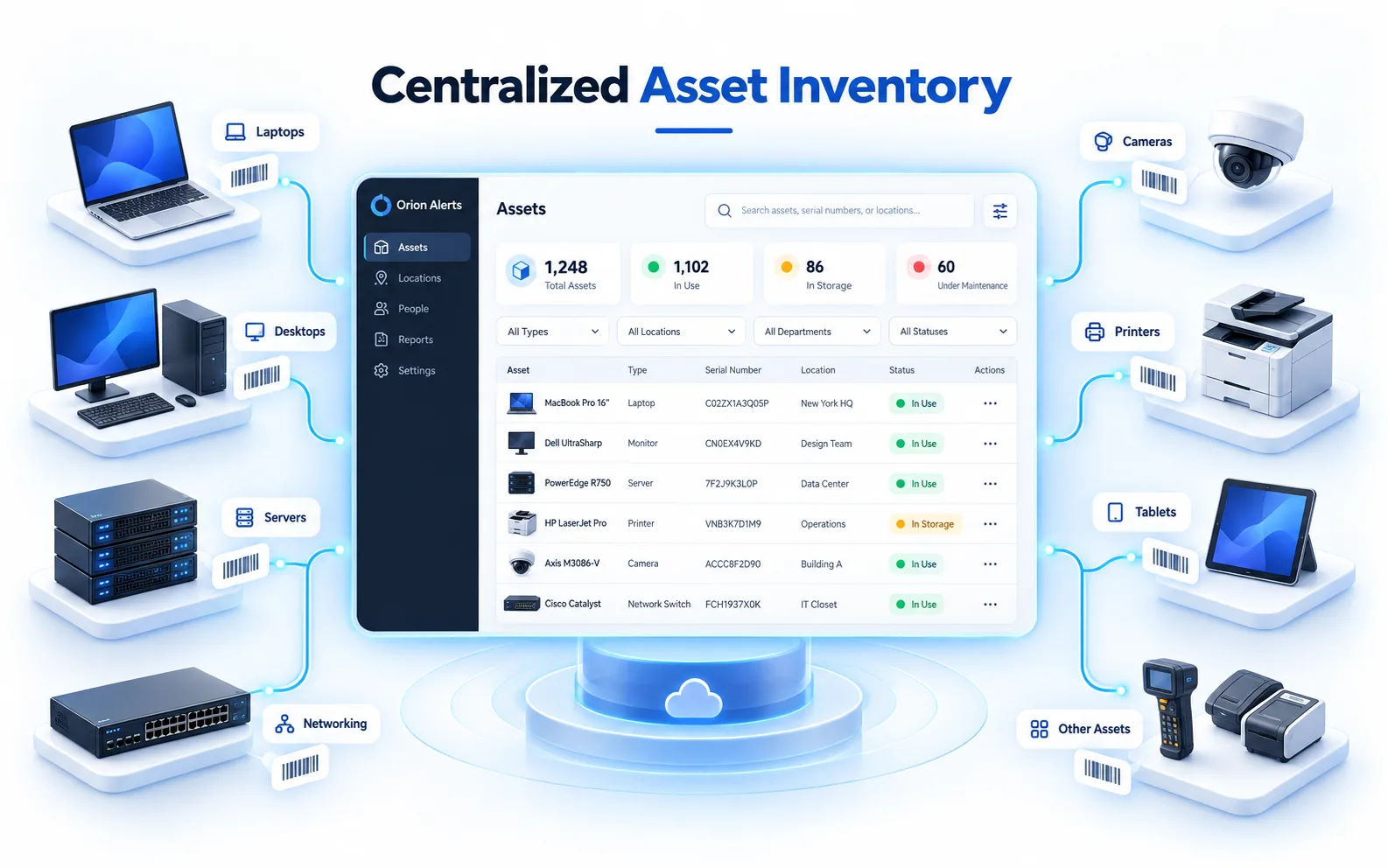
Centralized Asset Inventory
Build a single source of truth for IT, surveillance, and operational assets—type, status, serial details, and utilization—so every team works from the same live inventory instead of fragmented spreadsheets.
02
Asset Lifecycle Management
Track each asset end to end from procurement and deployment through transfer, maintenance, and retirement, with status history that supports planning, budgeting, and replacement decisions.
03
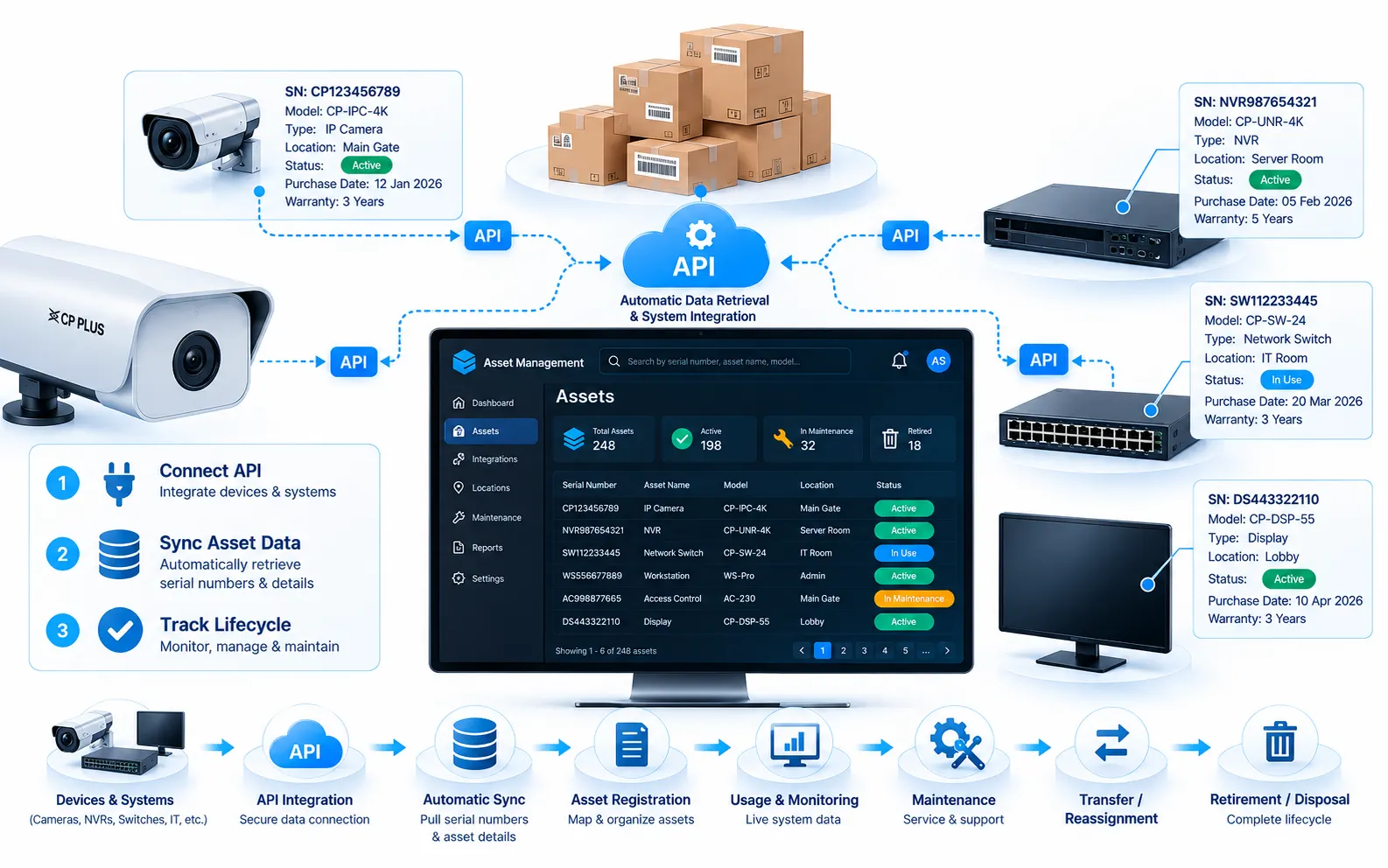
Serial Number Tracking
Identify and retrieve assets instantly using serial numbers, with QR and barcode support for field lookups, handovers, and multi-site verification when devices move between locations.
04
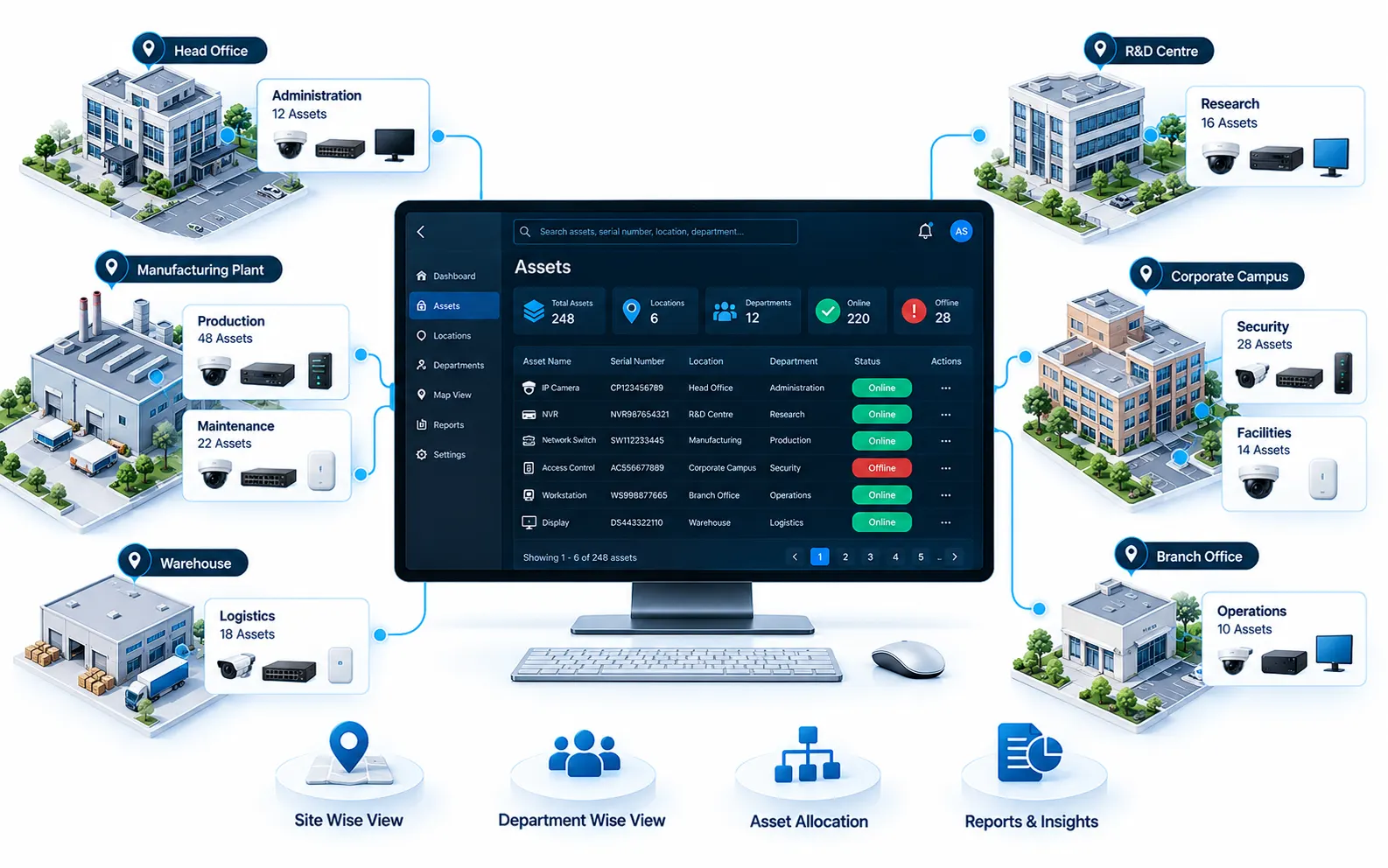
Location & Department Mapping
Map assets to sites, floors, zones, and departments so operations leaders can see deployment density, plan moves, and answer “where is this asset?” without manual chasing.
05
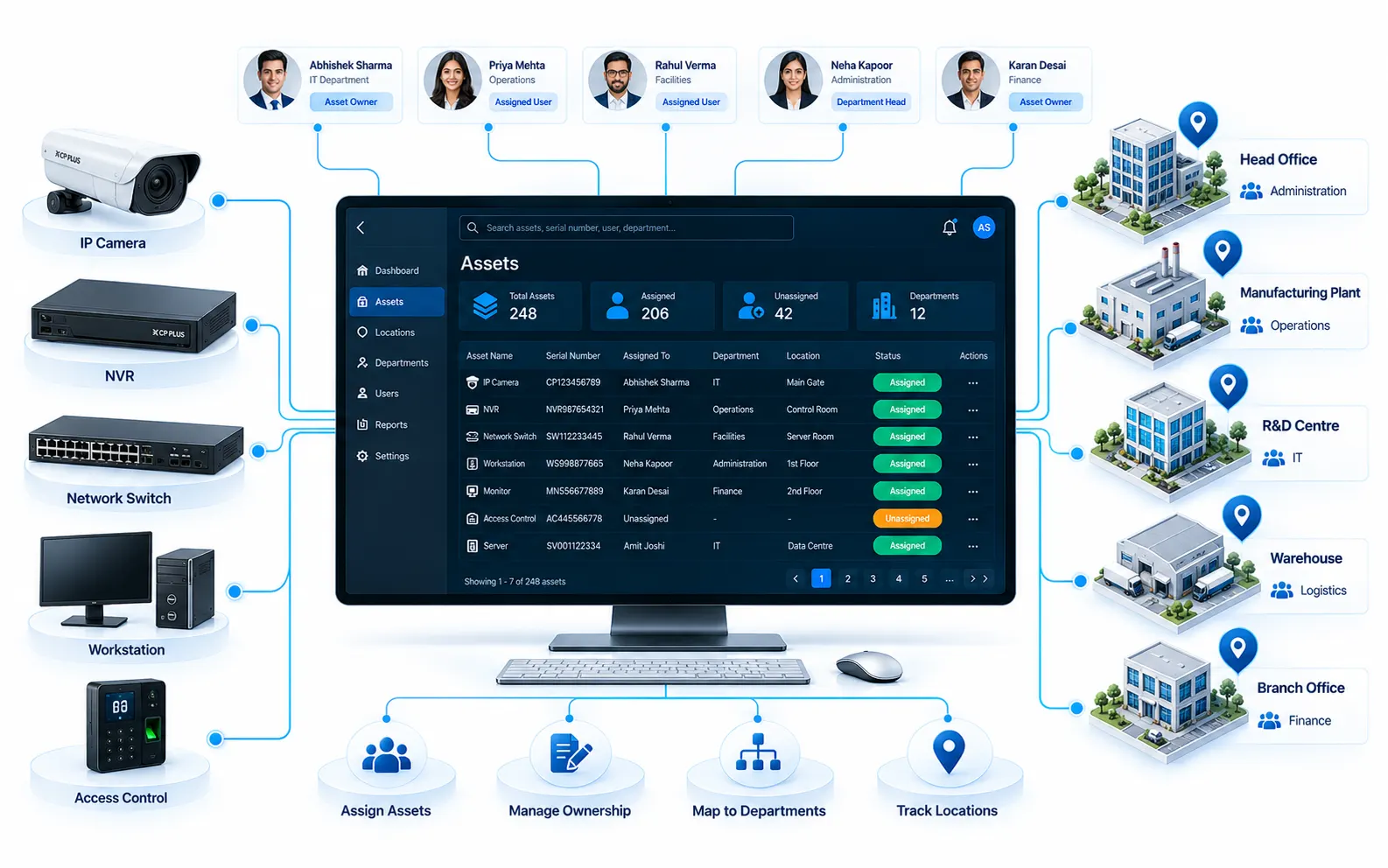
Asset Assignment & Ownership
Assign clear custodians and responsible owners for every asset, so accountability stays visible during transfers, audits, and investigations when equipment is missing or reassigned.
06
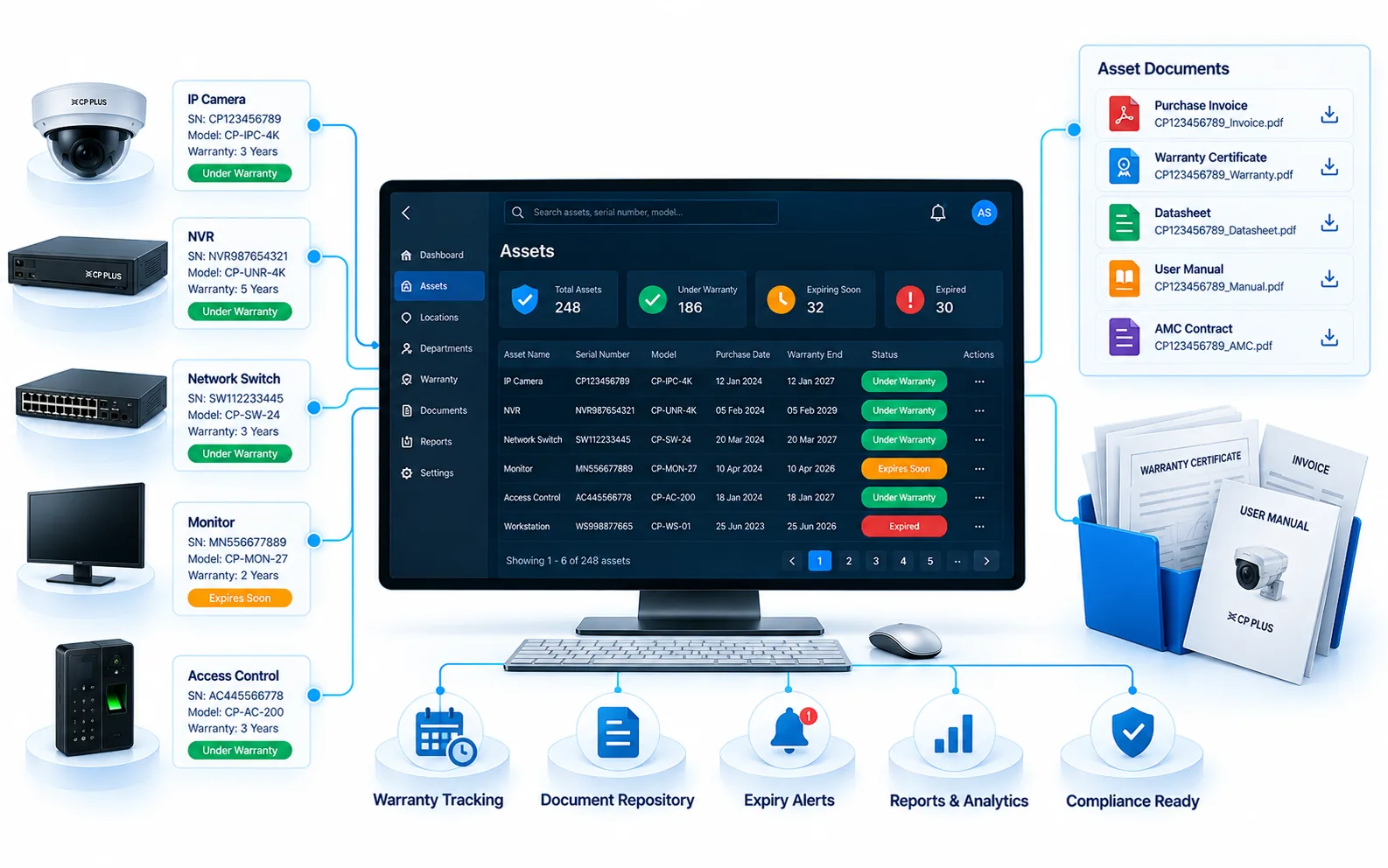
Warranty & Documentation Management
Store warranty coverage, invoices, manuals, and supporting files against each asset record—so claims, renewals, and vendor conversations start with the right documents already attached.
07
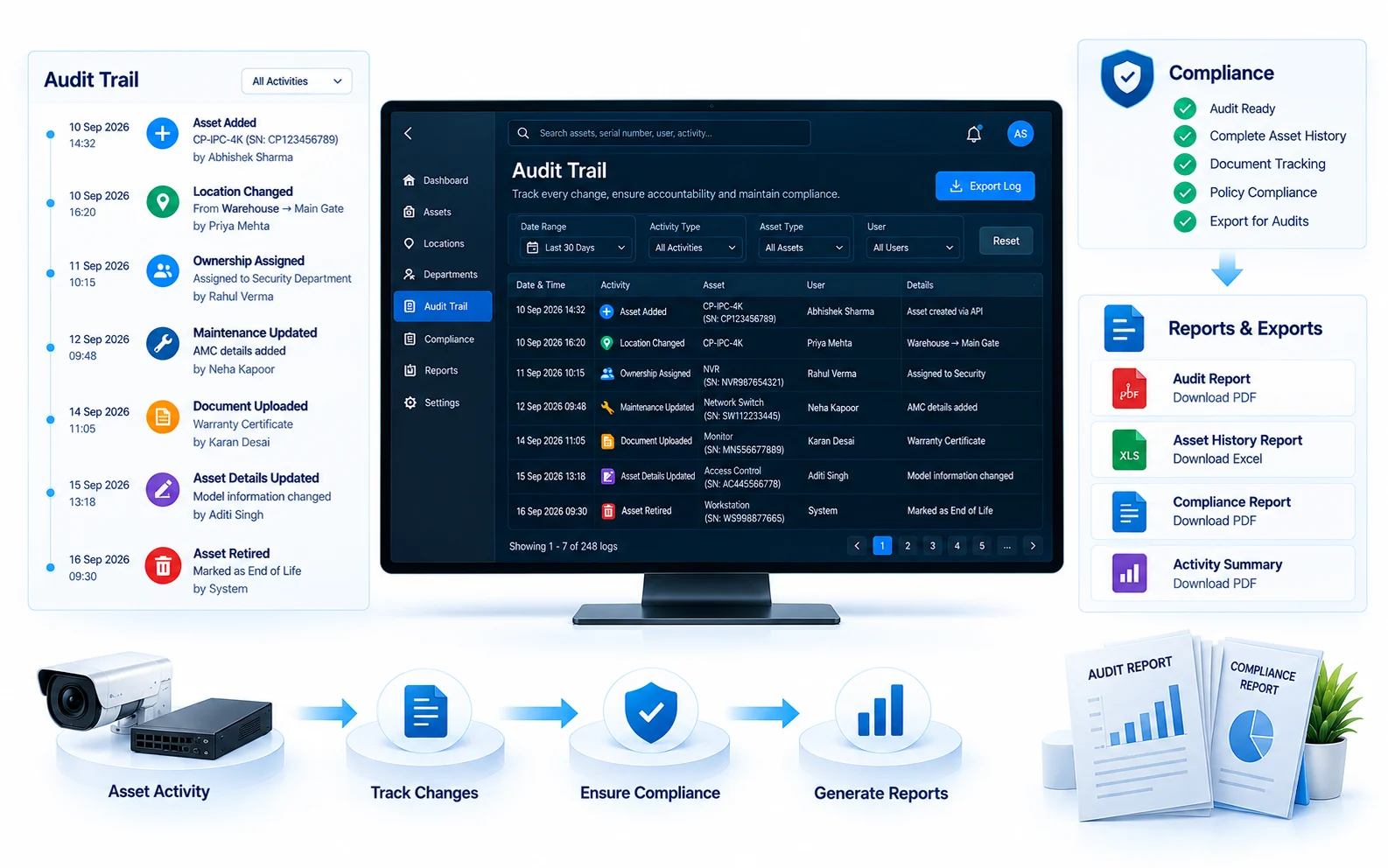
Audit Trail & Compliance Reports
Generate a complete custody and change history—ownership, transfers, and document access—with exportable reports that simplify regulated reviews and internal compliance checks.
Compare
Spreadsheet asset lists vs OrionAlerts Asset Tracking
A spreadsheet is a snapshot. A register connected to the live estate stays current.
| Aspect | Spreadsheet asset list | OrionAlerts Asset Tracking |
|---|---|---|
| Staying current | Updated by hand, drifts from reality | Every connected device is also an asset record |
| Finding an asset | Search rows and ask around | Look up by serial number, QR code or barcode |
| Ownership | A name in a column, if filled in | Assigned custodian with full transfer history |
| Documents | Warranties and invoices in email and shared drives | Warranty, invoices and manuals attached to the asset |
| Audits | Reconstructed before each audit | Exportable custody and change history |
FAQs
Asset tracking FAQs
How is Asset Tracking different from AMC Management?
Asset Tracking answers what you own, where it is and who is responsible for it. AMC Management answers who maintains it, under which contract and SLA, and when coverage renews. Both share the same asset records.
Does the asset register stay in sync with the cameras?
Yes. Every device the platform connects to is also an asset record with its location, owner, serial number, lifecycle stage and documents, so the inventory does not drift away from the live estate the way a spreadsheet does.
How do teams find a specific asset?
By serial number, QR code or barcode. Each record also maps the asset to its site, floor, zone and department, so field teams can verify devices during handovers and multi-site audits.
What does the audit trail record?
Every change of ownership, transfer and status from purchase to retirement, plus access to the documents attached to the asset. The history can be exported as a report for internal and regulatory reviews.
Which assets can OrionAlerts track?
Cameras, recorders, servers, network devices, other IT equipment and operational equipment, each with its warranty documents, invoices and manuals attached to the record.
Industries that use Asset Tracking
Key terms explained
Explore other solutions: AMC Management · Health Monitoring · VMS · AI Vision · Compare all solutions
See Asset Tracking in action
Book a demo for a guided walkthrough tailored to your sites and operators.