Alert Fatigue in CCTV Control Rooms: Causes, Costs and How to Fix It
Why more CCTV alerts can make sites less safe, what causes false alarms, and how AI prioritization, routing and camera health reduce alert fatigue.
Key takeaways
- 01Alert fatigue happens when operators receive more alerts than they can meaningfully assess, so they start ignoring or bulk-clearing them.
- 02Most noise comes from system design: generic rules, poor camera placement, no schedules, no routing and unmonitored camera faults.
- 03Fix it by tuning rules per camera and zone, prioritizing by severity, routing to the right role and keeping cameras healthy.
- 04Track acknowledgment time, the share of alerts that lead to action and repeat noise sources to prove it is improving.
Short answer: Alert fatigue in CCTV control rooms is what happens when operators get more alarms than they can meaningfully assess, so real incidents get missed among false ones. It is fixed with better system design (tuned detection zones and schedules, severity-based prioritization, role-based routing and healthy cameras), not by asking people to try harder.
Security operations teams rarely struggle because they lack cameras. They struggle because the alerts that matter are lost in the volume. When every motion event competes for attention, true exceptions are noticed late, or not at all.
What is alert fatigue in video surveillance?
Alert fatigue is the gradual loss of attention that sets in when most of the alerts a team receives turn out to need no action.
The pattern is familiar to anyone who has worked a control-room shift. A new analytics rule goes live, the alert queue fills up, operators open the first few events carefully, and then they start skimming. Within weeks, alerts are acknowledged in batches, sounds are muted and some rules are quietly switched off. The cameras are still there and the software is still running, but nobody is really listening to it anymore.
It is the same problem hospitals and IT operations teams describe with monitoring alarms: when the ratio of meaningful alerts to noise drops, people adapt by tuning out. In video surveillance it is made worse by scale. A site with hundreds of cameras can generate a steady stream of motion and analytics events every hour.
Why do more alerts make sites less safe?
Because unfiltered detections create a false sense of coverage: the dashboard looks busy, but the one alert that matters is buried among the ones that do not.
- Low-confidence events crowd out critical exceptions
- Missing context forces operators to open multiple feeds manually
- No role-based routing means everyone sees everything, so no one owns anything
- Camera downtime adds silent gaps that look like quiet sites
The costs are real even when they are hard to put a number on. Response to genuine incidents slows down. Night shifts inherit noisy policies they did not design. Investigations take longer because the event history is full of junk. And the investment in analytics stops paying back, because a system people ignore protects nothing.
What causes false alarms in CCTV analytics?
Most false alarms come from rules that do not match the scene, not from the detection model alone.
Common causes include:
- Generic rules applied everywhere. Simple motion detection fires on headlights, rain, shadows, trees, insects near the lens and moving machinery.
- Wrong camera for the job. A wide overview camera cannot reliably confirm a hard hat at the far end of a shop floor; a camera facing the sun at dusk will struggle every evening.
- No schedules. A person in a loading bay is normal at 3 pm and suspicious at 3 am. Rules that ignore shift patterns alert on routine work.
- Zones drawn too large. A restricted-area rule that includes a public footpath will alert on every passer-by.
- Duplicate coverage. Several cameras watching the same gate each raise their own alert for one event.
- Unhealthy cameras. Blurred, shifted or flickering views produce erratic detections, while offline cameras produce none at all.
How does AI prioritization reduce false alarms?
AI video analytics reduce noise by detecting specific objects and behaviors (a person, a vehicle, missing PPE, smoke) instead of any pixel change, while rules attach a severity and an owner to each event.
The difference between a motion alarm and an analytics event is context. A motion alarm says "something changed". A well-configured video analytics rule says "a person entered the chemical store outside working hours" and attaches a snapshot or short clip so the operator can verify it in seconds.
Prioritization then decides what reaches a human first:
- Severity. Fire and smoke or a perimeter breach outranks a vehicle parked too long.
- Confidence and persistence. Requiring a detection to hold across several frames filters out one-frame glitches.
- Zone and schedule. The same detection can be critical in one zone and irrelevant in another.
- Ownership. Safety events go to EHS, perimeter events to security, camera faults to maintenance.
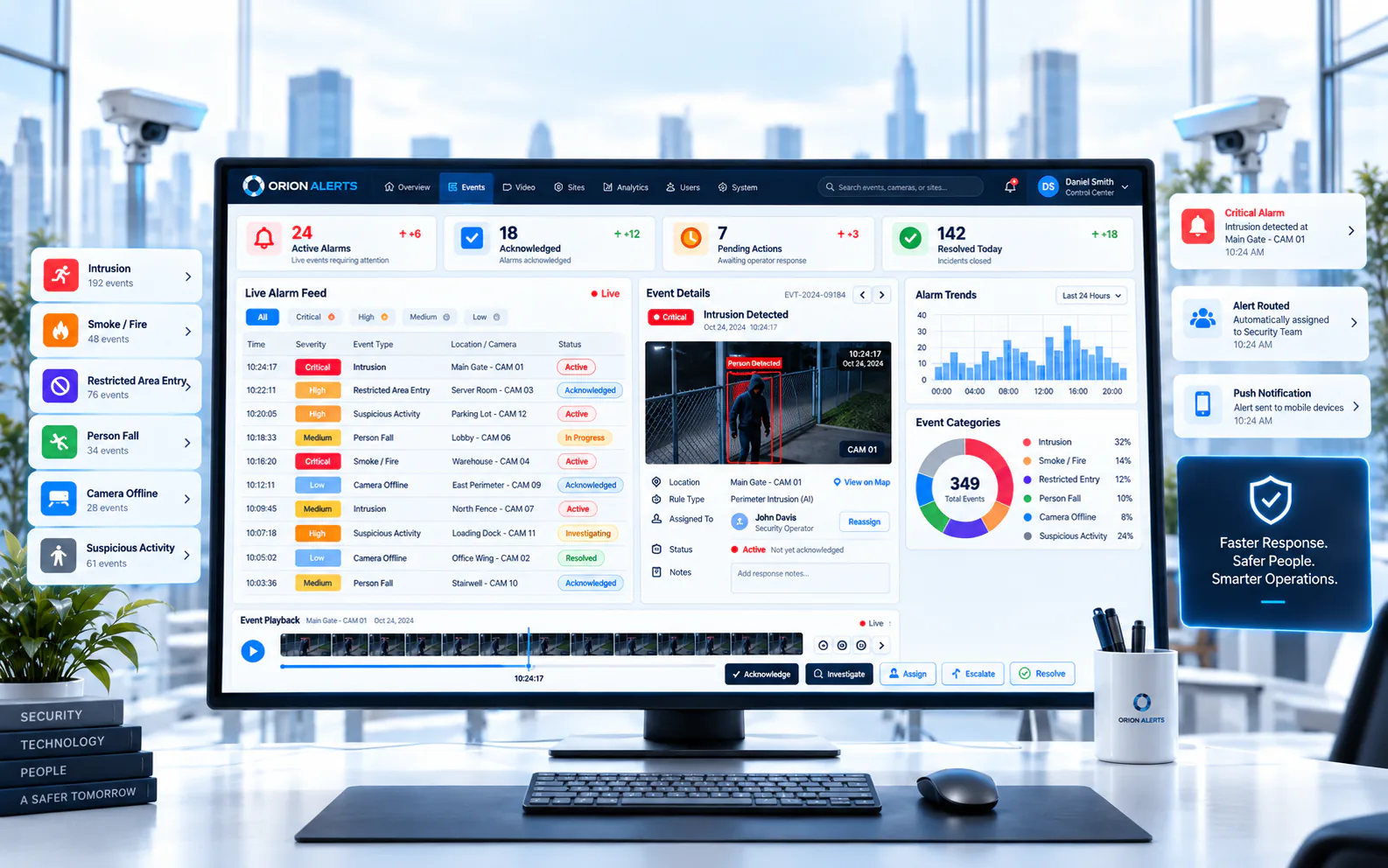
In OrionAlerts, AI video analytics run with zone and schedule rules so alerts match how the site actually operates, and events reach people through the dashboard, the mobile app and email. Operators work from one shared queue in the VMS, where they can acknowledge, escalate and clear incidents with clear ownership.
How do you fix alert fatigue step by step?
Treat it as an operations project: measure the noise, tune the worst sources, route the rest and keep the camera estate healthy.
- 1Audit the queue. Export a few weeks of alerts and group them by camera, rule and hour. A small number of cameras and rules usually produce most of the noise.
- 2Retire or rewrite the worst rules. Replace generic motion alarms with specific detections, tighten zones and add schedules.
- 3Fix the cameras behind the noise. Re-aim, refocus, clean or relocate cameras that cause repeated false alerts.
- 4Define severity and ownership. Agree which events are critical, who owns each type and what the expected response is.
- 5Pilot before scaling. Validate new rules on a few cameras in a pilot window, then roll the same policy out across sites.
- 6Monitor camera health. Use camera health monitoring so offline cameras and recording gaps are visible, and handle tampering as its own alert type.
- 7Review monthly. Treat noisy rules like defects: log them, fix them and check that they stay fixed.
Searchable video for after-action review and estate health monitoring complete the picture, so operators are not fighting noisy alerts and broken cameras at the same time. Together, they let multi-site teams stay responsive as the camera estate grows.
Which metrics show it's improving?
Track whether alerts are acted on, how fast and where the noise comes from, rather than only how many alerts the system produces.
- Alerts per operator per shift, trending down without losing genuine incidents
- Actionable rate: the share of alerts that lead to a response, investigation or ticket
- Time to acknowledge for critical alerts, by shift and site
- Top noise sources: the cameras and rules that generate the most dismissed alerts
- Camera availability: how many cameras were online and recording during the period
Set your own baseline before you change anything, then compare month to month. The goal is not more detections; it is fewer interruptions, each one worth acting on.
FAQs
Is alert fatigue the same as false alarms?
No. False alarms are one cause. Alert fatigue can also come from true but low-value alerts, duplicate alerts for the same event and alerts sent to people who cannot act on them. Reducing false alarms helps, but severity levels, routing and duplicate suppression matter just as much.
Will adding AI analytics automatically reduce alert fatigue?
Not automatically. AI detections are more specific than motion alarms, but they still need sensible zones, schedules, severity levels and routing, plus cameras that are positioned and maintained for the job. A pilot that reviews every alert with the people who will respond is the quickest way to find the noisy rules.
Where should a multi-site team start?
Start with the sites and rules that generate the most dismissed alerts, fix those first and reuse the tuned policy elsewhere. Our guide to VMS vs NVR covers how a central console helps, and adding AI to existing CCTV cameras covers the rollout.
Keep reading
Related articles
VMS · 26 Oct 2026 · 7 min read
VMS vs NVR: When Does a Multi-Site Enterprise Need a Video Management System?
VMS vs NVR explained: what each does, when an NVR is enough, the signs a multi-site enterprise needs a VMS and how to move without replacing NVRs.
AI Video Analytics · 15 Jun 2026 · 3 min read
Why Traditional CCTV Monitoring Is No Longer Enough
Passive recording and manual review cannot keep up with large camera estates. AI video analytics turn existing cameras into real-time sensors.