How to Add AI to Existing CCTV Cameras Without Replacing Them
Add AI video analytics to the CCTV cameras you already own: compatibility checks, ONVIF and RTSP, edge vs cloud processing and a pilot-first rollout.
Key takeaways
- 01Most IP cameras can feed AI analytics as they are, as long as their video stream can be reached over RTSP (usually located through ONVIF), directly or through the NVR.
- 02Analog cameras usually need a DVR or encoder that exposes a network stream before AI can use them.
- 03Run AI on an on-premise server or appliance when you want video to stay on site; check bandwidth before sending streams elsewhere.
- 04Start with a pilot on a few cameras and use cases, tune zones and schedules, then scale the same policy across sites.
- 05Replace cameras selectively, only where the view, resolution or device health cannot support the use case.
Short answer: You can add AI to most existing CCTV cameras by sending their video streams to a separate AI server or appliance instead of replacing the cameras. IP cameras usually stream over RTSP, with ONVIF used for discovery and configuration, either directly or through the NVR; analog cameras need a DVR or encoder that provides a network stream. A short pilot then confirms which cameras and use cases work before you scale.
Most organizations already have more cameras than anyone can watch. The cameras are fine; what is missing is the ability to notice events while they are happening. Adding AI to the existing estate is usually faster and less disruptive than a rip-and-replace project, as long as you check a few things first.
Can you add AI to existing CCTV cameras?
Yes. In most cases AI video analytics run on a separate server that reads the video your cameras already produce, so the cameras themselves do not need to be "AI cameras".
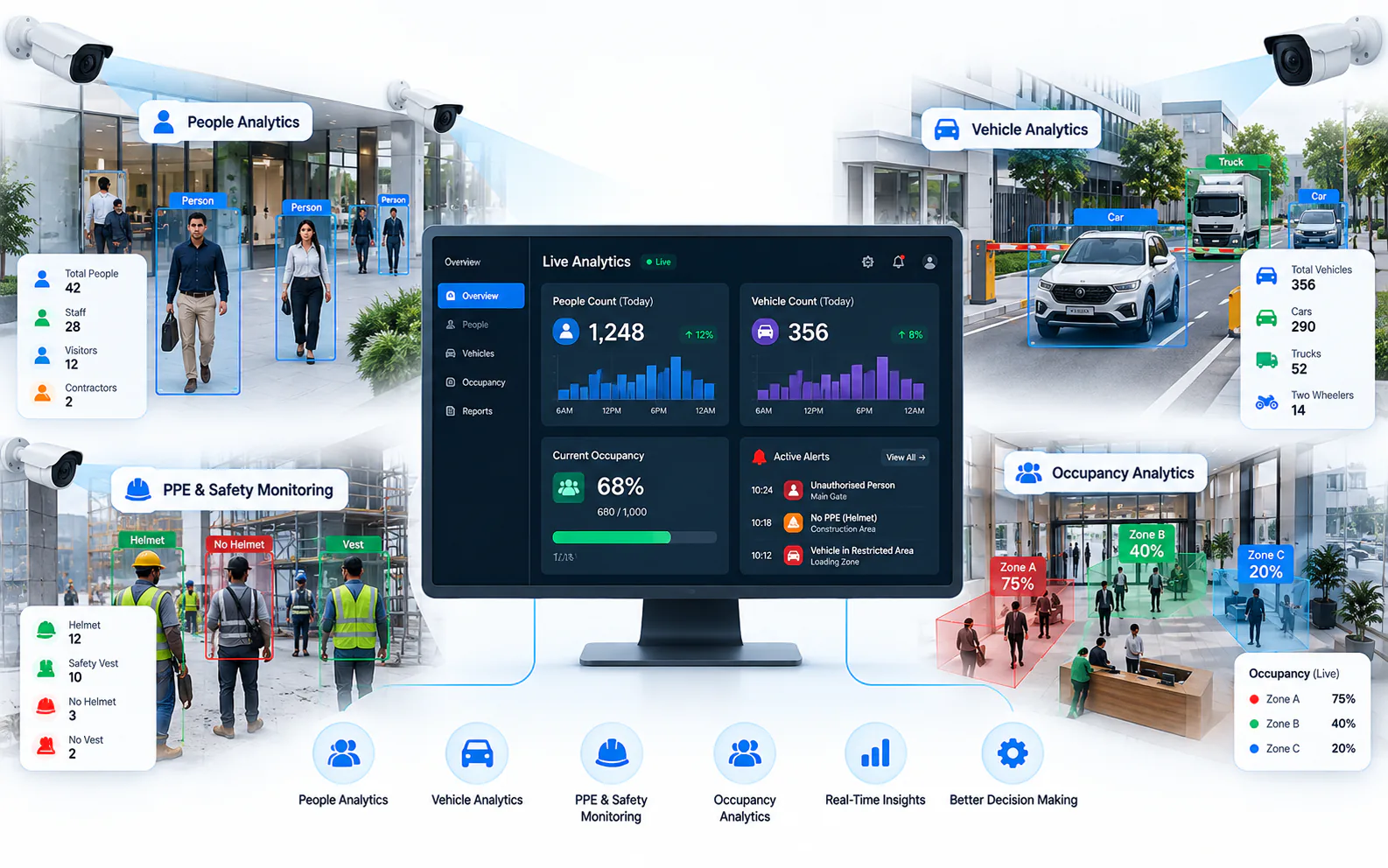
Video analytics software needs one thing from a camera: a usable video stream. Modern IP cameras provide this out of the box. The software decodes the stream, runs detection models on the frames and raises an alert when a rule is met, for example a person entering a restricted zone after hours.
That is different from cameras with built-in analytics, where detection runs on the camera's own chip. Built-in analytics can be useful, but they are tied to one camera model, are hard to manage consistently across brands and are limited by the camera's processing power. A central AI layer works across a mixed estate.
What should you check before adding AI?
Check the camera type, how its stream can be reached, the image quality at the point that matters and the network between the camera and the AI server.
- Camera type. IP cameras are the easiest. Analog and HD-analog cameras record to a DVR and need the DVR or an encoder to provide a network stream.
- Stream access. Confirm the camera or recorder supports RTSP and, ideally, ONVIF, and that you have the credentials. Many cameras offer a main stream and a lower-resolution substream.
- Image quality where it matters. Ask whether the object you care about (a person, a helmet, a number plate) is large and sharp enough in the frame, day and night.
- Placement and lighting. Backlight, glare, IR reflections and obstructions cause more problems than resolution alone.
- Network capacity. Every stream sent to an AI server uses bandwidth. Check switch uplinks and any WAN links between sites.
- Recorder role. Decide whether the existing NVR keeps recording, which is common, or whether recording moves to a new platform.
How does the video reach the AI server?
There are three common paths, and many estates use more than one.
Directly from the camera
The AI server pulls the stream from each camera over RTSP, discovered and configured through ONVIF where supported. This gives the most direct, highest-quality feed and keeps the NVR out of the analytics path.
Through the NVR or DVR
Many recorders can re-stream the channels they record. This is useful when cameras sit on an isolated network behind the recorder, or when analog cameras are only reachable through a DVR. Check how many simultaneous streams the recorder can serve without affecting recording.
Through an encoder
For analog cameras without a suitable DVR, a video encoder converts the analog signal into an IP stream. It keeps working cameras in service while the analytics layer is added.
Where should the AI run: on site or in the cloud?
Run inference close to the cameras when you want raw video to stay on site and to avoid sending many streams over the internet; use a central layer for management, reporting and alert review.
On the camera: no extra hardware, but limited processing, vendor-specific features and uneven results across brands.
On an on-premise server or appliance (edge AI): video stays inside the site network, latency is low and it works through weak or intermittent WAN links. You need hardware sized to the number of channels and use cases.
In the cloud: easy to start and centrally managed, but every analyzed stream must be uploaded, which can be costly or impractical at scale, and raw video leaves the site.
Many multi-site organizations combine on-site and central layers: an on-premise node at each site for video and inference, and a central console for alerts, health and configuration across all sites. Our guide to edge vs cloud video analytics compares the options in more detail.
Which use cases work best on existing cameras?
Use cases that need a clear view of people or vehicles in a defined area usually work well on existing overview cameras; tasks that need fine detail may need a closer or dedicated camera.
Good first candidates:
- Perimeter intrusion detection and restricted-zone monitoring
- Loitering detection and crowd detection
- Fire and smoke detection as an additional early-warning layer
- Camera tampering detection and no-motion or black-screen alerts
- Vehicle detection at gates and docks
Use cases that often need better-placed cameras: PPE detection, where the helmet or vest must be clearly visible, and ANPR, which depends on plate angle, shutter speed and lighting.
How do you roll it out step by step?
Treat the first deployment as a pilot that proves value on your own scenes, then scale the tuned policy.
- 1Inventory the estate. List cameras, recorders, models, firmware and sites. An asset register helps here.
- 2Pick two or three use cases with a clear owner and a clear response.
- 3Select pilot cameras that represent your typical scenes, including night views.
- 4Draw zones and set schedules so rules match how each area is actually used.
- 5Validate alerts in a pilot window. Review every alert with the people who will respond, and tune thresholds.
- 6Define routing. Decide who receives each alert type and how escalation works.
- 7Scale the policy to more cameras and sites, and keep reviewing noisy rules.
Monitor the health of the cameras you rely on from day one. An analytics rule on a camera that has gone offline fails silently; camera health monitoring makes that visible.
When do you actually need new cameras?
Only where the existing view cannot support the use case: wrong position, too little detail, poor night performance or a failing device.
Replace selectively. A pilot will show which cameras produce reliable detections and which do not. Often the fix is to re-aim, refocus or clean a camera, add lighting, or add one dedicated camera for a demanding task such as ANPR, rather than replacing a whole estate.
How does OrionAlerts add AI to existing cameras?
OrionAlerts, built by Global Ace Technology Pvt. Ltd. in Mumbai, turns existing CCTV and IP cameras into real-time AI video analytics alerts without replacing the camera estate.
Its Nebula OS device layer connects cameras through ONVIF, RTSP and vendor SDKs, so the estate stays brand-neutral. Nebula OS can run on an on-premise appliance or server next to the cameras, where video and AI inference stay inside the site network and only health, alerts and configuration metadata sync outward. Alerts reach teams through the dashboard, the mobile app and email, and the same platform includes a VMS and camera health monitoring. For a brand-specific example, see CP Plus AI video analytics integration.
For industry-specific examples, see the pages for manufacturing, logistics, education campuses and commercial buildings.
FAQs
Do I need AI cameras to use AI video analytics?
No. Most AI video analytics run on a server or appliance that reads standard streams from ordinary IP cameras. Cameras with built-in analytics can help in individual spots, but a central AI layer applies the same detections and rules across a mixed estate of brands and models, which is easier to manage across many sites.
Can analog CCTV cameras be used for AI analytics?
Often, yes. Analog and HD-analog cameras need a DVR or video encoder that provides a network stream. Image quality then decides which use cases are realistic: older, lower-resolution cameras may handle intrusion or zone alerts well but struggle with detail-heavy tasks such as PPE checks or number-plate reading.
Will adding AI affect my existing NVR recording?
It should not, if planned well. Streams are usually pulled directly from the cameras, or from the NVR within its streaming capacity, while the NVR continues recording as before. Check that each camera can serve an extra stream, often its substream, and that the network has headroom for it.
How long does a pilot take?
It depends on the number of cameras, use cases and sites. Plan enough time to see day, night and shift-change conditions, and to tune zones and schedules at least once, before judging results. Agree the duration and the success criteria with the vendor in writing before the pilot starts.
Keep reading
Related articles
AI Video Analytics · 4 Aug 2026 · 9 min read
CP Plus AI Video Analytics: Add Real-Time Alerts to Existing CP Plus Cameras
How OrionAlerts adds real-time AI video analytics to existing and STQC-certified CP Plus cameras and NVRs: compatibility, use cases and phased rollout.
AI Video Analytics · 26 Oct 2026 · 8 min read
Edge vs Cloud Video Analytics: Where Should AI Inference Run?
Edge vs cloud video analytics compared: bandwidth, alert latency, privacy, WAN outages and cost structure, plus when a hybrid model makes sense.