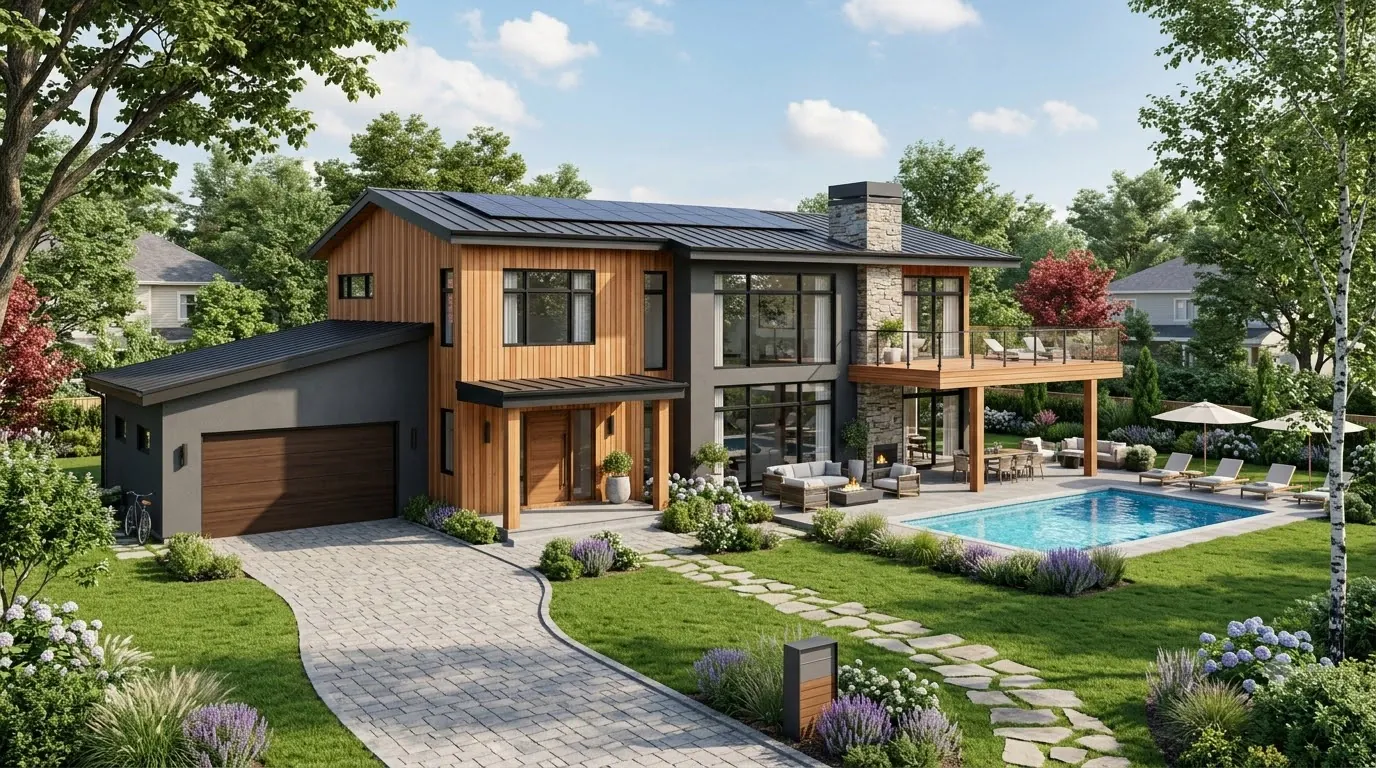
Residential Communities & Townships
AI CCTV for Housing Societies & Townships
Watch gate congestion and perimeter events in housing societies and townships, and pull the right common-area clip fast, with cameras limited to shared spaces.
Built for: Housing societies · Resident associations · Property managers · Security supervisors
Keep shared spaces safe and private life private.
Residential communities include residents, visitors, staff, deliveries and children using shared spaces. Security needs a clear reason to review an event and a proportionate way to respond, so monitoring focuses on perimeter and facility conditions. The monitoring policy explains who can access footage and how complaints or incidents are handled.
Residential · Use cases
Use cases for housing societies
Map gates, lobbies and common routes
Cameras sit under the community site, residential building and common zone, so a question about Building 2's common lobby goes to the right views.
Search Building 2's lobby this week
Ask Vision Copilot, “Find observations from Building 2's common lobby this week,” to review that lobby for the period.
See which entrances congest repeatedly
Ask, “Which covered entrances had repeated congestion?” to compare gates and entrances across the same peak periods.
Prepare for the evening peak
Ask, “What should the property team review before the evening peak?” Suggestions such as delivery staging or visitor guidance come with their observations for property management to decide.
Prioritise gates and common areas
Scores out of 100 for gate-area flow, common-route readiness and service-area control show which shared areas need attention first.
Residential · Vision Copilot
Ask about your housing society in plain language
Type a question in everyday language and Vision Copilot searches the observations from your mapped cameras for that place and time.
Questions to try
- What should the property team review before the evening peak?Example answer shown
- Find observations from Building 2's common lobby this week.
- Which covered entrances had repeated congestion?
Question
What should the property team review before the evening peak?
Location
Community Site → Residential Building → Floor → Common Zone → Lobby
Answer
Congestion repeatedly appears where deliveries and resident entry share a common approach. Suggested next step: review delivery staging and visitor guidance with property management while preserving appropriate resident access.
Decision owner
Property management / security supervisor
Residential · Location map
Your housing society, mapped
Cameras are mapped to the selected common lobby or entrance so questions about Building 2's common lobby start from recognisable operational context.
Site
Community Site
Building
Residential Building
Floor
Floor
Zone
Common Zone
Room
Lobby
Residential · How it works
How OrionAlerts works for housing societies
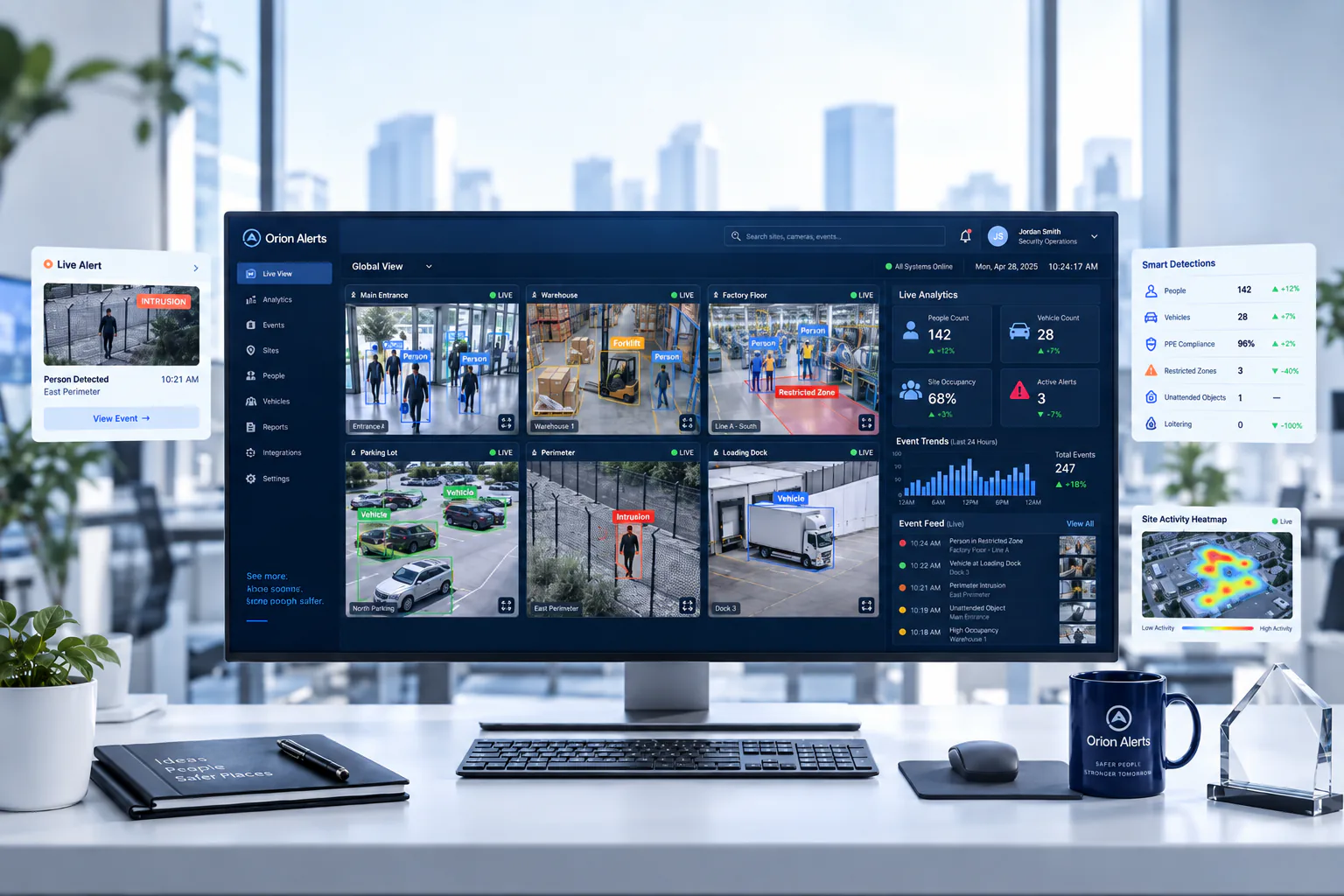
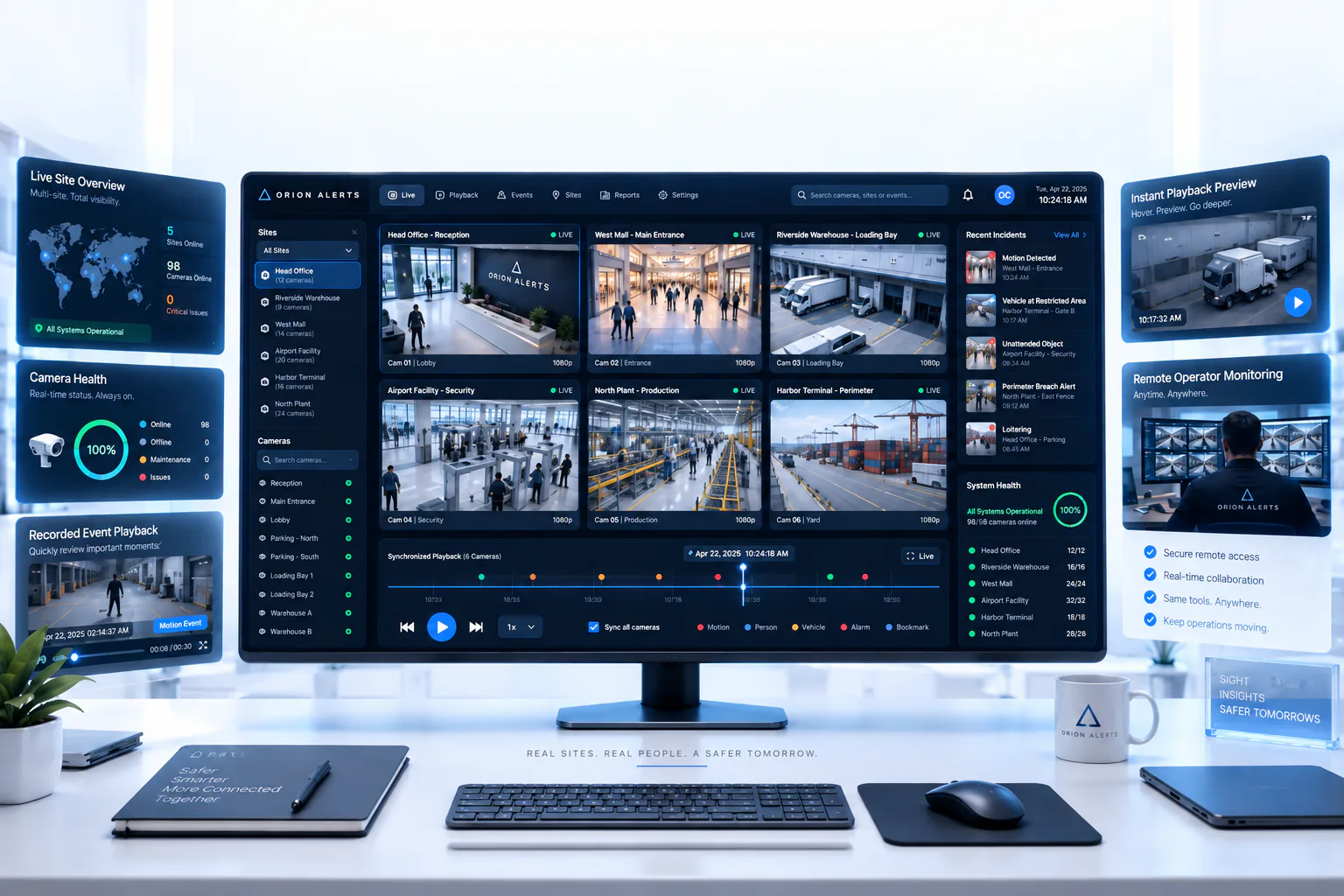
OrionAlerts maps each camera to a place, analyses its scenes over time, and sends alerts to the dashboard, mobile app and email for the team that owns that area.
- 01Map
- 02Observe
- 03Ask
- 04Prioritise
- 05Act
- 06Review
Residential · Deployment
Preparing a housing society for a pilot
Position cameras to cover gates, lobbies and common routes while keeping homes, balconies and private spaces out of view. Document purpose, notices, retention and access, and give authorised reviewers controlled access in place of open live feeds for every resident.
- Mapped hierarchy for pilot gates, lobbies and common routes
- Camera placement that avoids homes, balconies and private spaces
- Documented purpose, notices, retention and access policy
- Authorised review controls instead of unrestricted resident live feeds
Residential · Standards
Standards context for housing societies
Community monitoring follows the site's premises and privacy requirements and works alongside the community's fire approvals and security procedures.
National Building Code / premises and fire planning
Premises and fire-planning requirements apply at the building or site level under applicable codes and local rules.
Official sourceDigital Personal Data Protection Act / Rules
India's digital personal data protection framework governs purpose, access and retention for personal data, including video where applicable.
Official source
Residential · Pilot evaluation
What to measure in a housing society pilot
Compare reviewed alerts with what actually happened, including missed events and nuisance alerts, before you set a rollout target.
Useful perimeter events
Confirmed relevant perimeter or boundary events divided by reviewed alerts for the defined areas, using an agreed review rubric.
Source of truth: Security logs and reviewed alert samples
Reviewed gate congestion duration
Confirmed relevant vehicle or entry presence duration at selected gate lanes during comparable peaks, using an agreed review rubric.
Source of truth: Manual samples and security review logs
Authorised incident retrieval time
Time for an authorised reviewer to locate the correct common-area clip from a defined starting input such as time window and lobby.
Source of truth: Timed retrieval exercises
Residential · Solutions
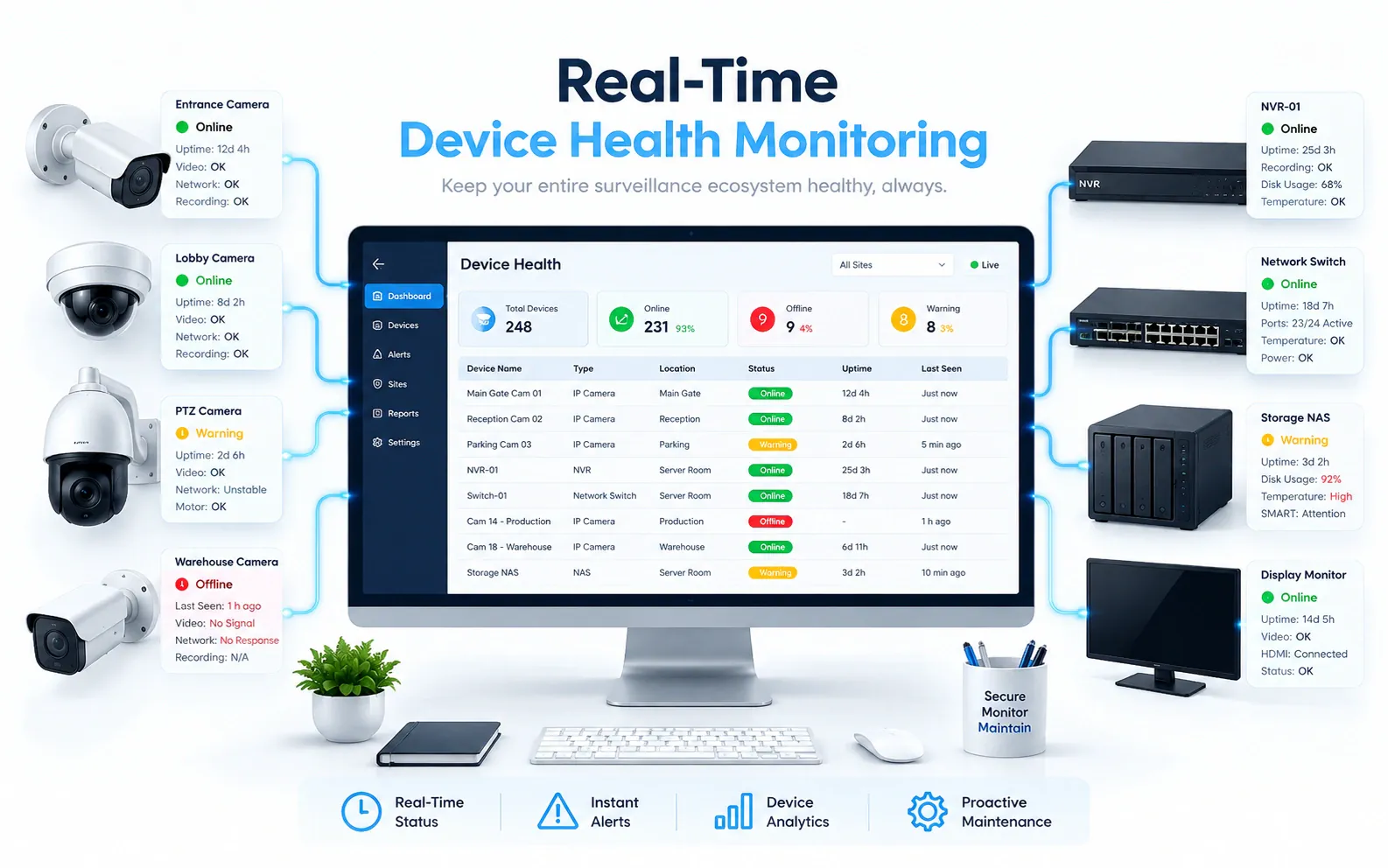
OrionAlerts solutions for housing societies
Residential · Questions
AI video analytics for housing societies: common questions
How can housing societies use CCTV analytics?
Start with gates, perimeters and common lobbies. OrionAlerts flags perimeter events and gate congestion from existing cameras, sends alerts to the dashboard, mobile app and email for the security supervisor, and lets an authorised reviewer find a common-area clip by time window and lobby instead of scrolling through recordings.
Can OrionAlerts help with delivery congestion at the gate?
Yes. Repeated congestion where deliveries and resident entry share an approach shows up as a recurring observation at that gate or lobby. Property management can then review delivery staging and visitor guidance, and pilots measure gate congestion duration during comparable peaks to see whether the change helped.
Can every resident view all cameras?
No. Access is set by purpose and authorisation: authorised reviewers see the cameras their role needs, under controlled review rather than open live feeds for every resident. The permission model, notices and retention policy are documented by the society and verified in the selected setup before rollout.
Does this recognise every visitor?
No. OrionAlerts reviews events in common areas, such as gate congestion and perimeter events, without identifying the people involved. Identifying and authorising visitors are separate functions, such as a visitor-management system at the gate, and would need their own specific supported scope.
Can cameras watch inside homes?
No. Deployments cover common areas such as gates, lobbies and shared routes, with cameras positioned to keep homes, balconies and other private spaces out of view. Camera placement, purpose, notices and retention are documented before installation, so residents know what is covered and who can review the footage.
Can we use our existing CCTV cameras?
Yes, in most cases: OrionAlerts connects to compatible IP cameras and recorders through ONVIF, RTSP and vendor SDKs, so working hardware can usually stay in place. A short assessment checks camera position, image quality and network access for each use case, and confirms compatibility model by model before the pilot starts.
Where is the video stored, and who can see it?
On site: video and AI inference stay on the on-site node, while Orion Cloud syncs alerts, health status and configuration metadata for central management. Role-based access means each user sees only the sites, cameras and functions in their scope, and retention is set per camera, zone or site to follow your own policy.
Residential · Further reading
Further reading for housing society teams
Residential · Related
Industries related to housing societies


Ask Vision Copilot about your housing society.
See gate congestion, perimeter events and common-area clips for every building in your community.